33-60
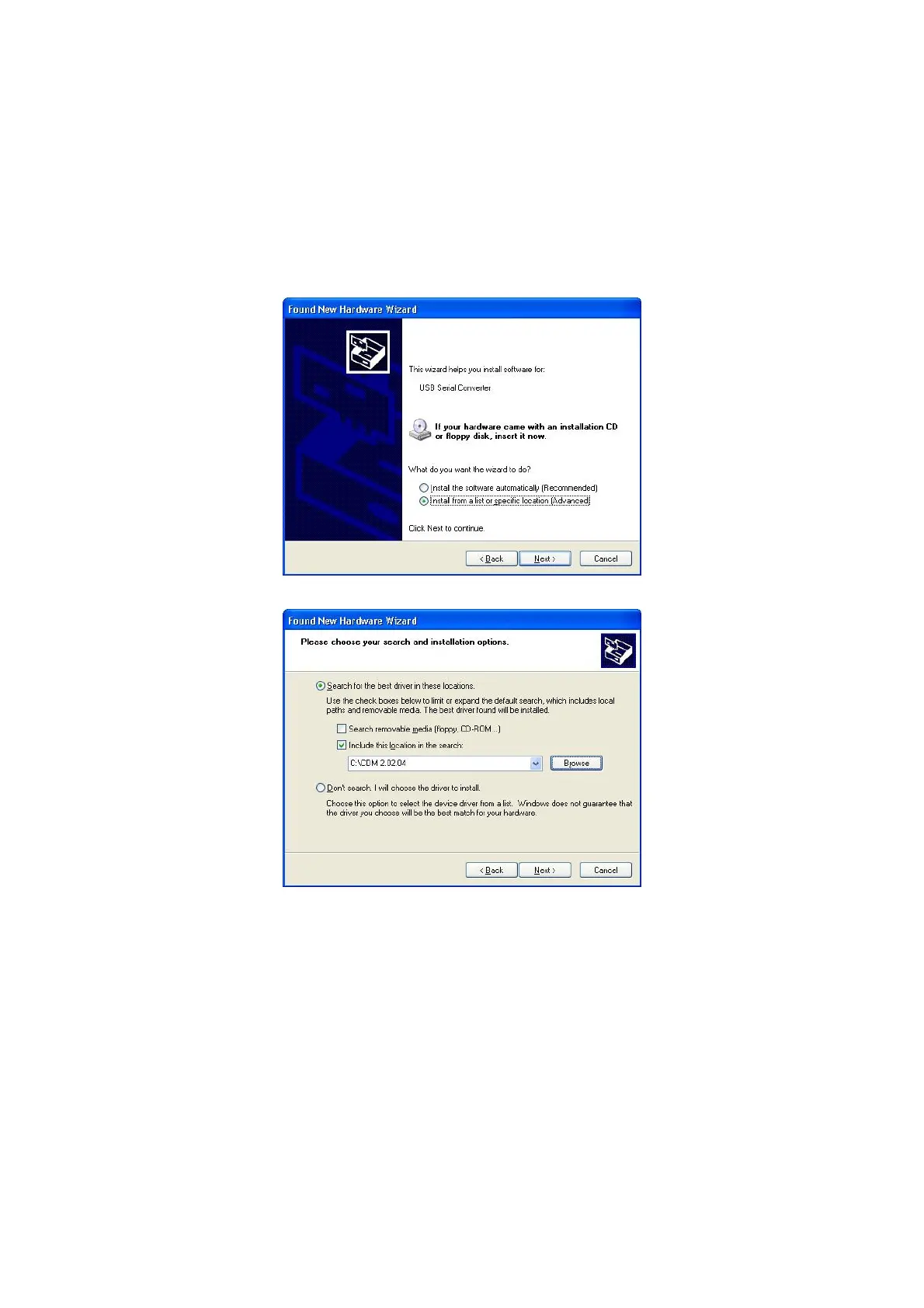
Select "Install from a list or specific location (Advanced)" as shown in Figure 2.2 below
and then click "Next".
Select "Search for the best driver in these locations" and enter the file path in the combo
box ("C:\CDM 2.02.04" in Figure 2.3 below) or browse to it by clicking the browse button.
Once the file path has been entered in the box, click next to proceed.
Figure 2.3
If Windows XP is configured to warn when unsigned (non WHQL certified) drivers are
about to be installed, the message dialogue shown in Figure 2.4 will be displayed unless
installing a Microsoft WHQL certified driver. Click on "Continue Anyway" to continue with
the installation. If Windows XP is configured to ignore file signature warnings, no
message will appear.
The screen shown in Figure 2.5 will be displayed as Windows XP copies the required
driver files.



 To Next Page