EasyManua.ls Logo

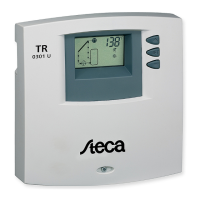
SunEarth Steca TR0301U - User Manual

SunEarth Steca TR0301U
2 pages
Print Icon
To Next Page IconTo Next Page
Loading...
8425 Almeria Avenue Fontana CA 92335
Ph (909) 434-3100 Fax (909) 434-3101
www.sunearthinc.com
Protecting Our Environment Since 1978
www.sunearthinc.com
SunEarth-Steca TR0301U Technician Menu v5
The Operating Instruction Manual does not cover this technician menu.
WARNING! Adjusting settings incorrectly can result in poor system performance and may result in damage to solar
thermal system components. These settings should only be adjusted by a qualified technician with thorough knowledge of
the workings and components of solar thermal systems.
To activate or access the technician menu:
Hold all three buttons down for ~5 seconds until the screen changes.
The screen should show “on” and flashing between T1 and T2. If it doesn’t work, try again, all three buttons at the same
time for 5 seconds
In the technician menu you can adjust the following:
Menu
Item
Default
Description
on
16F
Differential “on”- turns the pump on when the temperature T1-T2= 16F. Display flashes
between T1 and T2. (See the Operating Instructions 7.1 Automatic storage tank charging)
oFF+4F <=on<=100F
off
8F
Differential “off”-turns the pump off when the temperature T1-T2=8F. Display flashes
between T1 and T2. (See the Operating Instructions 7.1 Automatic storage tank charging)
0< oFF<on-4F
HYS
6F
Hysteresis for MAX tank temperature T2- turns the pump off when T2=140F (0 ~ 95°C), turns
the pump on when T2=134F (0 ~ MAX T2/2 ). Display flashes MAX T2. (See the Operating
Instructions 7.2 Automatic charging shutdown) 32F~203F
on
261°F
Over temperature function “on”- turns the pump back on when T1=261°F Display flashes heat
waves on the collector and T2. (See the Operating Instructions 7.3 Automatic pump blockage)
176°F<=on<=oFF-4F
oFF
266°F
Over temperature function “off”- turns the pump off when T1=266°F. Display flashes heat
waves on the collector and T2. (See the Operating Instructions 7.3 Automatic pump blockage)
on+4F<=oFF<=392°F
oFF
95°F
Holiday/vacation setting- turns the pump on periodically recirculating fluid to the collectors
cooling the tank until T2=95°F. Display flashes umbrella and T2.
(See the Operating Instructions 7.5 Holiday Function). 68°F<=oFF<=MAX T2-20F
on
32°F
Minimum temperature of collector- turns the pump on
32°F<= on <= over temperature on -20F
off
off
Off: pump stops if Freeze recirculation functionis active and there is an error on T1
On: pump starts if Freeze recirculation function is active and there is an error on T1
off
extra
off
Stagnation Reduction funciton delays fluid standstill(stagnation) by repeatedly stopping the
pump as the T2 approaches its MAX tank setting.
ON: The pump starts cycling at 20°F below the MAX tank main menu setting
40
extra
40
After the initial pump stoppage, pump restarts when collector temperature is 40°F less than the
OVER TEMPERATURE FUNCTION(default 266°F). Pump now stops and starts within a
20°F range until MAX tank main menu setting is reached.
T1-collector sensor, T2-tank sensor, T3-optional informational sensor-does not effect operation of the controller
Within the technician menu, the graphical display on the screen will indicate what you are adjusting.
Use the arrow keys to scroll up and down through the menu to get to the function that you want to change. The graphical
display on the screen will indicate what you are adjusting (see table above).
Hold the “SET” button down for ~3 seconds to access adjustment of the function value, just like the main menu described in
the manual (see 8.2 Setting the controller) . The screen will change and will flash between the number set in the controller
and the function being changed.
Use the arrow keys to adjust the number.
Use the “SET” button to set the number into the software. The controller has EPROM memory so settings will be saved even
when the controller is powered off.
Question and Answer IconNeed help?

Do you have a question about the SunEarth Steca TR0301U and is the answer not in the manual?

Summary

Technician Menu Access and Operation

Accessing the Technician Menu

Hold all three buttons for approximately 5 seconds to enter the technician menu.

Navigating and Adjusting Settings

Use arrow keys to navigate and the SET button to adjust values, which are saved automatically.

Technician Menu Parameter Configuration

Differential On;Off Settings

Adjusts pump activation (on) and deactivation (off) based on temperature differentials (T1-T2).

Hysteresis Setting

Manages pump cycling based on MAX tank temperature (T2) hysteresis for efficient operation.

Over Temperature Protection

Configures pump behavior for over-temperature conditions on the collector (T1) to prevent damage.

Holiday;Vacation Mode

Enables periodic fluid recirculation to the collectors for tank cooling during extended periods.

Collector Minimum Temperature

Sets the minimum collector temperature threshold required to activate the pump.

Freeze Recirculation Control

Manages pump operation during freeze protection and potential errors on the T1 sensor.

Stagnation Reduction Function

Prevents fluid standstill by cycling the pump as T2 approaches its maximum temperature setting.

Additional Temperature Thresholds

Fine-tunes pump start/stop points relative to MAX tank settings and over-temperature functions.

Overview

The SunEarth-Steca TR0301U is a solar thermal system controller designed to manage the operation of a solar hot water system. This document outlines the technician menu, which provides advanced configuration options not covered in the standard operating manual. WARNING: Adjusting these settings incorrectly can lead to poor system performance or damage to solar thermal components. Only qualified technicians with a thorough understanding of solar thermal systems should access and modify these settings.

Accessing the Technician Menu:

To activate the technician menu, hold all three buttons on the controller down simultaneously for approximately 5 seconds until the screen changes. The display should show "on" and flash between T1 and T2. If this does not occur, repeat the process, ensuring all three buttons are pressed at the same time for 5 seconds.

Technician Menu Functions and Settings:

  1. Differential "on" (Menu Item: on)

    • Default: 16°F
    • Function: This setting determines the temperature difference between the collector (T1) and the storage tank (T2) at which the pump turns on. When T1 - T2 reaches this value, the pump activates to transfer heat from the collector to the tank. The display flashes between T1 and T2 when this setting is active.
    • Range: OFF+4°F to 100°F.
    • Usage: Refer to Operating Instructions 7.1 Automatic storage tank charging.
  2. Differential "off" (Menu Item: off)

    • Default: 8°F
    • Function: This setting determines the temperature difference between the collector (T1) and the storage tank (T2) at which the pump turns off. When T1 - T2 drops to this value, the pump deactivates, preventing heat loss from the tank to the collector. The display flashes between T1 and T2 when this setting is active.
    • Range: 0°F to on-4°F.
    • Usage: Refer to Operating Instructions 7.1 Automatic storage tank charging.
  3. Hysteresis for MAX tank temperature T2 (Menu Item: HYS)

    • Default: 6°F
    • Function: This setting defines the hysteresis for the maximum tank temperature. When the tank temperature (T2) reaches its maximum set point (e.g., 140°F), the pump turns off. The pump will only turn back on when T2 drops by this hysteresis value (e.g., to 134°F). This prevents rapid cycling of the pump around the maximum temperature limit. The display flashes MAX T2.
    • Range: 32°F to 203°F.
    • Usage: Refer to Operating Instructions 7.2 Automatic charging shutdown.
  4. Over temperature function "on" (Menu Item: on)

    • Default: 261°F
    • Function: This setting defines the collector temperature (T1) at which the pump turns back on during an over-temperature event. If the system experiences an over-temperature condition (e.g., due to pump blockage), the pump may turn off to prevent damage. This setting ensures the pump reactivates when the collector temperature drops to a safe level. The display flashes heat waves on the collector and T2.
    • Range: 176°F to oFF-4°F.
    • Usage: Refer to Operating Instructions 7.3 Automatic pump blockage.
  5. Over temperature function "off" (Menu Item: oFF)

    • Default: 266°F
    • Function: This setting defines the collector temperature (T1) at which the pump turns off during an over-temperature event. If the collector temperature reaches this value, the pump will shut down to protect the system from overheating. The display flashes heat waves on the collector and T2.
    • Range: on+4°F to 392°F.
    • Usage: Refer to Operating Instructions 7.3 Automatic pump blockage.
  6. Holiday/vacation setting (Menu Item: oFF)

    • Default: 95°F
    • Function: This setting activates a holiday or vacation mode. In this mode, the pump turns on periodically to recirculate fluid through the collectors, cooling the tank until T2 reaches this set temperature. This prevents the tank from overheating during extended periods of inactivity. The display flashes an umbrella and T2.
    • Range: 68°F to MAX T2-20°F.
    • Usage: Refer to Operating Instructions 7.5 Holiday Function.
  7. Minimum temperature of collector (Menu Item: on)

    • Default: 32°F
    • Function: This setting defines the minimum collector temperature (T1) at which the pump will turn on. If the collector temperature is below this value, the pump will not activate, preventing the circulation of cold fluid and potential freezing.
    • Range: 32°F to over temperature on-20°F.
  8. Freeze recirculation function (Menu Item: off / on)

    • Default: off
    • Function: This setting controls the pump's behavior during freeze recirculation.
      • off: The pump stops if freeze recirculation is active and there is an error on T1.
      • on: The pump starts if freeze recirculation is active and there is an error on T1.
    • Usage: This function is critical for preventing freezing in the collector loop in cold climates.
  9. Stagnation Reduction function (Menu Item: off / on)

    • Default: off
    • Function: This setting enables or disables the stagnation reduction function. When enabled, the controller delays fluid standstill (stagnation) by repeatedly stopping the pump as T2 approaches its MAX tank setting. This helps to manage high temperatures in the collector during periods of low demand.
      • on: The pump starts cycling at 20°F below the MAX tank main menu setting.
  10. Stagnation Reduction restart temperature (Menu Item: extra)

    • Default: 40°F
    • Function: After the initial pump stoppage due to stagnation, the pump restarts when the collector temperature (T1) is 40°F less than the OVER TEMPERATURE FUNCTION (default 266°F). The pump then stops and starts within a 20°F range until the MAX tank main menu setting is reached. This helps to gradually cool the collector and prevent extreme temperature fluctuations.

Sensor Information:

  • T1: Collector sensor
  • T2: Tank sensor
  • T3: Optional informational sensor (does not affect controller operation)

The graphical display on the screen will indicate the parameter being adjusted.

  1. Scrolling: Use the arrow keys to scroll up and down through the menu items until the desired function is displayed.
  2. Accessing Adjustment: Hold the "SET" button down for approximately 3 seconds to access the adjustment mode for the displayed function. The screen will change, and the number representing the current setting will flash, along with the function being changed.
  3. Adjusting Value: Use the arrow keys to increase or decrease the numerical value.
  4. Saving Setting: Press the "SET" button to save the new value into the controller's software. The controller uses EPROM memory, ensuring that settings are retained even if power is lost.

Example: Decreasing Differential "off" to 4°F

  1. Hold all 3 buttons down for 5 seconds. The screen shows "on" and flashes between T1 and T2.
  2. Hit the "down" arrow key once to navigate to the "differential off" setting. The screen shows "off" and flashes between T1 and T2.
  3. Hold the "SET" button down for 3 seconds. The screen flashes between 8°F (the default) and "off with T1 and T2".
  4. Press the "down" arrow key repeatedly to lower the setting until the number reaches 4°F.
  5. Hit the "SET" button to save 4°F as the new differential "off" setting.

Important Notes:

  • If you press the down arrow key too many times (e.g., 6 times in a row starting from "differential on"), the controller will exit the technician menu and return to the main screen.
  • If there is a prolonged period of inactivity (no button presses) while in the technician menu, the controller will automatically exit to the main screen.
  • To re-enter the technician menu after exiting, repeat the initial access procedure (hold all three buttons down for 5 seconds).

This technician menu provides granular control over the solar thermal system's operation, allowing for fine-tuning to optimize performance based on specific installation requirements and environmental conditions. Proper understanding and cautious adjustment are paramount to ensure the longevity and efficiency of the solar thermal system.

SunEarth Steca TR0301U Specifications

General IconGeneral
BrandSunEarth
ModelSteca TR0301U
CategoryController
LanguageEnglish