EasyManua.ls Logo

Sungrow EyeM4 - User Manual

Sungrow EyeM4
27 pages
Print Icon
To Next Page IconTo Next Page
Loading...
User Manual

Table of Contents

Question and Answer IconNeed help?

Do you have a question about the Sungrow EyeM4 and is the answer not in the manual?

Summary

About This Manual

Intended Use of Manual

Provides detailed information on installation, operation, and maintenance.

Related Documentation

Refers to additional information sources like the Sungrow website.

Target Audience

Identifies technically qualified personnel and end users.

Manual Usage Guide

Guides users on how to best utilize the manual for effective learning.

Danger Hazard Identification

Indicates a high-risk hazard that can result in death or serious injury.

Safety Instructions

Installation Personnel Requirements

All installations should be performed by trained and familiar technical personnel.

Pre-Installation Damage Inspection

Check for transport damage upon receiving the module before installation.

Incorrect Operation Risks

Observe instructions when moving/placing the module to avoid injury.

Installation Ventilation Needs

Ensure the device is well-ventilated for optimal system performance.

Electrical Connection Regulations

All electrical connections must comply with local and national regulations.

Operation Safety Warning

Never remove the module while it is running or carries voltage.

Operation Burn Hazard

Do not touch hot components while the wireless communication module is running.

Area Access Control

Place warning signs to restrict access to the electrical operating area.

Restart and Serviceability

Restart only after faults are cleared; no serviceable parts inside the module.

Component Replacement Policy

Do not replace internal components without permission to avoid liability.

ESD Handling Precautions

Avoid touching PCB to prevent ESD damage; use ESD protection measures.

Label and Nameplate Checks

Ensure all warning labels and nameplates are legible and not covered.

General Safety Guidelines

Observe grid connection rules and safety descriptions of other electrical devices.

Product Description

System Diagram Applications

Shows typical applications of the wireless communication module with inverters.

Wireless Module Appearance

Displays and describes the physical appearance and components of the module.

Module Operating Principle

Explains how the module obtains and transmits inverter data via RS485 and Wi-Fi.

Wireless Module Functions

Details functions like data collection, communication interface, and remote management.

Installation Flow

Unpack and Check Procedure

Verifies the contents of the package and checks for damage upon receipt.

Manual and Safety Reading

Emphasizes reading the user manual and safety instructions before proceeding.

Module Storage Guidance

Provides guidance on storing the module properly when not in immediate use.

Optimizing Installation Location

Guides on choosing the best location for installing the wireless communication module.

Wireless Module Installation

Details the physical installation process of the wireless communication module.

Module Electrical Connection

Covers the steps for making the necessary electrical connections for the module.

Pre-Commissioning Inspection

Outlines required checks before starting the commissioning process of the module.

Wireless Module Startup

Describes the procedure for powering on and starting the wireless communication module.

Installation Troubleshooting

Refers to solutions for potential issues that may arise during installation.

Unpacking and Storage

Unpacking and Inspection

Details the process of unpacking and inspecting the module for damage and completeness.

Nameplate Description

Explains the information found on the wireless communication module's nameplate.

IP66 Protection Rating

Explains the meaning of the IP66 protection rating for the module's enclosure.

Scope of Delivery

Lists the items included in the product package, such as the module and document.

Storage Recommendations

Provides guidelines for storing the wireless communication module in proper environmental conditions.

Mechanical Installation

Installation Location & Environment

Specifies the recommended location, temperature, and humidity for module installation.

Preparation for Installation

Lists prerequisites and checks required before starting the mechanical installation.

Module Installation Steps

Details the steps for physically inserting and connecting the module into the inverter.

Commissioning

Pre-Commissioning Checks

Lists environmental and connection checks required before starting the module.

Commissioning Startup Procedure

Outlines the steps to power on and configure the module after installation.

Removing and Disposing

Module Removal Steps

Provides instructions for safely removing the wireless communication module from the inverter.

Storage for Reuse

Refers to storage instructions if the module will be used again in the future.

Module Disposal Guidelines

Gives guidance on proper disposal of the module according to relevant regulations.

Appendix

Technical Specifications

Lists technical specifications for communication, power, ambient conditions, and dimensions.

Transmitting Power Details

Details transmitting power (TRP, TIS) for various Wi-Fi modes and rates.

Transmitting Frequency Bands

Lists transmitting frequency bands for different network standards like 4G, 3G, and 2G.

Quality Assurance & Warranty

Explains warranty terms, conditions, evidence requirements, and exclusions of liability.

Contact Information for Support

Provides contact details for Sungrow customer support in various global regions.

Summary

About This Manual

Intended Use of Manual

Provides detailed information on installation, operation, and maintenance.

Related Documentation

Refers to additional information sources like the Sungrow website.

Target Audience

Identifies technically qualified personnel and end users.

Manual Usage Guide

Guides users on how to best utilize the manual for effective learning.

Danger Hazard Identification

Indicates a high-risk hazard that can result in death or serious injury.

Safety Instructions

Installation Personnel Requirements

All installations should be performed by trained and familiar technical personnel.

Pre-Installation Damage Inspection

Check for transport damage upon receiving the module before installation.

Incorrect Operation Risks

Observe instructions when moving/placing the module to avoid injury.

Installation Ventilation Needs

Ensure the device is well-ventilated for optimal system performance.

Electrical Connection Regulations

All electrical connections must comply with local and national regulations.

Operation Safety Warning

Never remove the module while it is running or carries voltage.

Operation Burn Hazard

Do not touch hot components while the wireless communication module is running.

Area Access Control

Place warning signs to restrict access to the electrical operating area.

Restart and Serviceability

Restart only after faults are cleared; no serviceable parts inside the module.

Component Replacement Policy

Do not replace internal components without permission to avoid liability.

ESD Handling Precautions

Avoid touching PCB to prevent ESD damage; use ESD protection measures.

Label and Nameplate Checks

Ensure all warning labels and nameplates are legible and not covered.

General Safety Guidelines

Observe grid connection rules and safety descriptions of other electrical devices.

Product Description

System Diagram Applications

Shows typical applications of the wireless communication module with inverters.

Wireless Module Appearance

Displays and describes the physical appearance and components of the module.

Module Operating Principle

Explains how the module obtains and transmits inverter data via RS485 and Wi-Fi.

Wireless Module Functions

Details functions like data collection, communication interface, and remote management.

Installation Flow

Unpack and Check Procedure

Verifies the contents of the package and checks for damage upon receipt.

Manual and Safety Reading

Emphasizes reading the user manual and safety instructions before proceeding.

Module Storage Guidance

Provides guidance on storing the module properly when not in immediate use.

Optimizing Installation Location

Guides on choosing the best location for installing the wireless communication module.

Wireless Module Installation

Details the physical installation process of the wireless communication module.

Module Electrical Connection

Covers the steps for making the necessary electrical connections for the module.

Pre-Commissioning Inspection

Outlines required checks before starting the commissioning process of the module.

Wireless Module Startup

Describes the procedure for powering on and starting the wireless communication module.

Installation Troubleshooting

Refers to solutions for potential issues that may arise during installation.

Unpacking and Storage

Unpacking and Inspection

Details the process of unpacking and inspecting the module for damage and completeness.

Nameplate Description

Explains the information found on the wireless communication module's nameplate.

IP66 Protection Rating

Explains the meaning of the IP66 protection rating for the module's enclosure.

Scope of Delivery

Lists the items included in the product package, such as the module and document.

Storage Recommendations

Provides guidelines for storing the wireless communication module in proper environmental conditions.

Mechanical Installation

Installation Location & Environment

Specifies the recommended location, temperature, and humidity for module installation.

Preparation for Installation

Lists prerequisites and checks required before starting the mechanical installation.

Module Installation Steps

Details the steps for physically inserting and connecting the module into the inverter.

Commissioning

Pre-Commissioning Checks

Lists environmental and connection checks required before starting the module.

Commissioning Startup Procedure

Outlines the steps to power on and configure the module after installation.

Removing and Disposing

Module Removal Steps

Provides instructions for safely removing the wireless communication module from the inverter.

Storage for Reuse

Refers to storage instructions if the module will be used again in the future.

Module Disposal Guidelines

Gives guidance on proper disposal of the module according to relevant regulations.

Appendix

Technical Specifications

Lists technical specifications for communication, power, ambient conditions, and dimensions.

Transmitting Power Details

Details transmitting power (TRP, TIS) for various Wi-Fi modes and rates.

Transmitting Frequency Bands

Lists transmitting frequency bands for different network standards like 4G, 3G, and 2G.

Quality Assurance & Warranty

Explains warranty terms, conditions, evidence requirements, and exclusions of liability.

Contact Information for Support

Provides contact details for Sungrow customer support in various global regions.

Overview

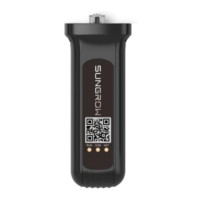
The EyeM4 Wireless Communication Module, manufactured by Sungrow Power Supply Co., Ltd., is designed to facilitate the collection and transmission of inverter data to a remote server. This module is intended for use with single-phase residential inverters and three-phase string inverters also manufactured by Sungrow. It supports various wireless communication methods including WLAN (Wi-Fi) and 4G (LTE, TD-SCDMA, CDMA, GSM), allowing for flexible deployment in different network environments.

Function Description

The primary function of the EyeM4 module is data collection and remote management. It connects to the inverter via a standard RS485 interface, acquiring real-time running data and fault records. This information is then transmitted to the iSolarCloud server or other remote monitoring platforms. The module periodically connects to the iSolarCloud server to upload data, enabling users to view plant information and perform operations through the iSolarCloud APP.

The module supports multiple communication protocols:

  • WLAN: Operates on 2.4 GHz and 5 GHz bands, supporting 802.11b/g/n/ac standards with HT20/40/80 MHz. This allows for connection to local Wi-Fi routers for data transmission.
  • 4G: Supports LTE (FDD: B1, B3, B5, B8; TDD: B38, B39, B40, B41), TD-SCDMA (B34, B39), CDMA (BC0), and GSM (900MHz / 1800MHz) for broader cellular network coverage.
  • Daisy Chain Connection: The module can be used to collect information from multiple inverters connected in a daisy chain manner via RS485 communication cables, simplifying data acquisition for larger installations.

Important Technical Specifications

  • Communication Interface: RS485 (Baud rate 9600, null check bit, 8 data bits, 1 stop bit).
  • Max. Number of Devices: 10 (when used in a daisy chain setup).
  • LED Display: 3 LEDs indicate the running state of the module.
  • Power Supply: 5 Vdc, 0.8 A.
  • Power Consumption: <4 W.
  • Operating Temperature: -30 °C to 60 °C.
  • Relative Air Humidity: ≤95 % (non-condensing).
  • Elevation: ≤4000 m.
  • Protection Class: IP66, suitable for both indoor and outdoor installations.
  • Dimensions (W x H x D): 48 mm x 130 mm x 36 mm.
  • Mounting Type: Plug and Play, designed for insertion into the inverter's network port (COM).
  • Transmitting Power (TRP) and Sensitivity (TIS PER≤10%):
    • 802.11a: 6 Mbps (TRP ≥10, TIS ≥-84), 54 Mbps (TRP ≥9, TIS ≥-68).
    • 802.11b: 1 Mbps (TRP ≥13, TIS ≥-86), 11 Mbps (TRP ≥13, TIS ≥-79).
    • 802.11g: 6 Mbps (TRP ≥12, TIS ≥-82), 54 Mbps (TRP ≥11, TIS ≥-66).
    • 802.11n HT20: MCS0 (TRP ≥11, TIS ≥-82), MCS7 (TRP ≥10, TIS ≥-64).
    • 802.11n HT40: MCS0 (TRP ≥10, TIS ≥-79), MCS7 (TRP ≥9, TIS ≥-61).
    • 802.11ac HT20: MCS0 (TRP ≥8, TIS ≥-84), MCS7 (TRP ≥7, TIS ≥-61).
    • 802.11ac HT40: MCS0 (TRP ≥8, TIS ≥-81), MCS9 (TRP ≥7, TIS ≥-56).
    • 802.11ac HT80: MCS0 (TRP ≥7, TIS ≥-78), MCS9 (TRP ≥6, TIS ≥-53).
  • Transmitting Frequencies:
    • 4G LTE+FDD: B1/B3/B5/B8 (Send: 1920~1980 MHz, 1710~1785 MHz, 824~849 MHz, 880~915 MHz; Receive: 2110~2170 MHz, 1805~1880 MHz, 869~894 MHz, 925~960 MHz).
    • 4G LTE+TDD: B38/B39/B40/B41 (Send/Receive: 2570~2620 MHz, 1880~1920 MHz, 2300~2400 MHz, 2555~2655 MHz).
    • 3G TD-SCDMA: B34/B39 (Send/Receive: 2010~2025 MHz, 1880~1920 MHz).
    • 3G WCDMA: B1/B8 (Send: 1920~1980 MHz, 880~915 MHz; Receive: 2110~2170 MHz, 925~960 MHz).
    • 2G CDMA: BC0 (Send: 824~849 MHz; Receive: 869~894 MHz).
    • 2G GSM: 900M/1800M (Send: 880~915 MHz, 1710~1785 MHz; Receive: 925~960 MHz, 1805~1880 MHz).

Usage Features

  • Easy Installation: The module features a plug-and-play design, inserting directly into the inverter's network port (COM) at the bottom. It snaps into place with a "Click" sound, indicating a secure connection.
  • Hot-Swappable: The wireless communication module can be plugged in and out without switching off the inverter, minimizing downtime during installation or replacement.
  • Automatic Communication: Once installed and the inverter is powered on, the module automatically establishes communication with the inverter.
  • Remote Configuration: After installation, users can download the iSolarCloud APP to configure parameters of the connected inverter, facilitating remote management.
  • Robust Design: With an IP66 protection class, the module is designed to withstand harsh environmental conditions, making it suitable for both indoor and outdoor use.
  • Daisy Chain Capability: For installations with multiple inverters, the module can collect data from up to 10 inverters connected in a daisy chain, streamlining data acquisition and monitoring.

Maintenance Features

  • Damage Check: Upon receiving the module, it is crucial to check for any transport damage to the packing case or the device itself. Any damage should be reported to Sungrow or the forwarding company immediately.
  • Storage Recommendations: If not installed immediately, the module should be stored in its original packing case with desiccant, sealed with adhesive tape, in a clean, dry, dustproof, and waterproof environment. The recommended storage temperature is -40°C to 85°C, with relative humidity from 5% to 95%. It should be stored away from chemically corrosive materials and kept upright.
  • Regular Storage Checks: During storage, it is recommended to check the module every six months and replace packing material if necessary.
  • No User-Serviceable Components: The module contains no serviceable components. In case of maintenance requirements, users should contact SUNGROW. Unauthorized replacement of internal components will void the warranty.
  • ESD Protection: When handling the module, especially the PCB or other sensitive components, ESD protection standards (e.g., wearing a wrist strap) must be observed to prevent damage.
  • Warning Labels: All warning labels and nameplates on the module must be clearly legible, not removed, or covered to ensure safety and proper identification.
  • Disposal: At the end of its service life, the module, which contains LED indicators and other components, must be disposed of according to local environmental regulations to prevent pollution.
  • Quality Assurance: Sungrow provides free service or replacement for product faults occurring during the warranty period, provided the customer can present the purchase invoice and date, and the product's trademark is undamaged and legible. The warranty does not cover damages due to incorrect installation, refitting, use in harsh environments, or unauthorized repairs/modifications.

Sungrow EyeM4 Specifications

General IconGeneral
BrandSungrow
ModelEyeM4
CategoryControl Unit
LanguageEnglish

Related product manuals