12
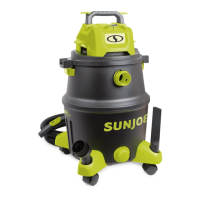
4. Before putting back the powerhead, assemble the dust
bag by inserting the air inlet tube into the hole on the dust
bag, as shown (Fig. 12).
NOTE: It's recommended to use the paper dust bag for
dry vacuuming. The paper dust bag will collect all debris
and make clean-up after vacuuming much easier.
5. Replace the powerhead. Lock the latches on both sides
securely (Figs. 6 – 7).
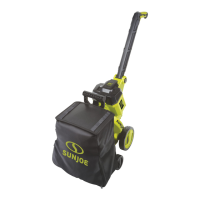
6. With the hose and the preferred nozzle connected, insert
the battery into the battery compartment, and press the
ON ( I ) side on the ON/OFF switch (Fig. 13).
mWARNING! Before switching on the wet/dry vacuum,
make sure that it is not in contact with any foreign objects.
7. After vacuuming is nished, press the OFF ( O ) side of
the ON/OFF switch and remove the battery. Remove the
paper dust bag and pour out the debris inside.
Wet Vacuuming Mode
mWARNING! Do not use the cartridge lter or the paper
dust bag for wet vacuuming. Follow the instructions below to
assemble the foam lter for wet vacuuming.
1. Make sure the battery is removed from the compartment.
2. Unlock the powerhead by ipping up the latches on both
sides, and then lift up to remove (Fig. 3).
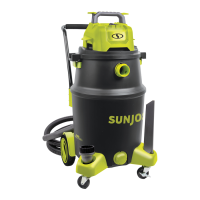
3. Turn the powerhead upside down. Install the foam lter
over the lter basket (Fig. 14)
4. Replace the powerhead. Lock the latches on both sides
securely (Fig. 6).
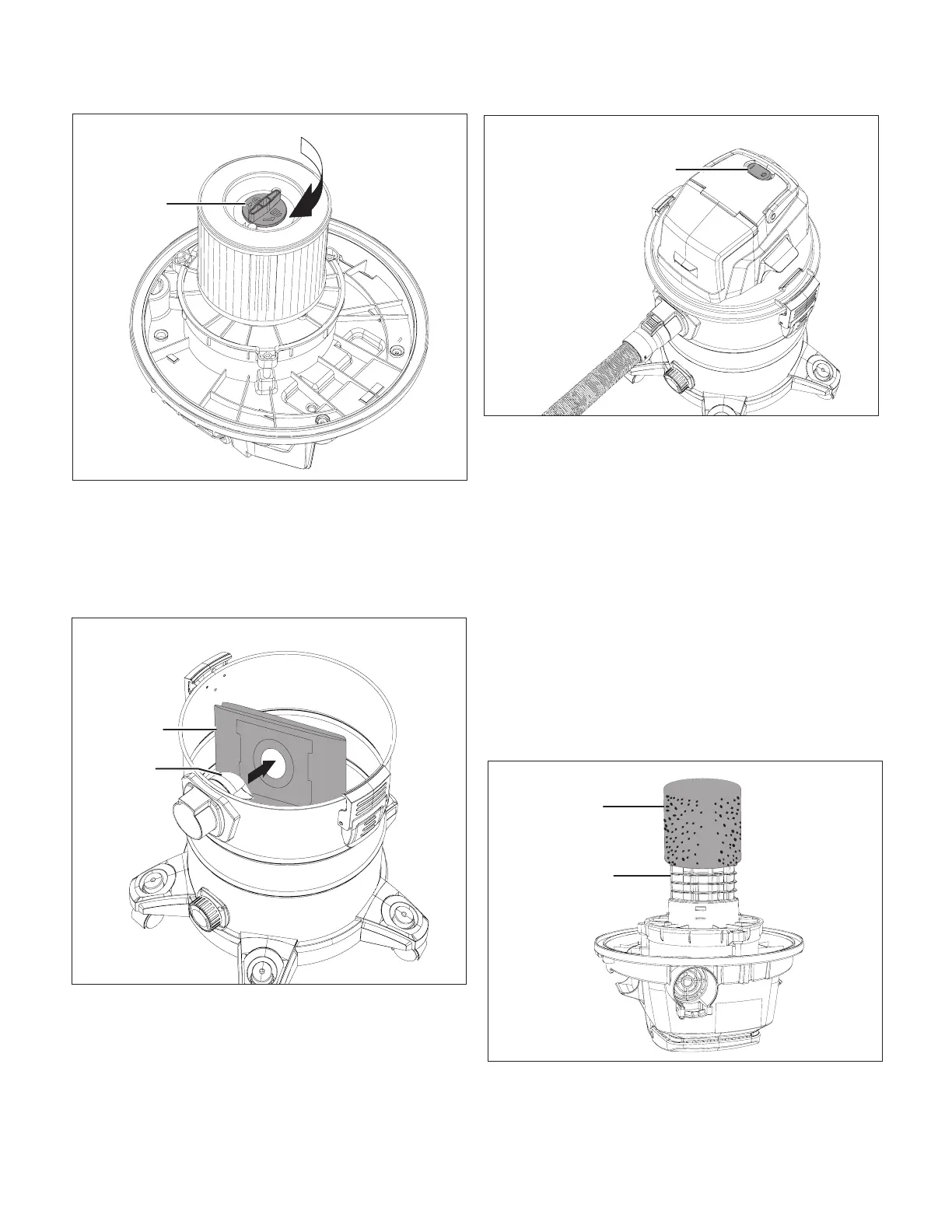
Fig. 11
Cartridge
lter lock
Fig. 12
Paper
dust bag
Air inlet
tube
Fig. 13
ON/OFF switch
Fig. 14
Foam lter
Filter basket


 To Next Page