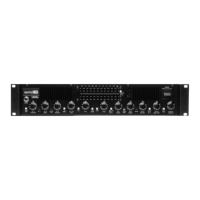
6. Turn your amplifier ON.
7. Begin playing your Bass as vigorously as you
would during any regular performance; if necessary
engage the -6dB PAD button. In order to obtain the
optimum signal from the preamp, it is important to
play with your maximum performance intensity when
setting up the 1200s.
8. Turn the channel 1 volume control up until the
INPUT LEVEL LED flashes red. Next, turn down the
CH. 1 VOLUME level until the LED flashes red
occasionally; this will ensure maximum output
without clipping or distorting the preamp.
9. Turn the MASTER VOLUME to your desired
playing level.
10. Next, set your 1200s to your desired tone
settings using the compressors and graphic EQ if so
desired.
11. To use the graphic eq, simply press the graphic
ON / OFF button located next to the EQ watching for
the LED to illuminate. You may use the EQ TRIM to
match gain levels which may be affected when
switching in and out of the graphic equalizer.
12. To use the compression circuitry, simply press
the COMP ON / OFF button located between the
COMP EQ BAL and COMP GAIN TRIM buttons.
13. Be sure to check the signal level led during your
tone setup to ensure you are not overdriving or
clipping the preamp. If the SIGNAL LEVEL LED
flashes red after all tone adjustments have been
made, simply turn down the CH.1 VOLUME until the
distorted sound diminishes.
14. If at any time during your performance the 1200s
begins to distort without the CH. SELECT switch
engaged, simply turn down the CH.1 VOLUME until
the distorted sound diminishes.
5


 To Next Page
 Loading...