

EasyManua.ls Logo

Sunny SN043DLD12AT071-V1T2F - User Manual

Sunny SN043DLD12AT071-V1T2F
36 pages
Print Icon
To Next Page IconTo Next Page
Loading...
360533020402/11/2015 R - 02
User Manual
SN043DLD12AT071-V2T2F
SN049DLD12AT071-V2T2F
SN043DLD12AT071-V1T2F
SN049DLD12AT071-V1T2F
Question and Answer IconNeed help?

Do you have a question about the Sunny SN043DLD12AT071-V1T2F and is the answer not in the manual?

Summary

Appliance Features

Safety Warnings

Installation

Wall Mount

Procedure for securely attaching the appliance to a wall.

Transporting the Appliance

LED Panel

Information regarding the fragility and characteristics of the LED panel.

Maintenance

Environment and Human Health

Usage Faults Information

Energy Consumption Information

Keypad and Connections

Rear Connections

Diagrams showing the rear connection ports of the appliance.

Operating Appliance

Remote Control Key Functions

First Time Installation

Source List

Antenna Mode

Channel Menu

Auto Tuning

Procedure for automatically scanning for TV channels.

DVB-T Manual Tuning

ATV Manual Tuning

Programme Edit

Signal Information

Channel List

Picture Menu

Picture Mode Settings

Options to adjust picture display modes like Standard, Dynamic, Mild, and User.

Color Temperature Settings

Dynamic CR

Noise Reduction Settings

Sound Menu

Sound Mode Settings

Audio Adjustment Features

Time Menu

Off Time Setting

Configure the appliance to turn off automatically at a specified time.

On Time Setting

Configure the appliance to turn on automatically at a specified time.

Sleep Timer Configuration

Time Zone Selection

Auto Standby Settings

OSD Timer Settings

Lock Menu

Lock System Configuration

Set up the lock system, including password entry and clearing options.

Options Menu

OSD Language Selection

Choose the display language for the on-screen menus.

Audio Language Selection

Select the preferred audio language for broadcasts.

Subtitle Language Settings

PVR File System Management

PVR Functionality

Restore Factory Defaults

Cable Mode Operation

Auto Tuning for DVB-C

DVB-C Manual Tuning

USB Media Modes

Photo Viewing

Instructions for navigating and viewing photos from a USB storage device.

Photo Playback Controls

Music Playback

Movie Playback

File Browsing

Troubleshooting

No Picture or Sound Issues

Solutions for when the appliance has no picture or sound.

Color and Display Issues

Troubleshooting steps for color problems and picture noise.

Remote Control and Signal Problems

Resolving remote control malfunctions and signal interference.

Technical Specifications

OSD Language and Panel Details

Specifications related to on-screen display languages and panel characteristics.

Input and Output Interfaces

Details on various input (TV, Video, Audio) and output ports.

Connectivity Terminals

Information about the available connection terminals like HDMI, SCART, USB, and Earphone.

Product Features Overview

PC Signal Formats

Supported PC signal formats and resolutions via VGA interface.
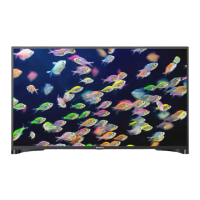
Included Accessories

Stand Installation Scheme V1

Stand Installation Scheme V2

Product Fiche

Sunny SN043DLD12AT071-V1T2F Specifications

General IconGeneral
BrandSunny
ModelSN043DLD12AT071-V1T2F
CategoryLED TV
LanguageEnglish