Need help?
Do you have a question about the Sunpak DF3600U and is the answer not in the manual?
Provides essential safety guidelines for using the flash unit to prevent hazards.
Lists the main capabilities and specifications of the DF3600U flash.
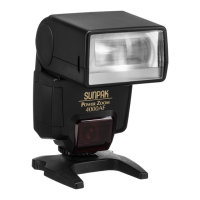
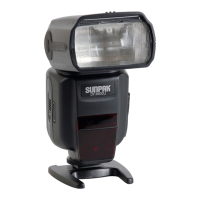
Identifies and labels the various physical parts of the flash unit.
Explains the AF assist lamp's role in low-light focusing and its operation.
Details how to tilt and rotate the flash head for optimal lighting.
Lists compatible battery types (AA Alkaline, Ni-Cd, Ni-MH, Lithium, Oxyride) and their characteristics.
Provides step-by-step instructions for inserting batteries into the flash unit.
Guides on how to attach and lock the flash onto a camera's hot shoe.
Instructions on operating the power button and understanding the charge indicator.
Explains how to use the flash in automatic TTL mode with camera settings.
Details the process of switching between different flash modes.
Describes how to adjust exposure compensation using the flash controls.
Explains how to set up Flash Exposure Bracketing (FEB) for Canon cameras.
Describes using the flash with TV/S, AV/A, and M camera modes.
How to lock the flash exposure for specific scenes or subjects.
Details how to adjust flash output power manually from 1/128 to 1/1.
Explains how to set up and use the stroboscopic (multi-flash) mode.
Guides on configuring frequency and burst count for stroboscopic mode.
Covers using the flash with high shutter speeds up to 1/8000s.
Details how to create light trails using rear curtain sync.
Explains achieving high-speed sync wirelessly with SLAVE units.
Describes accessing and setting flash functions through the camera's menu.
How to set the flash coverage to match the lens focal length automatically or manually.
Introduces the SLAVE modes for wireless flash communication.
Differentiates between Wireless Instruction and Optical flash models.
Explains specific wireless instruction modes for Canon and Nikon systems.
Details the S1 mode for manual flash environments and sync triggering.
Details the S2 mode for environments with pre-flashes, compatible with TTL.
Guides on creating multi-light setups using wireless optical triggering.
Tips on positioning and operating optical flash units for optimal results.
Explains the various sounds the flash makes to indicate its status.
How to turn the backlight on/off and its auto-off behavior.
Automatically saves current settings after a period of inactivity.
Instructions on how to restore the flash to its default factory settings.
Explains the flash lock feature indicating low battery or charging issues.
Guidance on tilting and rotating the flash head to bounce light off surfaces.
How to use the internal reflection board for brighter subject illumination.
How to deploy the wide-angle diffuser for broader flash coverage.
Comprehensive list of the flash unit's technical specifications.
Details the warranty terms, coverage, and service procedures.
 Flash Specifications
| guide number | 118 (ISO100, 180 mm) |
|---|---|
| flash coverage | 18 ~ 180 mm |
| flash time | 1/200s-1/20000s |
Wireless and Triggering| wireless flash distance indoor | 20 ~ 30 meters |
|---|---|
| wireless flash distance outdoor | 10 ~ 15 m |
| wireless trigger | Light pulse, Induction flash light |
Rotation Angles| rotation angle up and down | 7 ~ 90 degrees |
|---|---|
| rotation angle left-right | 0 ~ 180 degrees |
| rotation angle right-left | 0 ~ 180 degrees |
Power and Battery| recycle time | 2.3 seconds |
|---|---|
| power supply | 4 AA Batteries |
| flashes | 500-5000 times |
 Weight and Dimensions
| size | 7.87" H x 2.95" W x 2.24" D |
|---|---|
| weight | 13.2 oz. (without batteries) |
| color temperature | 5500K |

 To Next Page