10. To use your Bluetooth remote, follow these steps:
Turn the On/Off Switch on the Bluetooth Remote to the
“On” position.
Turn on your smartphone’s Bluetooth function. When
you see SUNPAK in your list of Bluetooth devices, pair
your phone to that device.
Once paired, open up the camera feature of your
smartphone.
Attach your phone to the smartphone mount. The
smartphone mount can accept phones up to 3.5” wide.
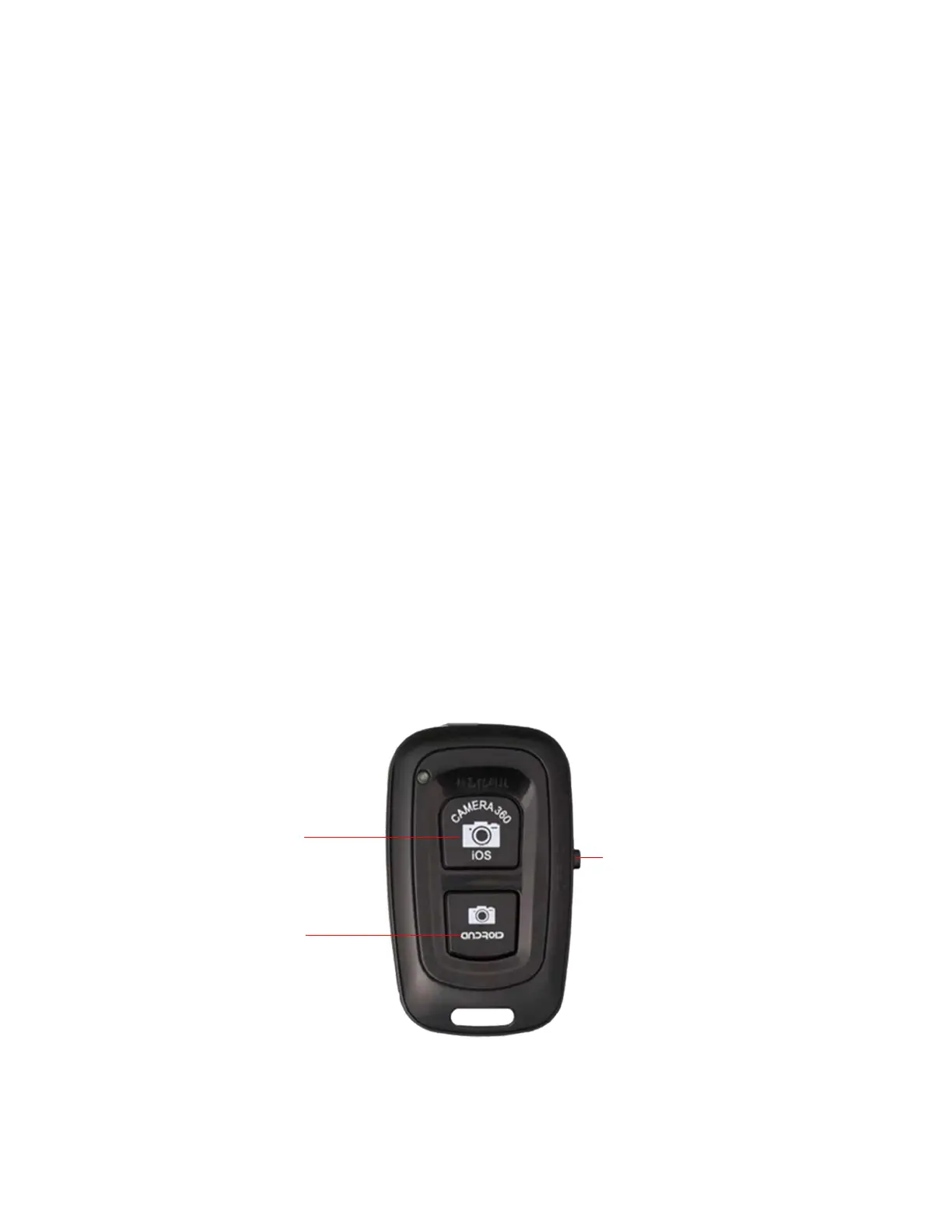
To take a picture, press the Shutter Release button on
the Bluetooth remote. For Apple (iPhones), press the
iOS button. For Android phones, press the Android but-
ton.
Note: Some Android users may notice the camera
zooming when the Shutter Button on the remote is
pressed. If this occurs, please go into your
smartphone’s camera settings and change the “Volume
Key” setting to “Camera”. Please refer to your
smartphone manual for assistance in changing this
setting.
Note: You cannot pair more than one remote at the same
time.
On / Off
Switch
Android Shutter
Button
Apple Shutter
Button


 To Next Page