Features
z 7inch TFT LCD screen display
z Supports SD, MS and MMC cards
z Supports JPEG files
z Support USB2.0
z Support up to file size of 5.0m pixels
z Photo interval of 5s/10s/30s/60s; 5m/15m/30m/45m/1h
z Auto play when inserting memory cards
z Built-in buttons for easy to use operation without a remote control
z Support for upright positioning
Controls
z
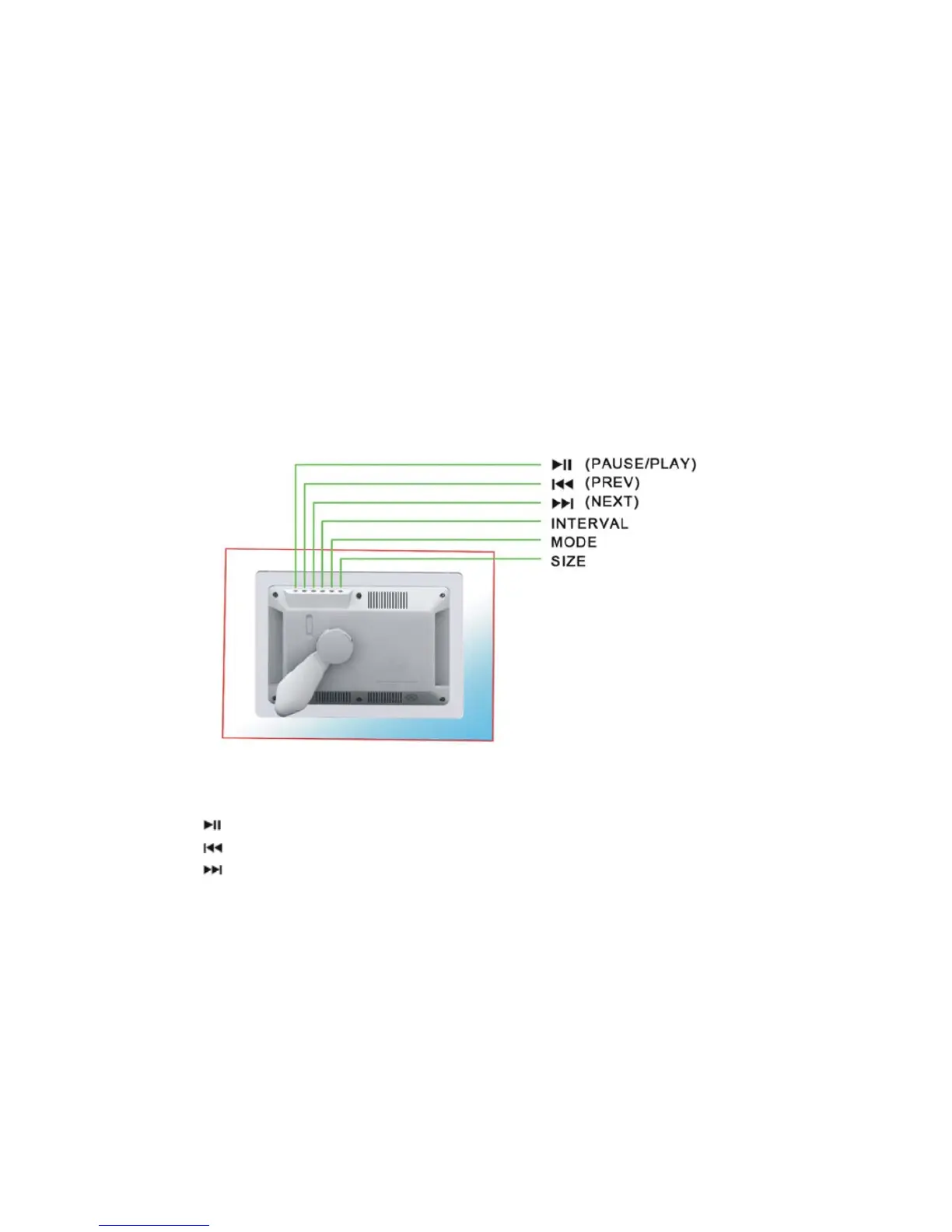
(PAUSE/PLAY): Press this button to stop at a picture. Press it again to play
z
(PREV): Press this button to see the previous picture
z
(NEXT): Press this button to see the next picture
z INTERVAL: Press this button to adjust the interval time of 5s/10s/30s/60s;
5m/15m/30m/45m/1h
z MODE: Press this button to select a display mode (Fill, Original, Auto Fit and Pan
Scan)
z Size: Adjust 16:9 or 4:3 aspect ratio


 To Next Page