EasyManua.ls Logo

Sunpak Quantaray - User Manual

Sunpak Quantaray
20 pages
Print Icon
To Next Page IconTo Next Page
Loading...
Quantaray
By Sunpak
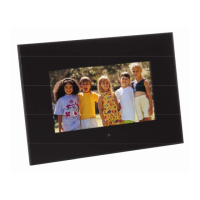
10.4” Digital Photo Frame Operation Manual
Stock no. 81-166-0307
Digital Photo Frame
Operation Manual
Warranty Card
AC Adapter
USB Cable
Remote Controller
Thank you for purchasing this Sunpak product. For
optimum performance and safety, please read this
operation manual carefully before connecting,
operating and adjusting this product. Please keep this
manual in a safe place for any future reference.

Other manuals for Sunpak Quantaray

Questions and Answers

  • J
    james67Jul 31, 2025
    What to do if my Sunpak Quantaray shows a black screen?
    • J
      jhuntJul 31, 2025
      If your Sunpak Digital Photo Frame displays a black screen, it could be due to the device not being turned ON, or the adapter might not be properly connected. To resolve this, first, ensure that the device is switched on. If it is, inspect the adapter connection to make sure it is securely plugged in.
  • E
    Erica RodgersAug 9, 2025
    Why is there no voice on my Sunpak Digital Photo Frame?
    • J
      juliereeseAug 9, 2025
      If there is no voice from your Sunpak Digital Photo Frame, the volume might be set to '0'. Alternatively, if you're using earphones, there may be a bad connection. It's also possible that the file you're playing is incomplete. To fix this, check that the volume is properly adjusted, ensure your earphones are in good working order, and verify that the playing file is complete.
  • C
    Christine AdamsAug 20, 2025
    What to do if Sunpak Quantaray Digital Photo Frame power is on but the system fails to work?
    • J
      Joel LopezAug 20, 2025
      If the power is on but your Sunpak Digital Photo Frame system fails to work, it means that the system could not work normally. In this case, reset the machine.

Summary

Important Safety Instructions

Main Functions and Features

Features and Operations

Operations

ON;OFF

How to turn the device on and off.

Buttons

Photo Setup

Settings for photo display, including transition and interval.

System Setup

Host and USB Functions

Connecting storage devices and computers via USB.

Audio and Screen Adjustments

Customizing audio output, earphone use, and screen settings.

Troubleshooting

Specifications

Remote Controller

Sunpak Quantaray Specifications

General IconGeneral
BrandSunpak
ModelQuantaray
CategoryDigital Photo Frame
LanguageEnglish

Related product manuals