A7670E_TEKIT_User Guide_V1.00
www.simcom.com
12
/
13
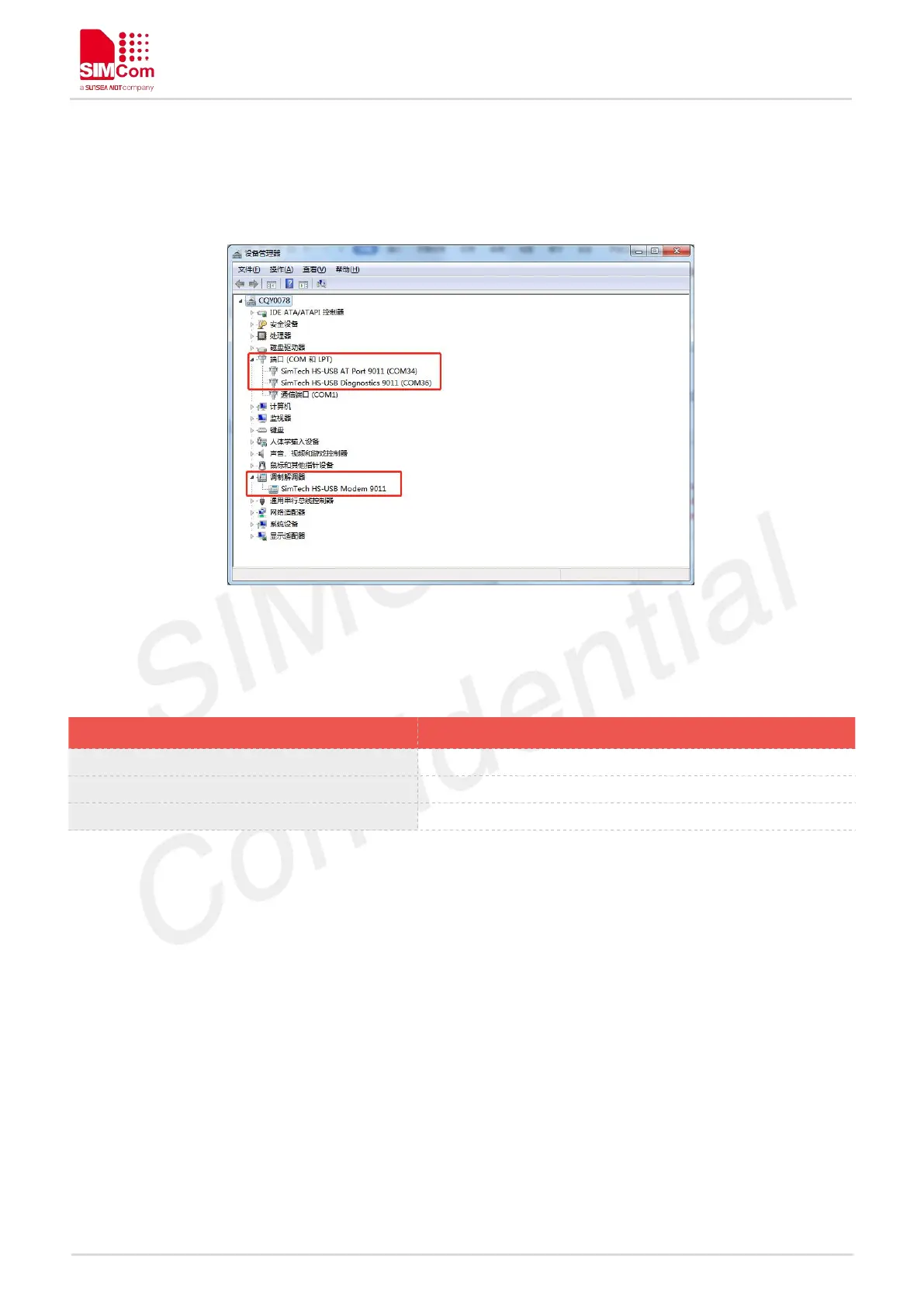
5. Repeat same procedure for each of the listed “Mobile AT Interface” devices under “Other devices”
until Device Manager lists three SimTech devices under “Ports (COM & LPT)
6. Finally there are one SimTech device under Modems and two SimTech devices under Network
Adapters as shown on Figure 6.
Figure 6: All drivers installed
After install driver, the ports can be used for following defined functions:
SimTech HS-USB AT Port 9011
AT Command Communication Port
SimTech HS-USB Diagnostics 9011
Software Debug and FW Update Port
SimTech HS-USB Modem 9011


 To Next Page