12
3
4
5
6
7
8
90
ENTER
SUBT TTX AUDIO
MUTE
MODE
EXIT
FVA
EPG
AV OUT
/AV IN
TV/
RADIO
MENU
VOL+
VOL-
ZOOM
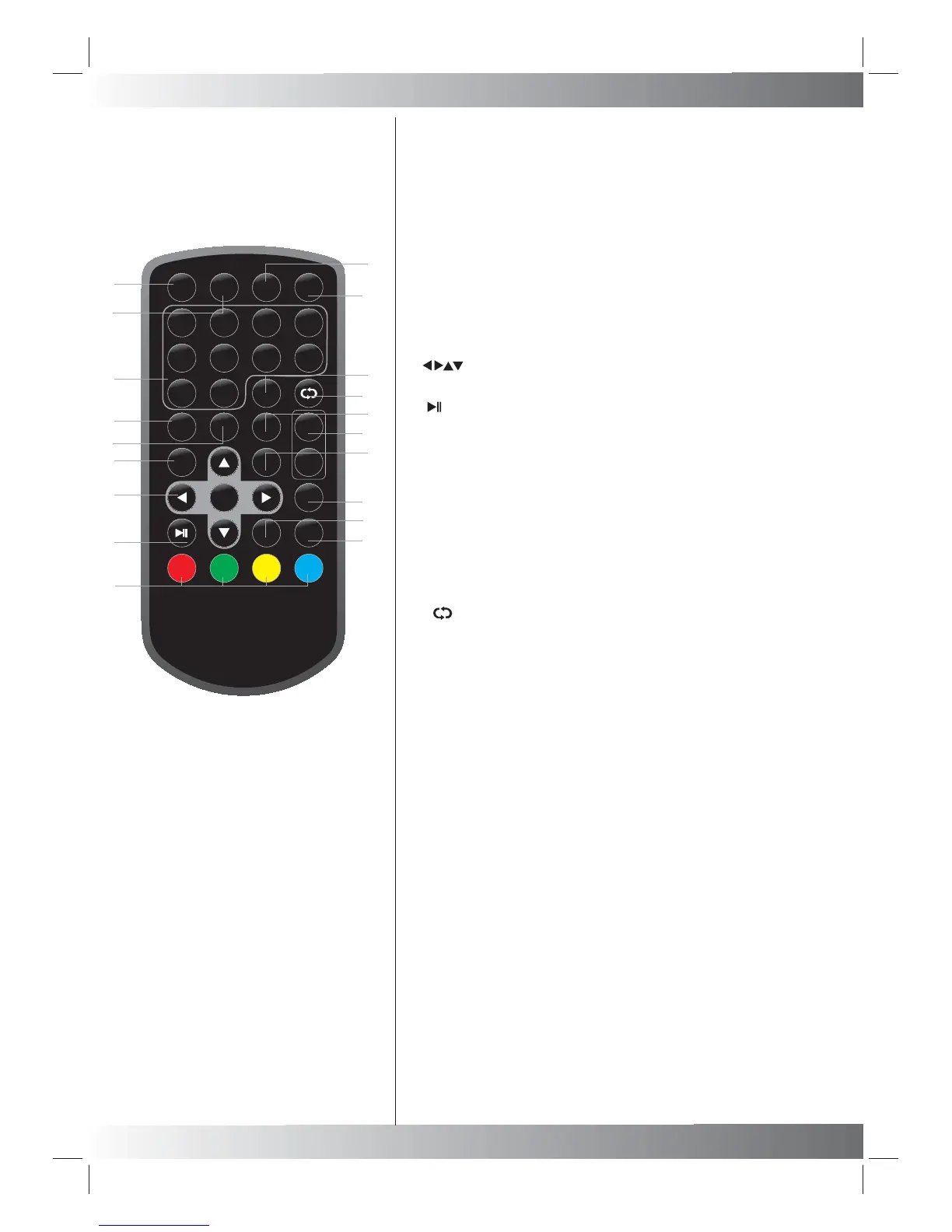
Remote control unit
4
1.ZOOM Button
Used to enlarge video image.
2.Electronic Programme Guide(used to open and close the EPG)
3.Numeric Buttons
(used to select channel numbers)
4.Subtitle Button
(used to switch subtitles on and off)
5. Digital TELETEXT Button
(used to open the interactive digital text)
6.Menu Button
(used to open and close the menu windows)
7. OK Button
Select an item in the menu. Enter confirms menu selection.
8. Button
Pause (Used to pause the video of the TV program).
9. Color Button
Function buttons.
10. AV out / AV in
Used to switch between AV OUT and AV IN mode.
11.Mute Button
(used to turn the sound on or off)
12.TV/Radio(used to switch between
TV and radio stations)
13. Button
(reverts to previous channel)
14.Audio (used to set the sound output)
15.Volume increase / decrease.
16.Exit Button(used to return to the TV)
17.Mode Button
Used to set LCD parameter.
18.Favourites Button
(used to open the Favourites menu)
19.INFO Button
(used to display information for the channel beingviewed)
1
2
3
6
7
10
8
19
5
9
4
12
13
14
15
16
17
18
11
INFO



 To Next Page