6
GB
Easy Online Setup
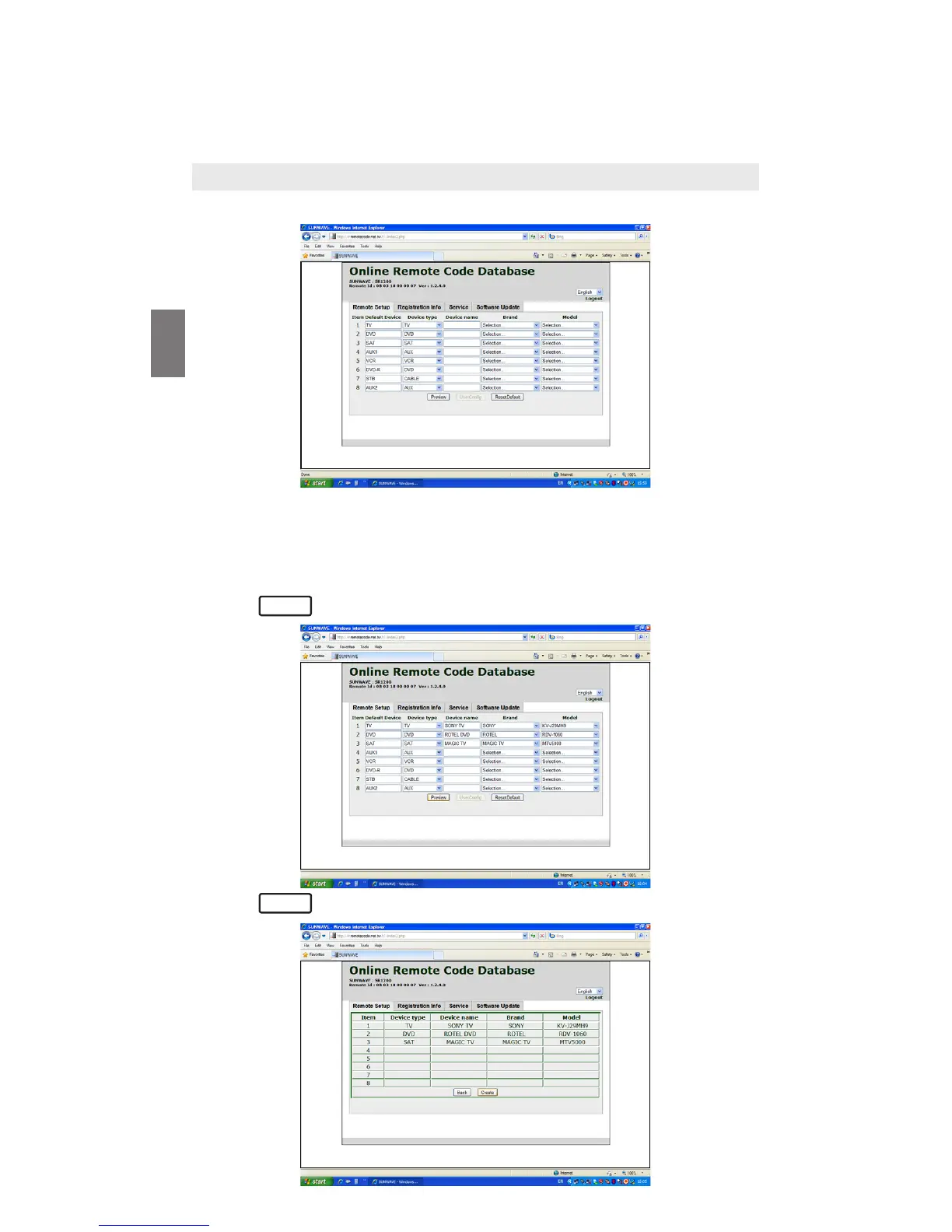
1. Select Remote Setup page, you will see the following:
2. On the Remote Setup page, simply select your Device type (e.g. TV), type
in your Device name (e.g. SONY KV-J29MH9), select Brand – SONY from
the drop down list and select Model from the drop down list.
3. Repeat step 2 for the rest of your other devices, such as VCR, DVD, SAT,
CBL, STB, etc.
4. Press to re-confirm your selected setting.
5. Press to activate the data file.
Set up your URC via one of the below set up method:–
By Easy Online Setup or
By Smart Learning
Preview
Create



 To Next Page