5 Configure Datalogger
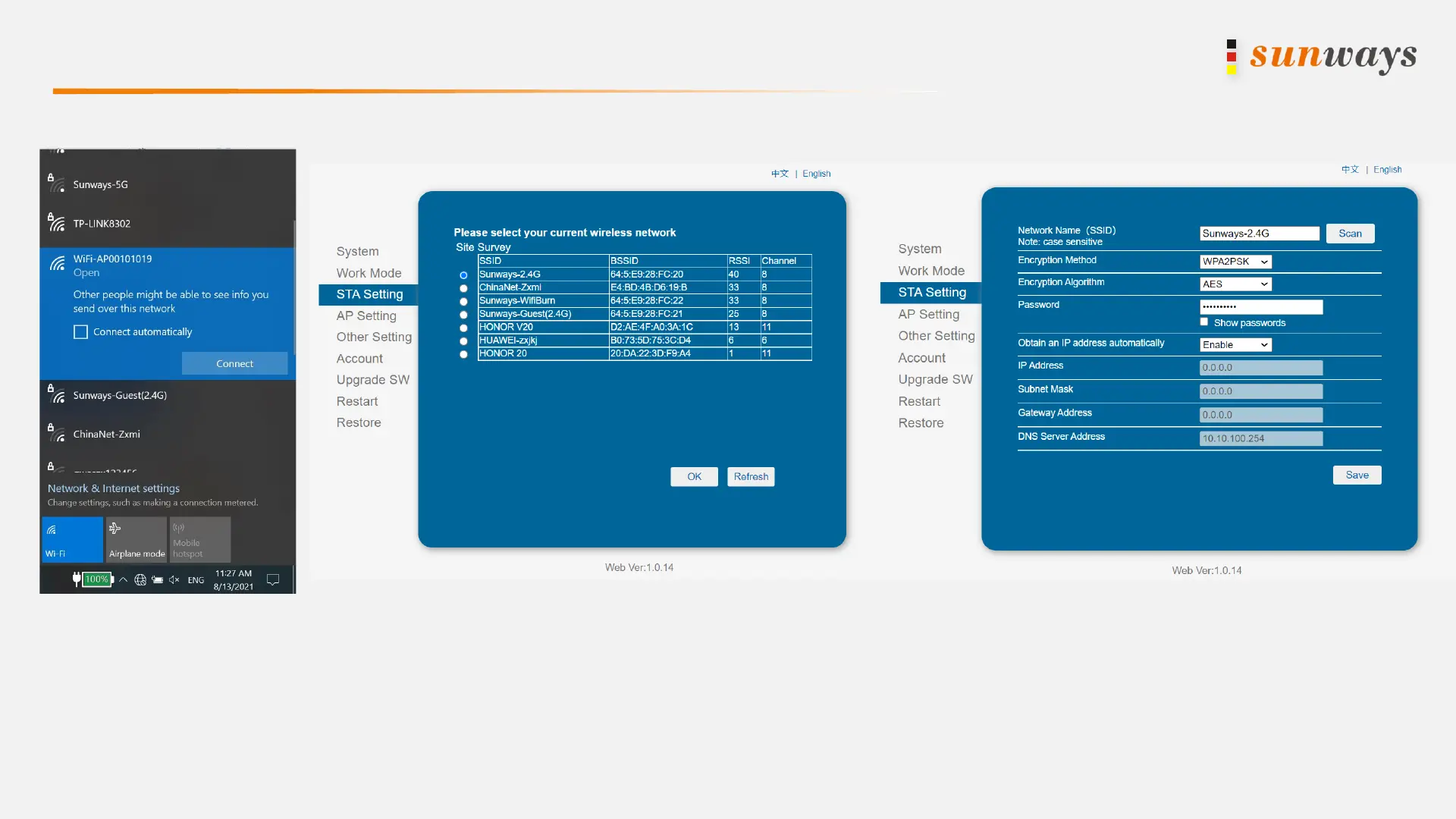
a) Search for the WIFI name “ WIFI-AP********”, which released by the datalogger and connect to the hotspot.
b) Open the URL 10.10.100.254, and input username and password “admin”.
c) Click “STA Setting”, then click “Scan”, you can find the router WIFI signal.
(Note: Only support 2.412GHZ-2.484GHZ router)
a) Finally, input the password in the blank and click “Save”. If the WIFI connection is successful, the indicator on the datalogger will be always on.


 To Previous Page