The Sunways Datalogger ST 1000 is a crucial component for monitoring and managing photovoltaic (PV) systems, designed to collect data from inverters and meters, and transmit it to a server for analysis and remote management. This installation guide provides comprehensive instructions for setting up, wiring, configuring, and maintaining the datalogger, ensuring optimal performance and reliable data communication.
Function Description
The Sunways Datalogger ST 1000 serves as the central communication hub for a PV installation. Its primary functions include:
- Data Collection: Gathers operational data from connected PV inverters and energy meters via RS485 communication.
- Data Transmission: Transmits collected data to a remote server (Sunways server) for monitoring, analysis, and reporting. This can be done via Ethernet, Wi-Fi, or GPRS (if equipped with a GPRS module and antenna).
- System Monitoring: Provides real-time status indicators for operation, alarms, connection, and communication, allowing for quick identification of system issues.
- Export Control: Supports export limit functionality, enabling users to set a maximum power value for feeding into the grid, with a setting of '0' indicating zero export.
- Remote Configuration: Allows for remote configuration and management through a web interface, accessible via a local network connection.
Important Technical Specifications
- Communication Ports:
- Three RS485 Communication Ports: Each port can connect up to 30 units (e.g., inverters). This allows for a total of 90 inverters to be connected to a single datalogger, assuming optimal wiring and address settings.
- Ethernet Port: For wired network connection to a router.
- Wi-Fi/GPRS Antenna Port: For wireless communication (Wi-Fi or GPRS, depending on the module).
- CAN Port: (Functionality not detailed in provided pages, but present).
- DI/DO Ports: (Digital Input/Digital Output, functionality not detailed).
- Power Input: 12V DC Input Power Port.
- Relay Outputs: RLY1, RLY2 (Functionality not detailed).
- Meter Connection Port: Specifically designed for connecting energy meters, such as the Acrel Three Phase Multi-Function Meter.
- RS485 Cable Specification (for Meter): Two-core, twisted pair, 2x1.5mm², shielding, pure copper RS485 signal wire.
- RS485 Cable Specification (for Inverter): Twisted pair, 2x2.5mm², shielding, pure copper wire (as indicated for meter, but likely applicable for inverters too, or a similar standard).
- Default Modbus Address (Inverter): 247. Recommended address range for inverters is 1 to 90.
- Default Modbus Address (Meter): 003.
- Default Datalogger IP Address: 10.10.100.254 (for local access).
- Default Datalogger Login Credentials: Username 'admin', Password 'admin12'.
Usage Features
- Indicator Description:
- Operation: "Always on" indicates normal operation; "Off" indicates no power or normal shutdown.
- Alarm: "Always on" indicates a datalogger fault.
- Connection: "Always on" means all connected PV inverters are online; "Flash" means one or more PV inverters are offline.
- Communication: "Always on" signifies normal communication with the server; "Slow flash" indicates the datalogger is not connected to the router or base station; "Quick flash" means it's connected to the router/base station but not the server.
- Installation Wiring:
- Datalogger Wiring: Connects to the AC 220/230V power supply via a 12V DC adapter. RS485 ports connect to inverters and meters. Meter wiring uses specific terminals (e.g., 4A/4B on datalogger to 21/22 on Acrel meter).
- Inverter Wiring: Inverters (e.g., STS 1-11KTL) have dedicated RS485 ports (Port 1, Port 2, Port 3) for connecting to the datalogger. Datalogger RS485 A and B lines connect to corresponding terminals on the inverter.
- Meter Wiring: The Acrel Three Phase Multi-Function Meter is wired to the grid (L1, N) and includes current transformers (CTs) for measuring current (Ia*-S1, Ia-S2). Cable specifications for grid connection are 1mm² pure copper cable, while CT wiring uses twisted pair, 2x2.5mm², shielding, pure copper wire.
- RS485 Address Setting:
- Inverter: Addresses are set directly on the inverter's display. The recommended range is 1-90, and addresses must be unique. The default is 247.
- Meter: The meter's RS485 address (default 003) can be checked and changed via its interface. It's crucial not to alter other parameters after confirming the BUS 1 address to maintain meter accuracy.
- Datalogger Configuration:
- Network Connection: Connect a computer to the datalogger via an Ethernet cable. Set the computer's IP address to a fixed IP (e.g., 10.10.100.2) with a subnet prefix length of 24 and gateway 10.10.100.1. Preferred DNS can be 8.8.8.8 and alternate DNS 8.8.4.4.
- Web Interface Access: Access the datalogger's web interface by entering its default IP (10.10.100.254) in a web browser and logging in with 'admin'/'admin12'.
- Overview Page: Displays basic datalogger information, including SN, FW version, RSSI, and RS485 port status (number of connected units). Ethernet configuration parameters (DHCP, IP Address, Subnet Mask, Gateway, MAC Address) are also shown.
- Operation Parameters Settings:
- Export Limit: Enable and set the export power value. A value of 0 means zero export.
- Inverter No.: Select the total number of inverters connected to the datalogger.
- CT Ratio: Set based on the CT nameplate (e.g., 200/5A means a ratio of 40).
- Baud Rate: Set for COM4 port (e.g., 9600).
- Add Device: Configure devices connected to COM ports.
- Communication Configuration (Wi-Fi):
- Hotspot Connection: Connect to the datalogger's Wi-Fi hotspot (e.g., "WIFI-AP********").
- STA Setting: In the web interface, navigate to "STA Setting," click "Scan" to find available Wi-Fi networks (only 2.4GHz routers are supported).
- Network Selection: Select the desired router's SSID, input the password, and save. The datalogger's communication indicator will remain "always on" if the connection is successful.
Maintenance Features
- System Info (Inverter): Inverter display allows access to "System Info" from the "Modbus Addr" menu, providing diagnostic information.
- Datalogger Overview Page: Provides a quick overview of the datalogger's status and connected devices, aiding in initial troubleshooting.
- Indicator Lights: The various indicator lights (operation, alarm, connection, communication) provide immediate visual feedback on the system's health, allowing for quick identification of issues such as power loss, faults, offline inverters, or communication failures.
- Remote Access: The web interface allows for remote monitoring and configuration, reducing the need for on-site visits for routine checks and adjustments.
- Firmware Updates: The "Upgrade SW" option in the web interface suggests the possibility of firmware updates to improve functionality or address issues.
- Restart/Restore: Options for restarting the datalogger or restoring settings to default may be available in the web interface, useful for troubleshooting.
The Sunways Datalogger ST 1000 is designed for robust and reliable performance in PV monitoring applications, offering comprehensive data collection, communication, and control capabilities. Proper installation and configuration, as detailed in this guide, are essential for maximizing its effectiveness.

 Need help?
 General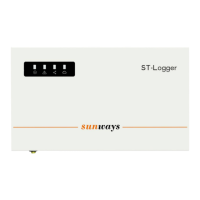

 To Next Page