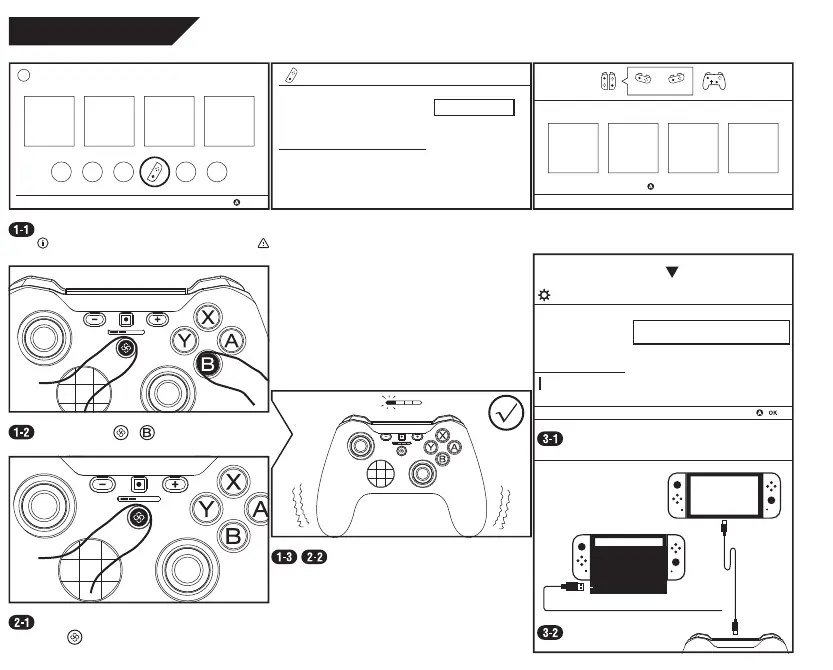
Connect to Switch
OK
Controllers
Controllers
Change Grip/Order
1 2 3 4
Press when you are ready.
Operate by Joy-con, touch, or a paired controller. Ignore the instruction on the last screen.
From the HOME screen, select “Controllers”, then “Chang Grip/Order”, enter pairing screen, stay here.
Press and hold + until lights run.
Once succeed, certain light(s) stays lit.
When the console is on (in any screen), just
press to link.
Enable wired communication in Settings.
Connect.
System Settings
Controllers and Sensors
Pro Controller Wired Communication On
Wired Connection
Up to 8 controllers can be paired at the same time to a
Nintendo Switch system.


 To Next Page