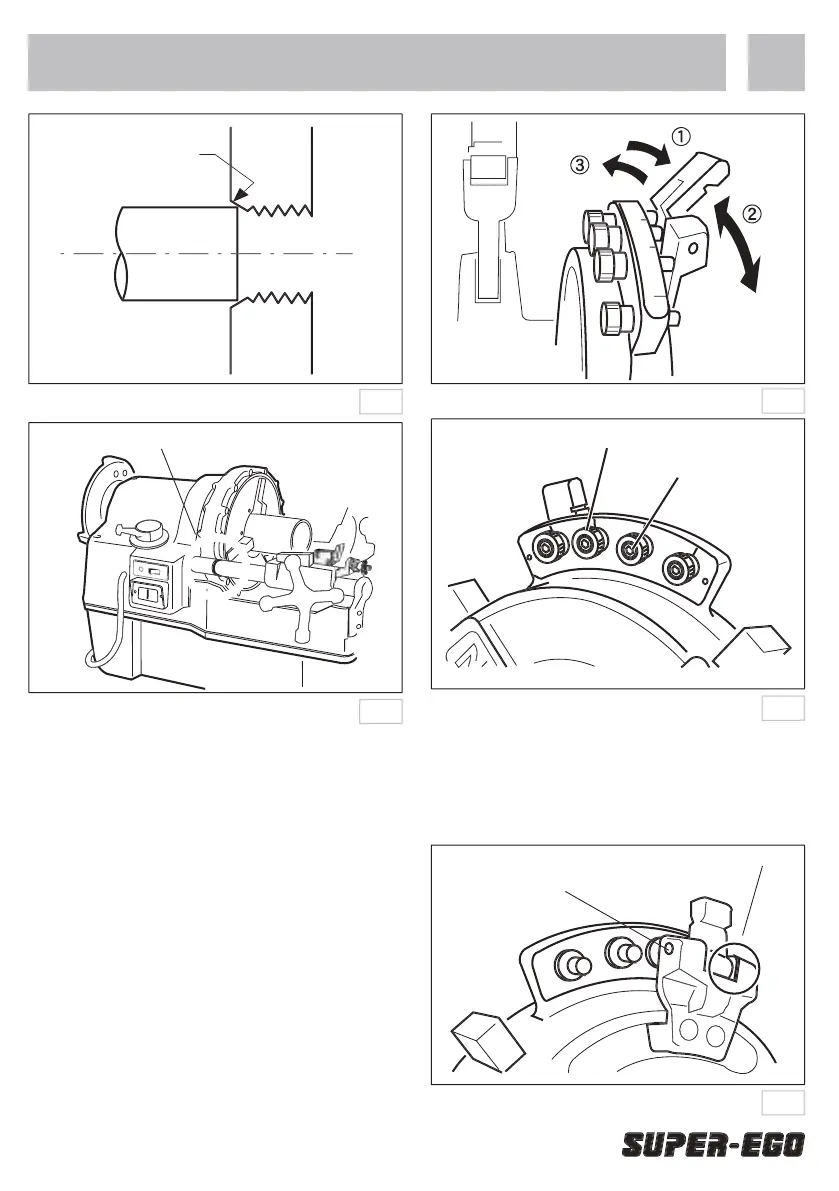
Microfi ne adjustment of thread thickness
Microfi ne adjustment of thread thickness allows pipes
to be cut exactly to your requirements. Simply turn the
microfi ne adjustment knob to the left to decrease, and
to the right to increase thread thickness. The knob is
locked by a bolt, so before you make any adjustments,
you should loosen the knob with the hexagonal key
provided and turn the knob 3 settings to the right.
One setting on the knob represents one thread on
the pipe for the 1 - 2” die head, and 1.3 threads for
You should always check the size with a thread
gauge after making any adjustments
Changing the size is made simple with the size setting
If, even with full adjustment, thread size is not
satisfactory, remove the retaining pin and reinsert
the size adjustment plates as shown in the diagram.
Reinsert the retaining pin to hold in place.
Microfine adjustment knob


 To Next Page
 Loading...