7
ENGLISH
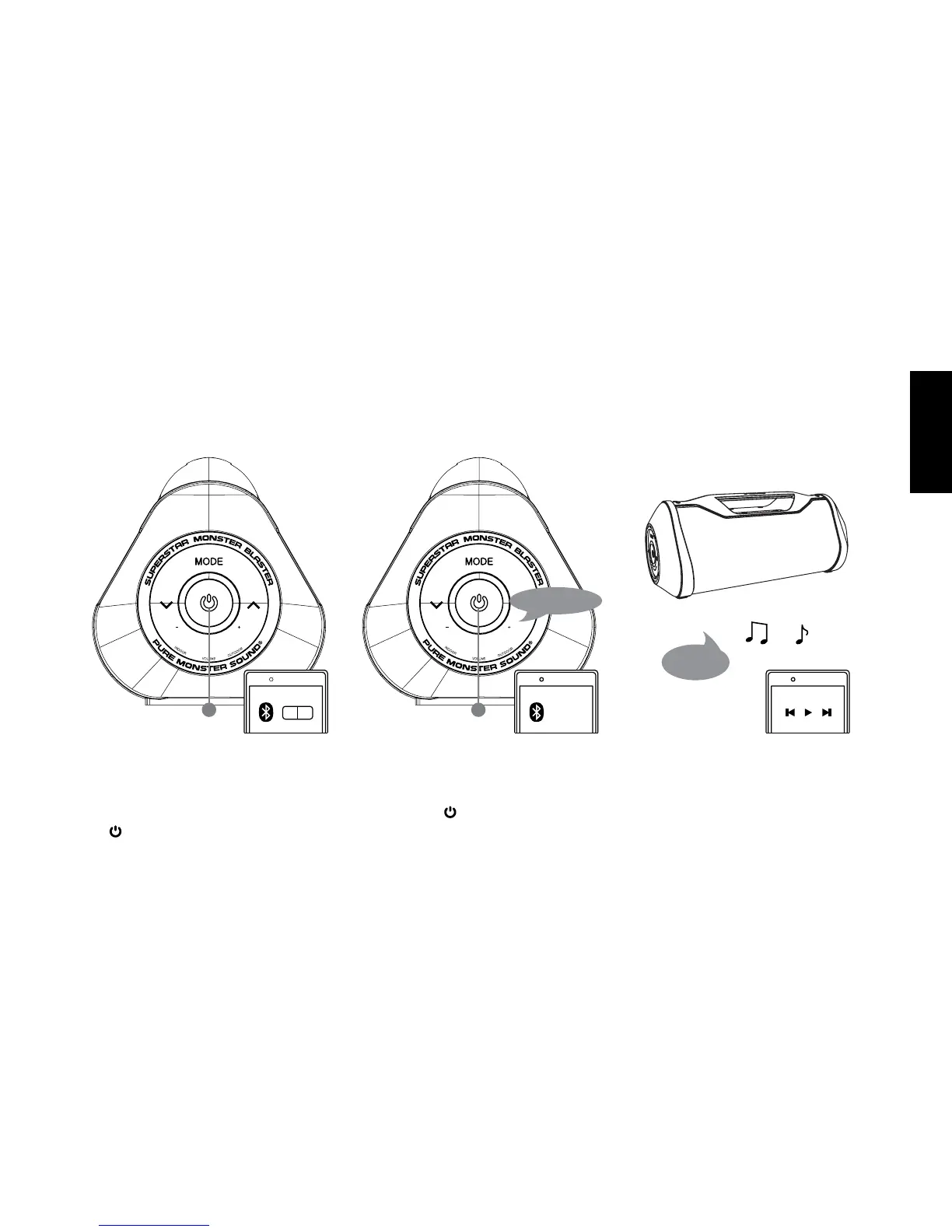
Pairing with Bluetooth-enabled Device - By Setting
Turn on the speaker by pressing and holding
the “ ” button until a prompt tone occurs.
Turn on the Bluetooth feature on your device.
Press and hold “ ” button until you hear the
voice prompt. “Ready to connect”.
Search and select “SuperStar Monster
Blaster” on your device.
You will hear the voice prompt “We are
connected” once successfully paired. You
can start playing music.
ON
Search...
Ready to connect
We are
connected.


 To Next Page