
 Need help?
Do you have a question about the Super Superserver 5038ML-H24TRF and is the answer not in the manual?
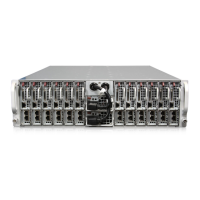
Provides a summary of the SuperServer 5038ML-H24TRF system and its components.
Details the key features of the X10SLE-DF motherboard, including CPU, memory, and I/O.
Outlines the main features of the SC939HD-R2K02B server chassis, focusing on power and cooling.
Lists contact information for Supermicro headquarters, Europe, and Asia-Pacific regions.
Introduces the process of setting up and installing the system into a rack.
Guides on inspecting the system upon arrival and selecting a suitable installation location.
Details on preparing for server rack installation, including location considerations.
Highlights crucial safety warnings and precautions for rack and server installation.
Provides step-by-step instructions for mounting the server into a rack.
Explains the purpose of LEDs on server nodes and power supply modules for operational status.
Describes the Power Button/LED, Warning LEDs, UID LED, and KVM Switch LED for each node.
Details the status indicators for the power supply modules.
Introduces industry-standard warnings for potential bodily injury during equipment handling.
Advises reading installation instructions before connecting the system to a power source.
Specifies the maximum rating for the building's short-circuit protection device.
Stresses the need to disconnect all power sources before accessing chassis interior.
States that only trained and qualified personnel should install, replace, or service equipment.
Warns that the unit is intended for installation in restricted access areas only.
Alerts about the danger of explosion if the battery is replaced incorrectly.
Advises disconnecting all connections to de-energize the unit when it has multiple power supplies.
Warns of hazardous voltage or energy present on the backplane during operation.
Mandates that equipment installation must adhere to local and national electrical codes.
Instructs to handle ultimate disposal according to national laws and regulations.
Warns that fans may still be turning when removing the fan assembly.
Advises using only provided or designated cables and adapters to prevent malfunction or fire.
Provides precautions for handling motherboards to prevent ESD damage.
Explains how motherboards are mounted on sleds for easier installation and removal.
Describes connecting data and power cables, including SMC-proprietary add-on card slot.
Details the various I/O ports available on each motherboard.
Guides on installing the CPU and heatsink, with specific instructions for LGA1150.
Explains how to install DIMM modules into memory slots and details memory support.
Provides layout information for the X10SLE-DF motherboard.
Lists and defines the various jumpers, connectors, and LEDs on the motherboard.
Explains how to use jumpers to modify motherboard operation and provides settings for various functions.
Describes the status LEDs for IPMI LAN, LAN ports, and Power LEDs.
Details the SATA connectors on the HDD backplane and their pin definitions.
Guides on downloading and installing system drivers and utilities from Supermicro's FTP site or website.
Provides instructions and warnings for handling and installing the onboard battery.
Offers precautions for handling electronic components to prevent ESD damage.
Details the steps required to remove the server chassis cover.
Explains the relationship between sleds (motherboards) and cooling fans within the chassis.
Provides instructions for removing and installing the server sleds from the chassis.
Guides on installing and removing HDDs and SSDs from the server sleds.
Explains how to replace the system fans in the chassis.
Describes the redundant 2000W power supply, its ratings, and power cord requirements.
Details the procedure for replacing a power supply module without powering down the system.
Introduces the AMI BIOS Setup Utility for the X10SLE-DF and its navigation.
Explains how to enter the BIOS setup utility and describes the main setup screen items.
Details various advanced configuration settings within the BIOS.
Explains how to manage SMBIOS and PCI error logs within the BIOS.
Describes IPMI firmware revision, status, and BMC network configuration settings.
Guides on configuring boot priorities and options for the system.
Explains how to configure security settings, such as administrator passwords.
Details options for saving configuration changes, resetting, or discarding them in the BIOS.
Specifies the supported Intel processors for the motherboard.
Identifies the Intel C224 PCH chipset used in the system.
Mentions the 128 MB AMIBIOS SPI Flash BIOS.
Details the supported memory capacity per node and total system memory.
Describes the supported 2.5" SATA 3.0 hard drives and 2.5" slim SSD drives.
Provides dimensions and form factor of the X10SLE-DF motherboard.
Lists dimensions and type (3U rackmount) of the SC939HD-R2K02B chassis.
States the barebone weight of the system.
Mentions the four 9-cm system fans.
Lists AC input voltage, current, and frequency.
Details the rated output power and voltages of the power supply.
Specifies the operating and non-operating temperature and humidity ranges.
Lists electromagnetic emissions and immunity standards the system complies with.

 To Next Page
 General