NOTE: The set value is stored even when the procedure is exited by waiting for the time-out to
expire.
10. To lock the keyboard:
• Keep the keys pressed for more than 3 seconds
• The "OF" message will be displayed and the keyboard will be locked. If a key is pressed
more than 3 seconds the "OF" message will be displayed.
11. To unlock the keyboard .
• Keep pressed together for more than 3s
• The + A keys till the "on" message will be displayed .
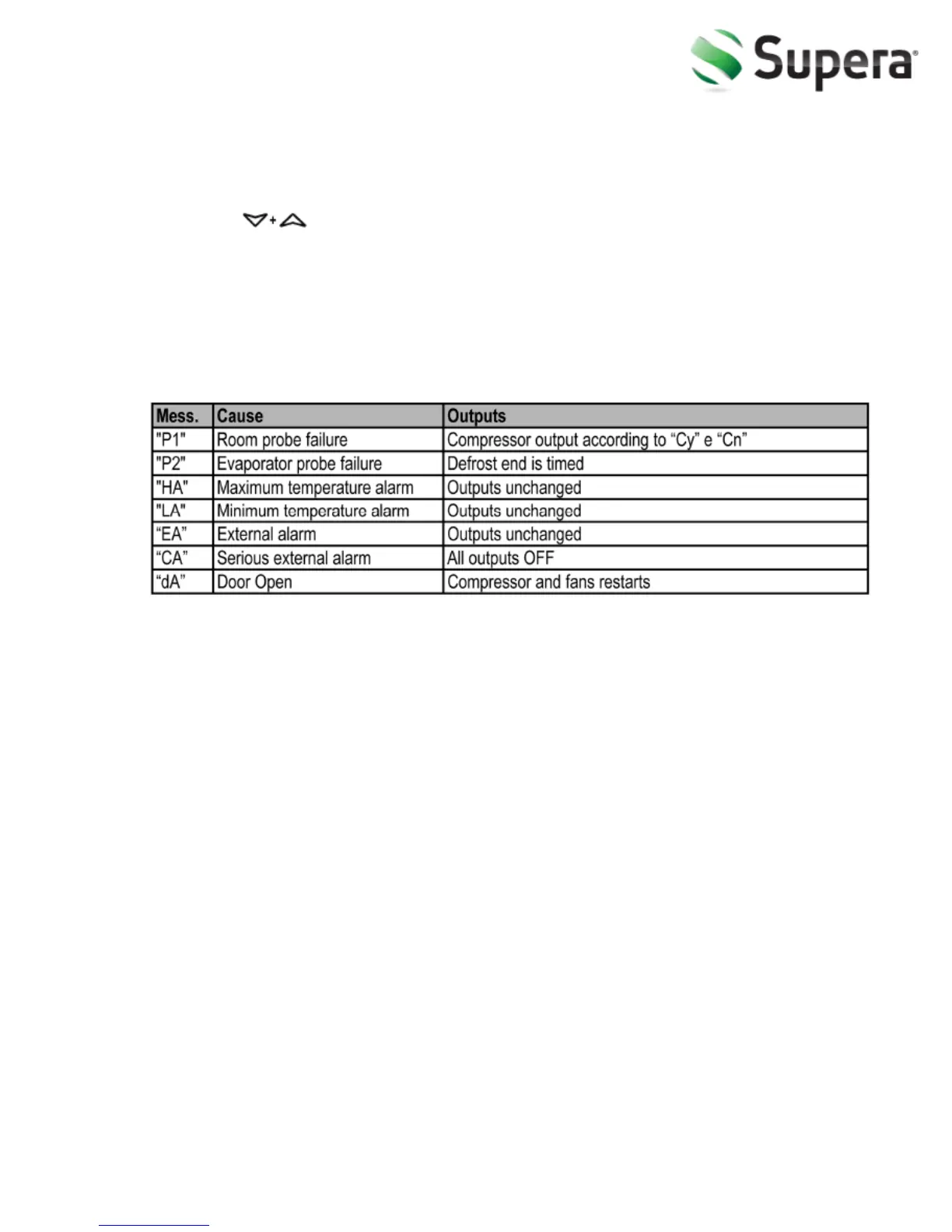
12. Alarm Signaling
O
Our prod
ucts have been modified precisely before leaving the factory, so
to avoid damaging the compressor unit or other malfunctions, users
should not modify the microcomputer parameters privately.
10
V.1.0 | October 2014
©Supera



 To Next Page