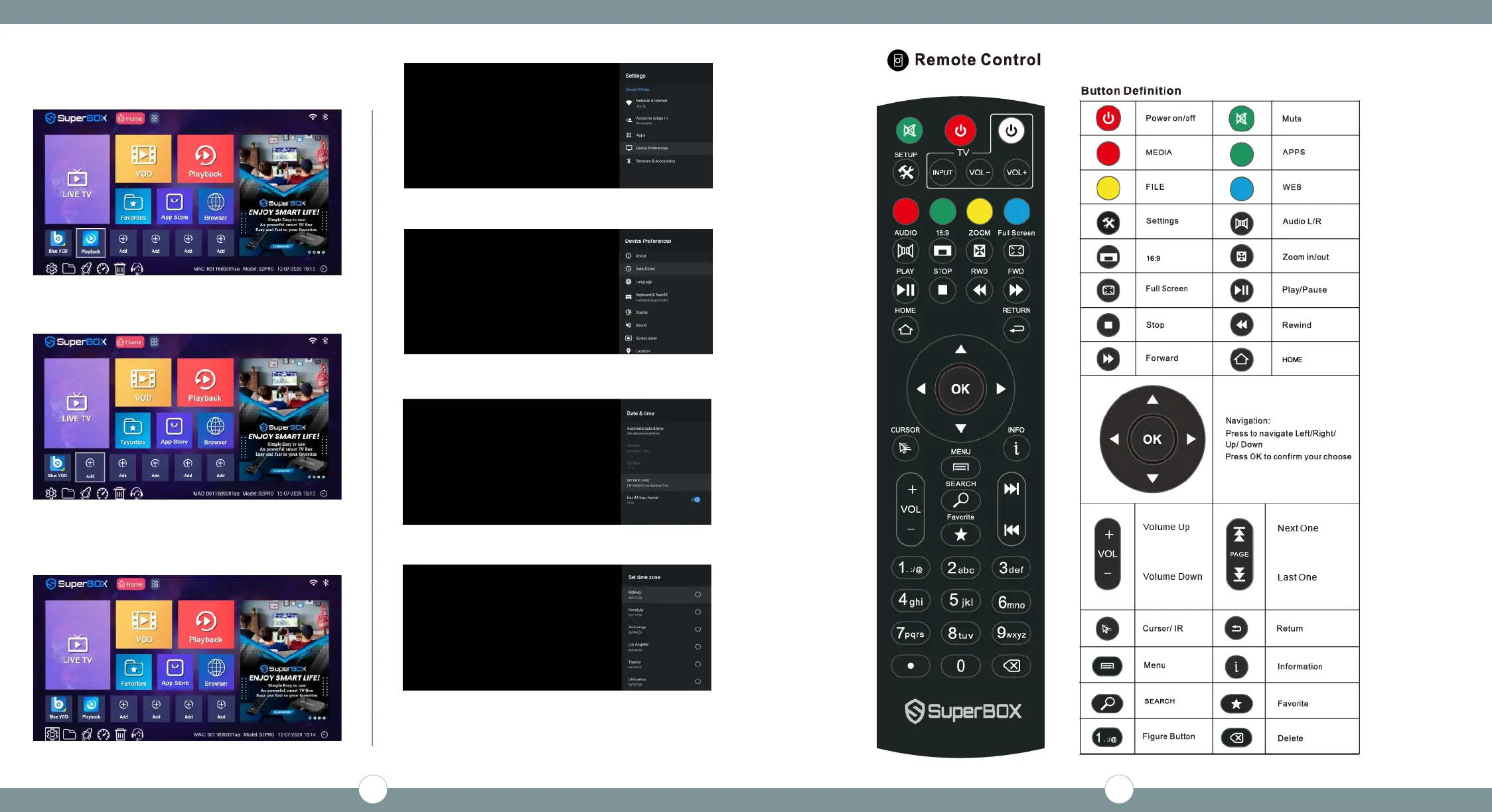
STEP 8C - Select the shortcut on the Home Screen, press
the [MENU] button on your remote to delete the shortcut
(Press [Menu])
STEP 9A - Arrow down to Settings
(Press [OK])
STEP 9 - Set Date & Time
STEP 9B - Scroll to Device Preferences
(Press [OK] on Device Preferences)
STEP 9C - Scroll to Date & Time
(Press [OK] on Date & Time)
STEP 9D - Scroll Set Time Zone
(Press [OK])
STEP 9E - Find your Time Zone
(Press [OK])
(Press the [Home] key on the remote to exit back to the
Home Screen)
Now your SuperBox is Ready To Go - Enjoy!!!
5 6


 To Next Page