Need help?
Do you have a question about the Superfire 2211 WRISTLIGHT and is the answer not in the manual?
Provides essential safety information and warnings regarding battery handling, charging, and replacement procedures.
Details the steps for submitting warranty claims, including contact information and required procedures for returns.
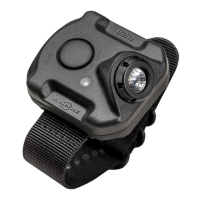
The SureFire 2211 Rechargeable Variable-Output LED Wristlight is a lightweight, cutting-edge illumination tool designed for hands-free operation across a broad range of activities. It provides a wide MaxVision Beam™ and is designed to be worn on the support-side wrist, aligning with a handgun held in a two-handed grip to project light for close-quarter threat identification in low light. Its versatility also makes it suitable for tasks requiring less light, such as loading gear.
The 2211 is activated by a single pushbutton switch. The output levels (low, medium, high) are user-selectable and the activation sequence is programmable.
Standard Activation:
Programming Activation Sequence: The default activation sequence is low-medium-high-off. This can be reversed to high-medium-low-off to accommodate personal preference. The device must be plugged into its charger to program the sequence. Once programmed and removed from the charger, the sequence will not change unless reprogrammed to its default.
To reverse to high-med-low-off:
To restore to default (low-med-high-off): Repeat the above procedure, but in Step #2, press and release the pushbutton three times until LOW output is activated.
When using with a handgun, activate the light (strapped to your support, non-gun hand) before drawing the pistol from the holster. Deactivate the light after safely holstering the pistol. Always follow firearm safety guidelines.
The 2211 is powered by an integral lithium-ion battery. The included micro-USB charger can be plugged into a wall socket or a USB port.
Note: Charging a fully depleted battery can take up to three hours. The light can be left plugged into the charger without damage. Do not attempt to remove or replace the integrated 2211 battery, as this will void the warranty. Contact SureFire for repair or replacement if needed.
Periodically wipe the WristLight clean with a clean wet or dry cloth. For additional tips on maintaining your SureFire illumination tool, visit www.surefire.com/faqs-maintenance.
Note: The 2211 WristLight may become warm during extended use. This is a natural byproduct of the thermal management of its high-performance LED.
SureFire offers a "No-Hassle Guarantee" to repair or replace defective products in material and/or workmanship during the product's lifetime. For warranty claims, contact Customer Service at 714-545-9444 to obtain a Return Merchandise Authorization (RMA) number. The unit should then be packaged carefully and sent to SureFire, LLC, Repairs Department, 17680 Newhope, Suite B, Fountain Valley, CA 92708. SureFire will cover reasonable shipping costs for return.
For a complete listing of accessories, visit www.surefire.com/parts-accessories. For battery safety, handling, and product information, visit www.surefire.com/batteries.
 General
| Brand | Superfire |
|---|---|
| Model | 2211 WRISTLIGHT |
| Category | Flashlight |
| Language | English |

 To Next Page