EasyManua.ls Logo

SUPERSCAN 19TVD3S - User Manual

Default Icon
51 pages
Print Icon
To Next Page IconTo Next Page
Loading...
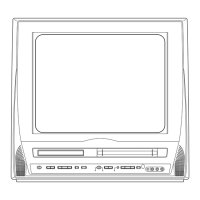
COLOR TV/DVD/VCR TRIPLE COMBO
19TVD3S
(19 inch)
OWNER’S
MANUAL
As an ENERGY STAR
Partner, our company has
determined that this product meets
the E
NERGY STAR guidelines for
energy efficiency. E
NERGY STAR is
a U.S. registered mark.
®
®
®
If you need additional assistance for set-up or operating after
reading owner’s manual, please call TOLL FREE : 1-800-968-3429.
Please read before using this equipment
SKIP STOP OPEN/CLOSE REC/OTR REW PLAY F.PWD
HEADPHONE
VIDEO
AUDIO
STOP/EJECT
PLAY
VOLUMEVOLUME SELECTSELECT CHANNELCHANNELPOWERPOWER
SEARCH
SKIP
DVD TV/VCR
L R
INSTRUCCIONES
EN ESPAÑOL INCLUIDAS.
SUPPLIED ACCESSORIES
BatteriesRemote Control Unit
2 AA BatteriesNE209UD
Owners Manual
0EMN02333
Owner's Manual
TD860HL(P01-34).qx33 03.10.21 11:55 AM Page 1

Table of Contents

Question and Answer IconNeed help?

Do you have a question about the SUPERSCAN 19TVD3S and is the answer not in the manual?

Summary

OWNERS MANUAL

Product Overview

Introduces the Color TV/DVD/VCR Triple Combo model 19TVD3S.

IMPORTANT SAFEGUARDS

General Safety Instructions

Covers reading, retaining, and following instructions and warnings.

Electrical and Environmental Safety

Addresses risks related to electricity, moisture, and proper placement.

Hazard Prevention

Covers overloading, object/liquid entry, and servicing precautions.

Operational Safety

Covers ventilation, power sources, grounding, and cord protection.

PRECAUTIONS

Laser Safety

Crucial safety information regarding laser operation and potential exposure.

LOCATION AND SAFETY

Optimal Placement Guidelines

Advice on selecting installation locations for safe operation and performance.

Electrical Shock and Fire Hazards

Warnings and precautions to prevent electrical shock and fire.

FEATURES

VCR Mode Capabilities

Comprehensive list of VCR mode features including playback, recording, and system functions.

DVD Mode Playback Options

Covers various playback modes for DVDs, CDs, and MP3s.

VCR Recording and Timer Functions

Covers recording features like OTR, timer recording, and auto return.

DVD Special Functions

Details features like menus, subtitles, camera angles, and parental lock.

OPERATING CONTROLS AND FUNCTIONS

Key Remote Functions

Explains primary functions like Power, Volume, Play, Stop, and Select.

PREPARATION FOR USE

Antenna and Cable Connections

Guides on connecting antennas and cable systems.

TV;VCR SECTION

Initial Setup Procedure

Steps for initial setup, including channel scanning.

Channel Management

How to set up channels for the first time and manage them.

CLOCK SET UP (AUTO; MANUAL)

Manual Clock Setting Guide

Detailed steps for setting the clock manually.

Automatic Clock Setting Procedure

Guide to automatically set the clock using RF signals.

TV OPERATION

Watching Television Programs

Steps to turn on the TV and select channels.

V-CHIP SET UP

V-Chip Rating Setup

Guide to setting up V-Chip for parental control and sub-ratings.

Blocking Programs by TV Rating

How to block TV programs based on their rating categories.

MTS(Multi-Channel Television sound)SYSTEM

SELECTING THE MTS SYSTEM

VIDEO CASSETTE

PLAYBACK

Normal Playback and Tracking

Basic playback operations and tracking adjustment.

SEARCH

RECORDING

Normal Recording Procedure

Steps to perform standard recording of TV programs.

One Touch Recording (OTR)

How to set recording length easily using the REC/OTR button.

TIMER

Automatic Timer Recording Setup

Guide for setting up multiple timer recordings.

ON SCREEN DISPLAY

ABOUT THE DISCS

PLAYING A DISC

Basic Disc Playback Steps

Step-by-step guide to starting and stopping disc playback.

SEARCH FUNCTION

SPECIAL PLAYBACK FUNCTION

PLAYING A MP3 DISC

CHANGING THE SETTINGS

THE ON-SCREEN INFORMATION

CHANGING THE DVD SETUP ITEMS

PARENTAL CONTROL

Parental Control Levels Explained

Details the different levels of parental control available.

Password Management

Instructions for setting and managing the parental control password.

TROUBLESHOOTING GUIDE

Power and Remote Control Issues

Solutions for power loss and unresponsive remote control.

Recording and Playback Problems

Troubleshooting for timer recording, record mode, and noisy playback.

TV;VCR Picture and Sound Problems

Troubleshooting for issues like no picture, poor picture, or no sound.

DVD Mode Troubleshooting

DVD Playback Errors

Solutions for common DVD playback issues like no picture, sound, or disc errors.

MAINTENANCE

Unit Cleaning and Servicing

Instructions for cleaning the unit and handling servicing needs.

SPECIFICATIONS

Customer Support and Warranty

SUPERSCAN 19TVD3S Specifications

General IconGeneral
Screen Size19 inches
Built-in DVD PlayerYes
Aspect Ratio16:9
Audio Output2 x 3W
Resolution1366 x 768
TV TunerNTSC
Input PortsHDMI, USB, VGA

Related product manuals