EasyManua.ls Logo

Supersonic FC-2200 - DTV Caption Menu Settings; Setting the DTV Caption Style

Supersonic FC-2200
45 pages
Print Icon
To Next Page IconTo Next Page
To Previous Page IconTo Previous Page
Loading...
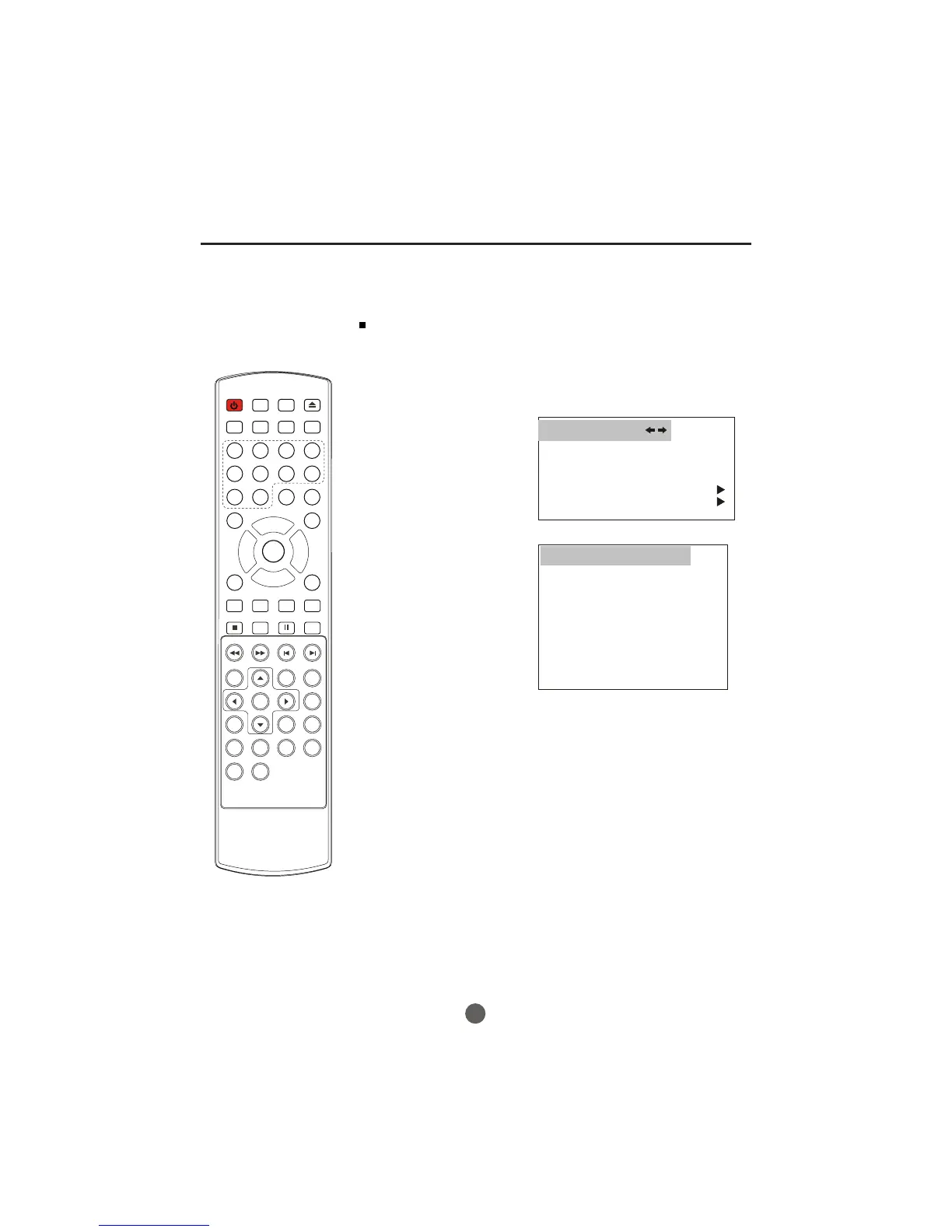
SETTING THE DTV CAPTION STYLE
The DTV caption style function lets you change the caption
size and font style.
29
POWER TV/DVD
OPEN/CLOSE
Q.VIEW INFO
MUTE
1234
5678
9 0
CC
P. MO DE
CH+
CH-
VOL
_
MENU
OK
STOP
SETUP
PAUSE/STEP
REV
FWD
PREV
NEXT
D.MENU
REPEAT
A-B
PLAY/ENTER
SLOW
ANGLE
TITLE/PBC
SEARCH
AUDIO
CLR
D.CALL
TV/AV
PROGRAM
ZOOM
10+
VOL
+
SUBTITLE
-
TV/DTV
SAP
SLEEP
CH.LIST FAV.LIST SIZE GUIDE
DTV caption menu
1 Press MENU. The main menu screen will appear.
2 Press VOL+/- button to
select FUNCTION
then press CH- button
to enter the submenu.
3 Press CH+/- button to
select DTV CAPTION.
4 Press VOL+ button and
then press CH+/- button
to select STYLE,press
VOL+/- button to set
the desired service.
LANGUAGE ENGLISH
BLUE SCREEN ON
NTSC CAPTION C C1
DTV CAPTION
PARENTAL LOCK
FUNCTION
DTV CAPTION
CLOSED CAPTION OFF
STYLE AUTO
SIZE AUTO
TEXT COLOR AUTO
TEXT OPACITY AUTO
BG COLOR AUTO
BG OPACITY AUTO
EDGE TYPE AUTO
EDGE COLOR GREEN
RESET

Related product manuals