This document is a user manual for the Supersonic SC-2816, a 16-inch portable LED TV and digital multimedia player. It provides comprehensive instructions for operating and maintaining the device, covering everything from initial setup to advanced menu functions and troubleshooting.
The SC-2816 serves as a versatile entertainment device, primarily functioning as a portable LED television capable of receiving over-the-air ATSC TV broadcasts and cable TV signals. Its portability is enhanced by a built-in rechargeable lithium polymer battery, allowing for use in various locations without immediate access to a power outlet. The device also doubles as a digital multimedia player, supporting a wide range of audio, video, and image file formats from USB drives and SD/MMC memory cards. This makes it suitable for playing personal media collections, including movies, music, and photos. Additionally, it features an FM radio receiver, expanding its entertainment capabilities to include local radio broadcasts.
Basic Operation and Setup:
To begin using the SC-2816, the first step is to connect it to a power supply. The device comes with both an AC power adapter for standard wall outlets (100-240V) and a DC car power cord for use in most motor vehicles. This dual power option underscores its portability and adaptability to different environments. For TV reception, an external magnetic sucker antenna is provided. Users are instructed to connect this antenna to the Antenna Input jack for improved signal reception. The manual also suggests that a larger or amplified antenna can be connected for even better reception, especially in areas with weaker signals.
The device features a built-in rechargeable lithium battery, which needs to be charged before its first use. The charging indicator will turn red during charging and darken when fully charged. A full charge takes approximately 6.5 hours and provides up to 3 hours of working time. To maximize battery life, it's recommended to charge the battery at indoor temperatures between 5°C (41°F) and 35°C (95°F).
Controls and Navigation:
The SC-2816 can be controlled using both on-unit buttons and an included remote control. The main unit features buttons for Power, Mode, Menu, Channel Up/Down, Volume Up/Down, and a Charge indicator. The remote control offers a more extensive set of functions, including direct channel selection via a numeric keypad, picture and sound preset modes, freeze function for video, audio language selection (MTS), closed caption display modes (CC), electronic program guide (EPG), zoom picture modes, and a sleep timer.
Navigating the device's menus is straightforward. The MENU key on the remote accesses the main menu list, and the OK key enters sub-menus. Arrow keys are used to move within menus and adjust options, while the MENU key can also be used to exit menus.
The TV menu allows users to configure various settings for television viewing. Key options include:
- Air/Cable Selection: Users can switch between "Air" for over-the-air broadcasts via an antenna or "Cable" for cable TV systems.
- Auto Scan: This feature automatically finds and saves all available TV stations with a signal to the channel list. It's recommended to use this whenever the TV is moved to a new geographic location.
- Favorite Channels: Users can add preferred channels to a "Favorites" list for quick access.
- Show/Hide Channels: This option allows users to select which channels are accessible when tuning with the CH+/CH- keys, effectively hiding unwanted channels. Hidden channels can still be accessed directly using the numeric keypad on the remote.
- Software Update (USB): The device supports software updates via USB, ensuring it can receive future enhancements or bug fixes.
- DTV Signal: Displays the signal quality of the current channel, which is useful for optimizing antenna placement.
Troubleshooting TV Reception:
The manual provides a dedicated troubleshooting section for poor TV reception. It suggests using an amplified antenna to boost the signal and aiming the antenna towards broadcast towers. Users can find local channel tower transmitters by visiting www.antennaweb.org. For best reception, recommendations include placing the antenna in or near a window, as high as possible, testing different antenna placements (indoors, outdoors, in an RV), using a longer cable to reach a window, facing the antenna in the right direction, and placing it in a skylight or on a rooftop. The manual also advises using a digital antenna on a metal base and refers to a "TV Channel Scan Procedure Manual" for more detailed information on TV reception.
Picture and Sound Settings:
The SC-2816 offers customizable picture and sound settings to enhance the viewing experience.
- Picture Mode: Users can select from preset picture modes like Standard, Soft, User, and Vivid, or adjust settings manually.
- Color Temperature: Options include Warm, User, or Cold to fine-tune color balance.
- Aspect Ratio: This allows adjustment of the screen width, with options such as Auto, 4:3, 16:9, Zoom1, Zoom2, and Panorama.
- Noise Reduction: Helps to reduce visual noise in the picture, with settings like Close, Low, Middle, or High.
- Sound Mode: Similar to picture modes, preset sound modes like Standard, Music, Movie, Sports, and User are available.
- Balance: Adjusts the audio level between the left and right speakers.
- Auto Volume: Can be set to Open or Close to automatically regulate volume levels.
- Surround Mode: Enables or disables surround sound effects.
- Audio Only: This unique feature allows users to turn off the image signal and listen to audio only, which can be useful for saving battery power or when only audio is desired.
Time and Option Settings:
The device includes time-related functions and various system options.
- Clock: Allows users to set the current date and time.
- Off Time/On Time: These features enable scheduling the TV to automatically turn off or on at specific times.
- Sleep Timer: Sets a timer for the TV to automatically turn off after a specified period.
- Auto Sync: Synchronizes the system time with the time carried by the antenna signal (cable or air). This option is not adjustable and requires a connected antenna or cable system.
- Time Zone: Adjusts the time zone to match the user's location.
- OSD Language: Sets the display language for the on-screen menus.
- Closed Caption: Configures how closed captions are displayed, with options to never display, always display, or only display when MUTE is enabled.
- Setup Wizard: An on-screen guide assists with initial setup, including language, time zone, DST, time format, and channel scanning.
- Restore Factory Default: Resets all options to their factory settings.
- TTS (Text to Speech): Converts normal language text to speech.
Lock Features:
For parental control or security, the SC-2816 includes lock options, accessible by entering a default password (0000).
- Lock System: Enables or disables the lock options.
- Set Password: Allows users to set a new password. It's crucial to write down and store the new password in a safe place, as resetting factory options will not reset the password.
- Input Block: Completely blocks the TV mode or AV modes.
- US/Canada Rating Guidelines: Prevents programs from being viewed based on US TV (MPAA) or Canadian (English/French) rating guidelines.
- Reset RRT: Refreshes the Rating Region Table if there are issues with US or Canada rating guidelines.
- Unrated: Enables or disables the ability to watch unrated programs.
FM Radio Receiving:
The SC-2816 also functions as an FM radio receiver.
- To access FM Radio mode, users press the "MODE" button on the remote.
- The RED key on the remote initiates an automatic scan to find and save FM frequency channels.
- The ▲/▼ keys are used to switch between FM channels.
- The GREEN key can be pressed to close or open the display screen, though this action does not affect radio reception.
- Users can manually input a channel number to tune to a desired FM station.
- The OK button on the remote allows for changing the FM frequency by pressing the right arrow key for single digits and the up arrow key for next auto frequency tuning.
- The down arrow key navigates to the next station, and the up arrow key to the previous station.
- The Red button on the remote can be used to perform an FM scan, and the Green button to turn the TV backlight on/off. The OK button selects the desired station.
The device supports playing multimedia files from USB drives and SD/MMC memory cards.
- Users select "MEDIA" from the input menu.
- The interface allows access to Photo, Music, Movie, or Text icons.
- Photo Playback: Insert a USB drive, select "Photo," and press OK to start a slide show. Arrow keys navigate between photos.
- Music Playback: Insert a USB drive, select "Music," and press OK to play music. Arrow keys navigate between tracks.
- Movie Playback: Insert a USB drive, select "Movie," and press OK to play movies. Arrow keys navigate between chapters.
- To adjust volume during media playback, users first press the CH▾ key to hide the system menu, then use VOL◄/► keys. Press OK to return to the system menu.
Maintenance:
For maintenance, users are advised to disconnect power and all cables from the device before cleaning. A soft cloth, lightly moistened with water if necessary, should be used to wipe the screen, enclosure, and keys. Abrasive materials, astringents, propellants, or cleaning agents (including alcohol and benzene) should not be used.
Safety Warnings and Storage:
The manual emphasizes several safety warnings:
- The device must be securely attached to the floor/wall to prevent injury.
- The mains plug should remain readily accessible for complete disconnection from power.
- The apparatus should not be exposed to dripping or splashing liquids, and no objects filled with liquids (like vases) should be placed on it.
- No naked flame sources (like lighted candles) should be placed on the apparatus.
- The device should be kept away from extremely hot or cold places. The storage temperature range is -4°F to 140°F (-20°C to 60°C), and the operating temperature range is 23°F to 104°F (-5°C to 40°C).
- It should not be used in damp environments (e.g., near bathtubs, sinks, swimming pools) or exposed to high humidity, dust, or smoke.
- The device should not be thrown, dropped, punctured, abraded, or subjected to strong vibrations or impact. Rough roads can shorten its life if used in a car.
- The device contains no user-serviceable parts, and disassembly or alteration may result in damage or serious injury. If the TV behaves abnormally, it should be turned off immediately, and the user should contact the retailer or support.
- The device should not be used while operating a car or other motorized vehicle, and users must obey all local and federal regulations regarding distracted driving. Watching TV programs while driving is prohibited for safety reasons.
The manual also notes that the panel contains millions of thin film transistors, and occasionally a few may become stuck or non-active, appearing as light or dark spots. This is considered within normal operating tolerances and does not affect performance. If the microcomputer-controlled unit freezes, a restart is recommended.
This comprehensive manual ensures users can effectively operate, maintain, and troubleshoot their Supersonic SC-2816 portable LED TV and digital multimedia player, maximizing their enjoyment of its various features.

 Need help?
 General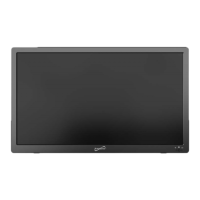

 To Next Page