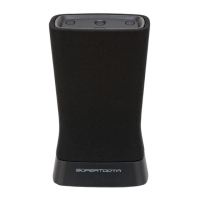
You can connect directly an Mp3 player via the Stereo Line Input (9) situated at the back of the
SUPERTOOTH DISCO 2.
Connecting directly a non Bluetooth A2DP Mp3 player with the SUPERTOOTH DISCO 2
1. Plug one end of the supplied audio cable into the Stereo Line Input (9) and the other end into
the output of your music player.
2. Press “Play” on your Mp3 player to stream music directly via the SUPERTOOTH DISCO 2.
3. Non Bluetooth devices won’t support Play / Pause / Previous / Next commands from the
SUPERTOOTH DISCO 2. Please use the buttons of your Mp3 player directly.
Clearing settings or Reset
Clearing the pairing settings of the speaker
1. Put the speaker to pairing mode: from OFF, press and hold the On/Off Button (6) for 6
seconds until the Play/Pause Button (3) blinks red fast
2. Press and hold the Play/Pause Button (3) for over 5 seconds until a beep is heard. The
pairing list is now erased.
Hardware resetting the speaker
Press and hold the On/Off Button (6) for over 35 seconds until the speaker turns off.
SUPERTOOTH DISCO 2 specifications
Bluetooth Compliance:
Bluetooth version 4.0 specifications
Supported Bluetooth Profiles:
- A2DP (Advanced Audio Distribution Profile)
- Stereo music streaming
- AVRCP (Audio/Video Remote Control Profile)
- aptX® (High quality Bluetooth audio codec)
Operating Range:
10 meters Bluetooth standard
Frequency:
2.4 GHZ
Battery and Battery Life:
Battery type: NI MH Power pack
Music playing time (maximum volume level): 3 to 4 hours
Music playing time (medium volume): 10 hours
Stand-by time: 1500 hours
Charging time: 2 hours
Audio Features:
Dual high efficiency speakers + bass reflex system
16 Watt RMS power
Compatible with any Bluetooth A2DP phone, PC, laptop, tablet or MP3 player


 To Next Page