info@supra-electronics.com
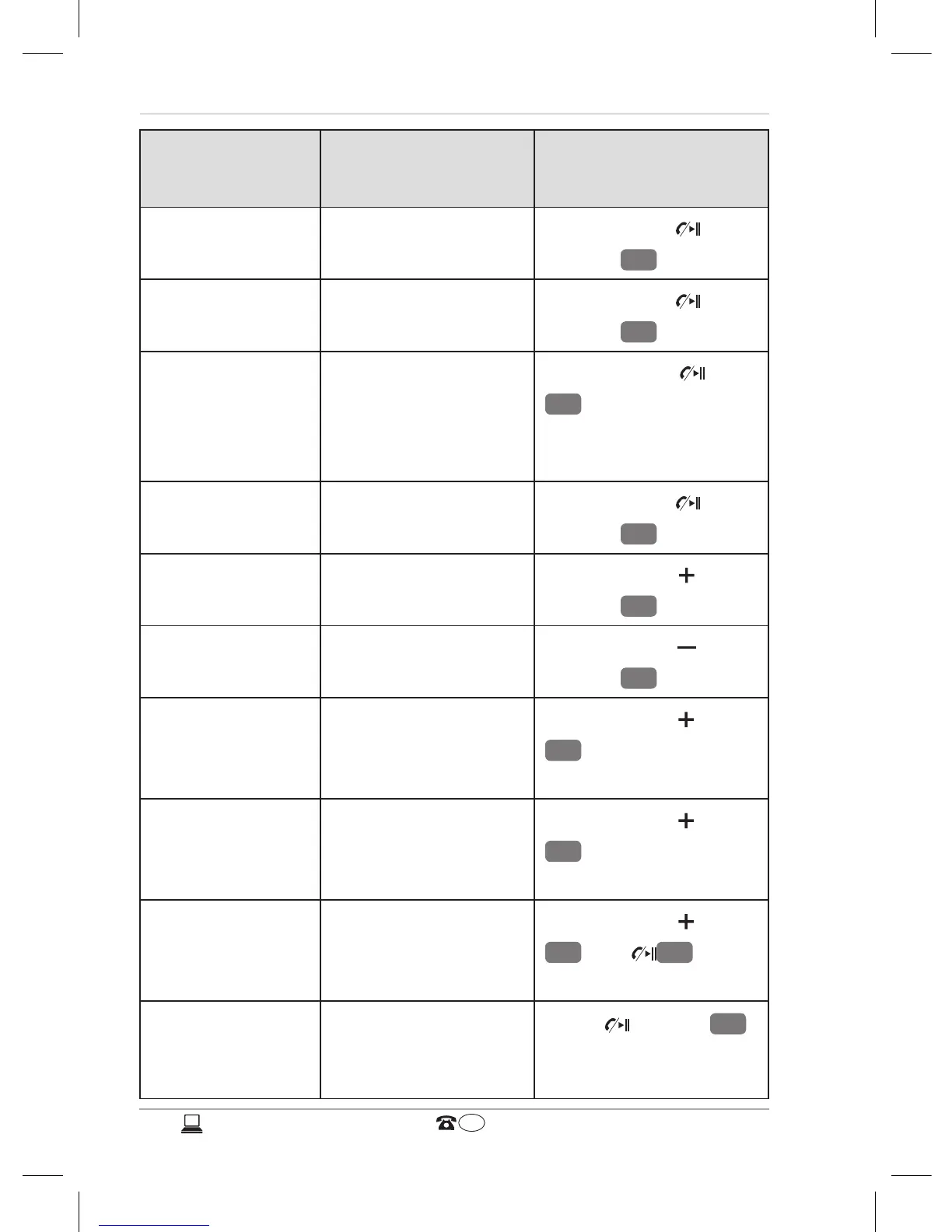
Function Earphone status Action
Terminate call outgoing call Briefly press
button
7
Accept call incoming call Briefly press
button
7
Reject call incoming call Press button
7
for approx. 2
seconds until signal
tone can be heard.
Terminate call active call Briefly press
button
7
Volume + active call Briefly press
button
4
Volume - active call Briefly press
button
5
Mute
microphone
active call Press button
4
for approx. 2
seconds
Delete mute
setting
active call
(microphone
muted)
Press button
4
for approx. 2
seconds
Voice selection
of number
Stand-by
mode (device
connected)
Press button
7
and
4
for
approx. 2 seconds
Redial last
number
Stand-by
mode (device
connected)
Press button
7
twice



 To Next Page