— 36
© 2011 Skier’s Choice, Inc.
User Presets Screen
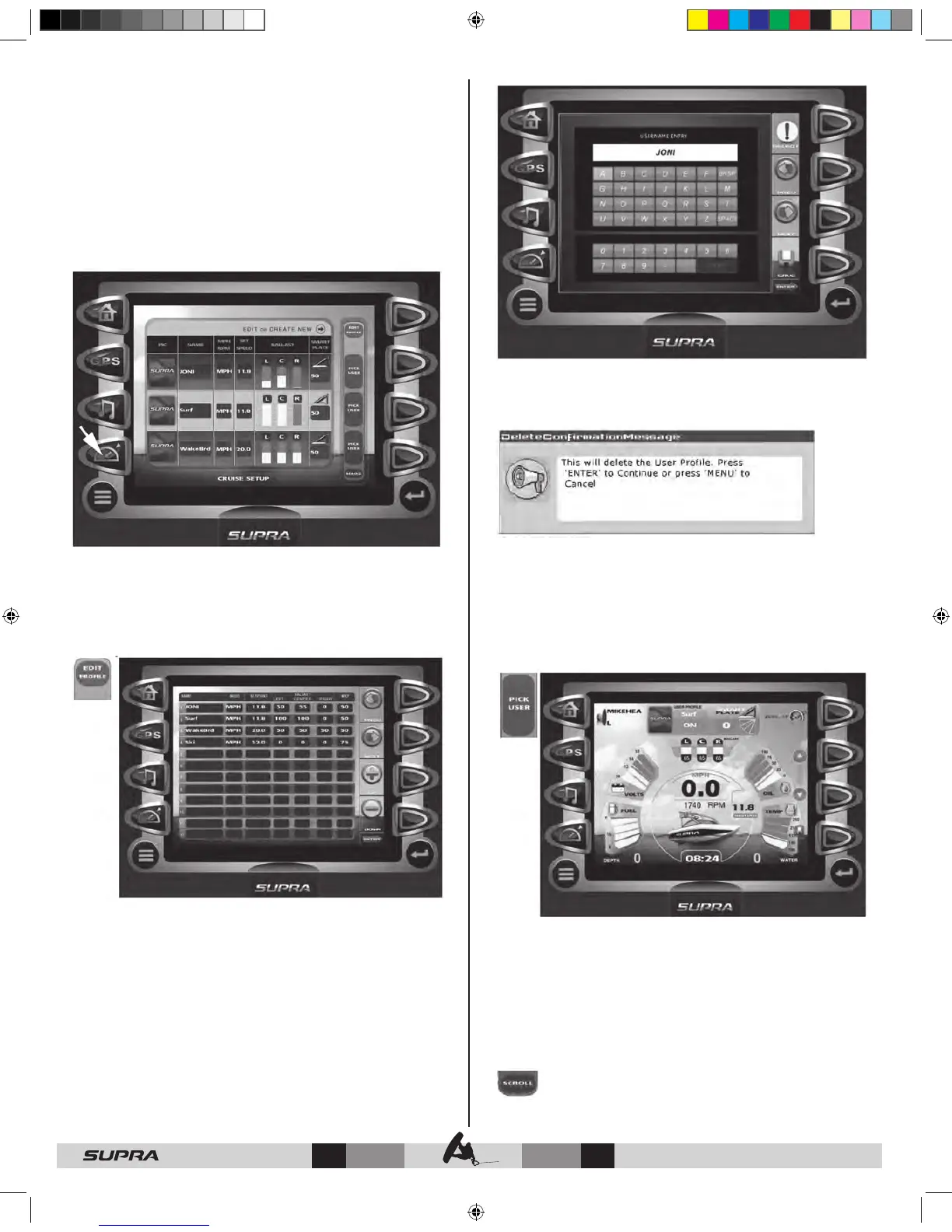
The User Presets screen can be accessed by pressing the Quick
Access Key .
This feature displays rider/skier profiles for cruise controls
based on user preferences for speed, ballast, and smart plate
settings.
The unit comes preloaded with three default user profiles (ski,
wakeboard, and surf ) with the ability to define 9 additional
users. You may also load another 10 predefined users via USB
connection. For more detailed information on setting up users,
refer to the ‘User Presets Screen – Soft Key Commands’ .
User Presets Screen - Soft Key Commands
EDIT PROFILE – provides utilities for adding new users, editing
existing users, and copying/loading user profiles through USB
connection.
Soft Key Commands for Edit Profile include:
PREV – NEXT – navigates from field to field.
UP – DOWN – when positioned in the ‘Name’ field, UP/DOWN
moves from user to user. When positioned in other columns,
UP/DOWN increases or decreases the value.
NEW USER – provides an interface to add new user information.
Use PREV / NEXT arrows to navigate alpha/numeric keys. Press
SELECT when a desired character is highlighted.
Press SAVE when user information is complete.
EDIT USER – select and edit existing user name information.
DELETE USER –deletes selected user name after confirmation
warning.
SAVE/EXIT – saves any new or changed user information and
exits to the User Presets Screen.
PICK USER – use to select the desired user profile. Once selected,
Cruise is activated and the following screen is displayed showing
the user’s profile at the top of the screen:
While this screen is being displayed, the following soft key icons
are available:
UP / DOWN – increase or decrease cruise speed.
SAVE – saves the current cruise settings to the currently selected
users profile.
You can also create a new user profile from the current cruise
settings by using PREV, NEXT, and SELECT to enter a new users
name, then press SAVE.
SCROLL – displays the next screen(s) of predefined and
default users.



 To Next Page