Need help?
Do you have a question about the Supra MISTRA and is the answer not in the manual?
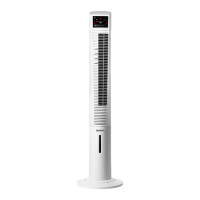
The Mistra Mist Fan is a ventilating and nebulizing device designed to cool and refresh the environment. It combines the functions of a fan with a misting system, expelling micronized water to enhance the cooling effect.
The device features a display (B) for showing selected modes and remaining time, and a remote control (F) for convenient operation. It includes a water tank (E) for the mist function and a handle (D) for easy transportation. The base (C) is assembled from two parts and fixed to the column with screws.
Installation: Before use, ensure all packaging material is removed. The fan must be switched off from the supply mains before any installation or assembly. The plug should be easily accessible for emergency disconnection.
Remote Control Battery Installation: To install batteries in the remote control, remove the cover of the battery compartment. Ensure any plastic protective covering on the battery is removed. Insert the battery, observing the correct polarity. Replace the cover. It is crucial to use batteries of the same type and charge; do not mix alkaline, carbon-zinc, or rechargeable batteries. Avoid touching both poles of the battery simultaneously during handling to prevent partial discharge.
Base Assembly: Join the two parts of the base together, then attach the base to the column using the provided screws (Fig. 1).
General Use: Fully extend the power cable before plugging in the appliance. Connect the appliance to the mains. Turn the appliance on using the ON/Speeds button (e, V).
Speed Selection: Select the desired fan speed.
Airflow Mode Selection: Choose the desired airflow mode using the airflow mode button (III). This model offers three wind modes:
Mist Function: The mist function expels micronized water mist to help cool the environment. To activate this function, press the mist function button (d / VI). To deactivate, follow the reverse procedure.
Timer Function: The appliance's operating time can be controlled. To program the operating time, use the timer button (c, IV). The programmed or remaining time will be displayed on the screen (B).
Oscillation Function: The oscillation function directs the airflow from the appliance to automatically alternate over a range of 75°. To activate this function, press the oscillation button (b, II). To deactivate, follow the reverse procedure.
After Use: Turn off the appliance using the OFF button. Unplug the appliance from the mains. Clean the appliance.
Safety Thermal Protector: The appliance is equipped with a thermal safety device that protects it from overheating.
Cleaning: Disconnect the appliance from the mains and allow it to cool completely before cleaning. Clean the appliance with a damp cloth moistened with a few drops of washing-up liquid, then dry it. Do not use solvents, acidic or alkaline products (such as bleach), or abrasive products for cleaning. Prevent water or any other liquid from entering the air vents to avoid damaging the internal parts of the appliance. Never submerge the appliance in water or any other liquid, or place it under running water. If the appliance is not kept clean, its surface may degrade, affecting its useful life and potentially making it unsafe to use.
General Care: Fully extend the power cable before each use. Do not use the appliance if the on/off switch is not working. Do not use the appliance if it is tipped up or overturned. Disconnect the appliance from the mains when not in use and before any cleaning task. Keep this appliance out of reach of children and individuals with reduced physical, sensory, or mental capabilities, or lack of experience and knowledge. Ensure that the ventilation grilles are not blocked by dust, dirt, or other foreign objects. Never leave the appliance connected and unattended when not in use, as this saves energy and prolongs its lifespan.

 To Next Page
 General