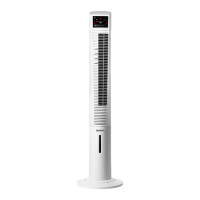
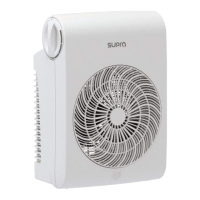
CARRY HANDLE/S:
- This appliance has a handle on the upper
part of the body, which facilitates comfortable
transportation (D).
SAFETY THERMAL PROTECTOR:
- The appliance has a safety device, which pro-
tects the appliance from overheating.
CLEANING
- Disconnect the appliance from the mains and
allow it to cool before undertaking any cleaning
task.
- Clean the equipment with a damp cloth with a
few drops of washing-up liquid and then dry.
- Do not use solvents, or products with an acid or
base pH such as bleach, or abrasive products,
for cleaning the appliance.
- Do not let water or any other liquid get into the
air vents to avoid damage to the inner parts of
the appliance.
- Never submerge the appliance in water or any
other liquid or place it under running water.
- If the appliance is not in good condition of
cleanliness, its surface may degrade and
inexorably affect the duration of the appliance’s
useful life and could become unsafe to use.
cronized mist that helps cool the environment.
- To activate this function, press the button (d /
VI).
- To deactivate this function, follow the proce¬-
dure for switching it on in reverse
WIND MODES:
- This model has three wind modes:
- Constant: The fan operates constantly at the
selected speed.
- Breeze: The fan alternates periods of more
and less power, simulating the feeling of a soft
breeze. The amplitude of these shifts depends
on the speed selected.
- Night: The fan also alternates periods of more
and less power. For the rst 30 minutes the
shifts are the same as the breeze mode at
speed 3. From 30 minutes to 60 minutes the
shifts are the same as the breeze mode at
speed 2. After 60 minutes the shifts are the
same as breeze mode at speed 1. It continues
at this frequency until the timer runs out ot it is
switched off.
- To activate this function, press the modes
button (III/c). The modes pilot lights will show
which mode is selected.
- To deactivate this function, follow the proce-
dure for switching it on in reverse.
TIMER FUNCTION:
- The appliance’s operating time can be con-
trolled.
- To program the operating time simply select it
using the (c, IV) button.
- The time programmed or remaining time will
appear on the display (B).
OSCILLATION FUNCTION:
- The oscillation function makes it possible to
direct the ow from the apparatus so that it
automatically alternates over a range of 75º.
- To activate this function, press the (b, II) button.
- To deactivate this function, follow the proce-
dure for switching it on in reverse.
ONCE YOU HAVE FINISHED USING THE
APPLIANCE:
- Turn the appliance off, using the OFF button.
- Unplug the appliance from the mains.
- Clean the appliance.


 To Next Page
 Loading...