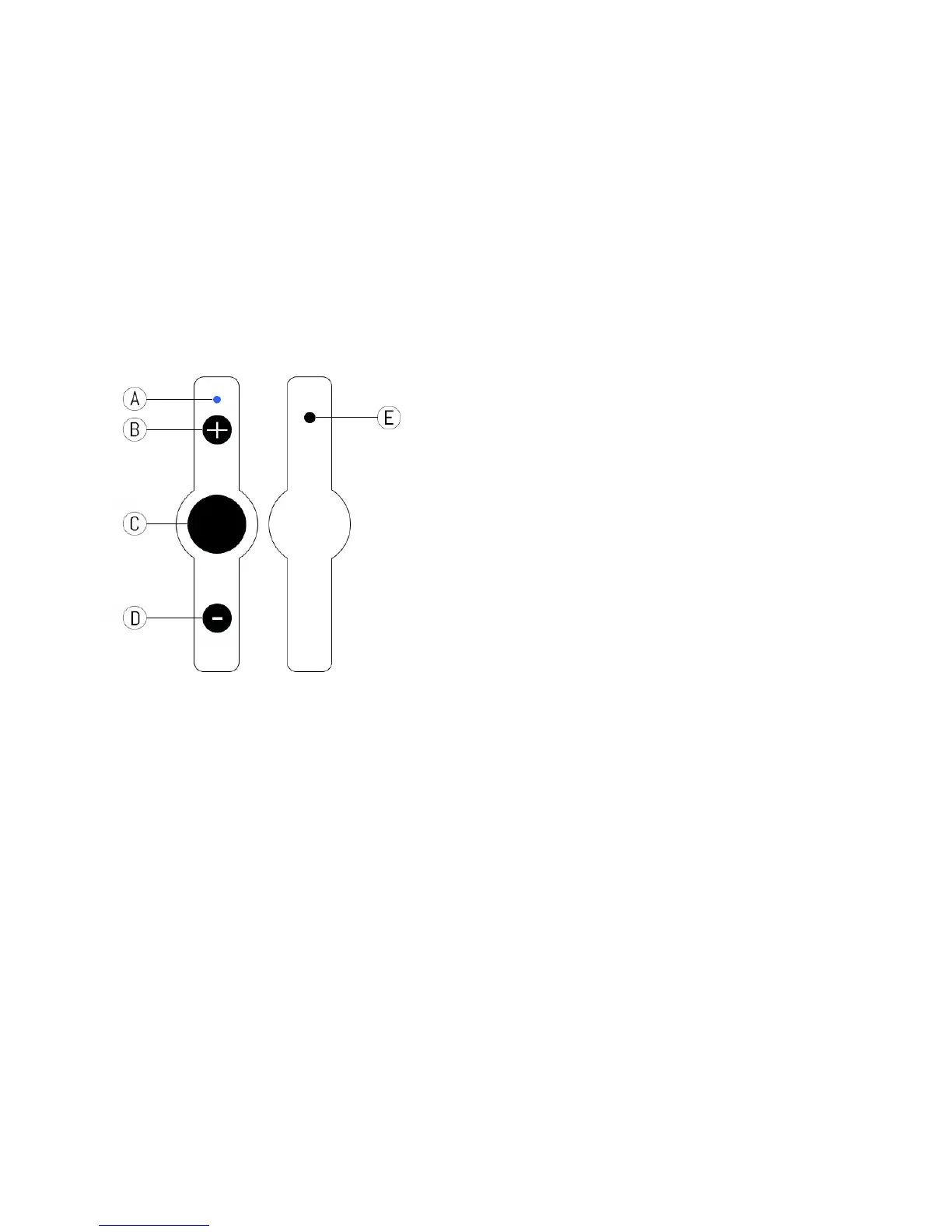
Use of the remote control
Features of remote control are
regulated by the software in the
connected and transmitting device.
A Led indicator for Bluetooth®
Press B to raise the volume.
Hold B to skip to next audio le.
Press C for 3 seconds to start or turn o
the earphones.
Press C for 2 seconds to start the smart
personal assistant. For example, Siri,
S voice.
Press C to Play/Pause.
Press C to answer and end call.
Press C x2 to redial the last call.
Press D to decrease the volume.
Hold D to skip back to previous audio
le.
E Microphone (not to be covered).
!



 To Next Page