Parts
G2:M4x12(x8)
30mm
G1:M4x30 (x8)
H1:(x8) H2:(x8)
16mm
M5
F:Φ4x12(x8)
M4
VESA plate x2
S4/S5 wrench
Clamp x1
Main mount x1
A: Install the main mount on a desk B: Install the monitor on the main mount
A1.1
B1
B3
B4 B5
B2
H1 or H2
F
G1 or G2
unscrew the pre-positioned screw
tighten the screw
A2.1
A2.2
A2.3
A1.3
WARNING:
Make sure the
screws are
tightened.
WARNING:
Make sure the
screws are
tightened.
WARNING:
Make sure the
screws are
tightened.
WARNING:
Hold the monitor
in case of falling.
WARNING:
Make sure the
screws are
tightened.
A1.2
WARNING!
Incorrect installation may cause loss of life, personal injury and
damage of property. Please read the following information before
installation.
If you do not understand the manual or meet any problem, please
contact your local qualified installation person.
If any of the parts are damaged or lost, do not install it. If you need
to exchange parts, please contact retailer.
This item holds 17” - 27” LCD monitors less than 13.2lbs weight.
This item is simple and easy to install on a desk or disassemble.
To ensure security, the capacity of the desk need to be over 3 times
of the weight of all loading (include mount, monitor and its
accessories).
Do not use this item for any purpose or in any configuration not
explicitly specified in this instruction.
For safety, be careful with the slideable parts of the item.
Be careful with the wires when installation of the monitor.
We are not responsible for: reformed or incorrect installation,
beyond the capacity, damage during usage.
Hold monitors: 17”-27”
Weight capacity: 2.2-13.2 lbs (1-6kg)
Compatible VESA patterns: 75x75mm/100x100mm
MD8SP
INSTALLATION MANUAL
A1: Clamp installation
A2: Grommet installation
405mm
160mm
70mm
±180°
±180°
±90°
±80°
360°
350mm
0-67mm
24-98mm
400mm

 Need help?
 General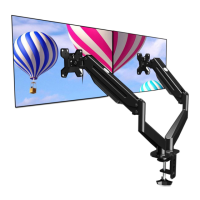

 To Next Page