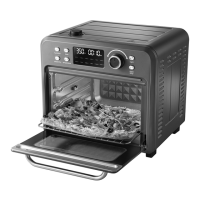
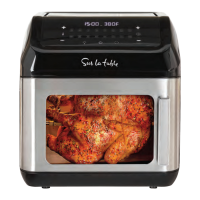
To Use the Chicken Function:
NOTE: While the Chicken function is primarily designed for cooking chicken wings, it can also be used to prepare other cuts of chicken.
1. Arrange the wings or other cuts of chicken in a single layer on the Air Fry Basket and position it in the middle rack.
2. Select the Chicken function.
3. Use the time button in conjunction with the knob to set the desired cooking duration if needed.
4. Use the temperature button in combination with the knob to set the desired cooking temperature if needed.
5. Press the Start button to begin cooking.
NOTE: The top four heating elements will cycle on and off to maintain the desired temperature.
WARNING: Cooked food, the metal rack, and the door may become very hot. Handle with care. Do not leave the unit unattended.
To Use the Pizza Function:
1. Place the pizza on the wire rack in the middle position.
2. Select the Pizza function.
3. Adjust the cooking time using the time button in combination with the knob, if necessary.
4. Adjust the cooking temperature using the temperature button in combination with the knob, if necessary.
5. Press the Start button to begin cooking.
NOTE: The top outer two and bottom two heating elements will cycle on and off to maintain the desired temperature.
WARNING: Cooked food, the metal rack, and the door may become very hot. Handle with care. Do not leave the unit unattended.
To Use the Seafood Function:
NOTE: The Seafood function is typically used for cooking shrimp.
1. Arrange the food on the wire rack or in the air basket, positioning it in the middle rack.
2. Select the Seafood function.
3. Adjust the cooking time as necessary using the time button in combination with the knob.
4. Adjust the cooking temperature as necessary using the temperature button in combination with the knob.
5. Press the Start button to begin cooking.
NOTE: The top outer two and bottom two heating elements will cycle on and off to maintain the desired temperature.
WARNING: Cooked food, the metal rack, and the door may become very hot. Handle with care. Do not leave the unit unattended.
To Use the Meat Function:
1. Place the food on the baking pan and position it in the middle rack.
2. Select the Meat function.
3. Adjust the cooking time, if necessary, by using the time button in combination with the knob.
4. Adjust the cooking temperature, if necessary, by using the temperature button in combination with the knob. Remember
to turn the food over about halfway through the cooking cycle.
5. Press the Start button to begin cooking.
NOTE: The top four heating elements will cycle on and off to maintain the desired temperature.
WARNING: Cooked food, the metal rack, and the door may become very hot. Handle with care. Do not leave the unit unattended.


 To Next Page
 Loading...