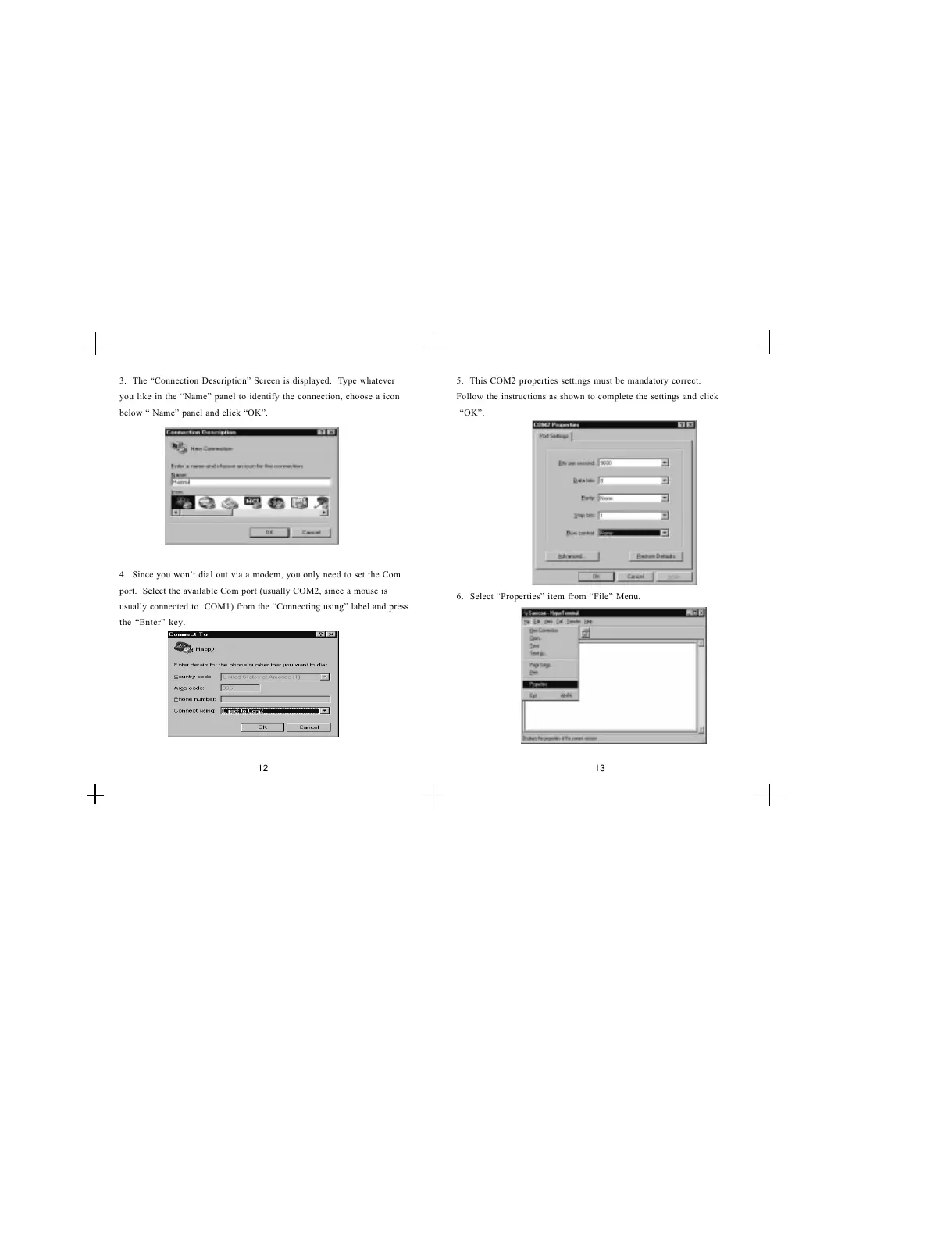
3. The Connection Description Screen is displayed. Type whatever
you like in the Name panel to identify the connection, choose a icon
below Name panel and click OK.
4. Since you wont dial out via a modem, you only need to set the Com
port. Select the available Com port (usually COM2, since a mouse is
usually connected to COM1) from the Connecting using label and press
the Enter key.
5. This COM2 properties settings must be mandatory correct.
Follow the instructions as shown to complete the settings and click
OK.
6. Select Properties item from File Menu.
12 13


 To Next Page