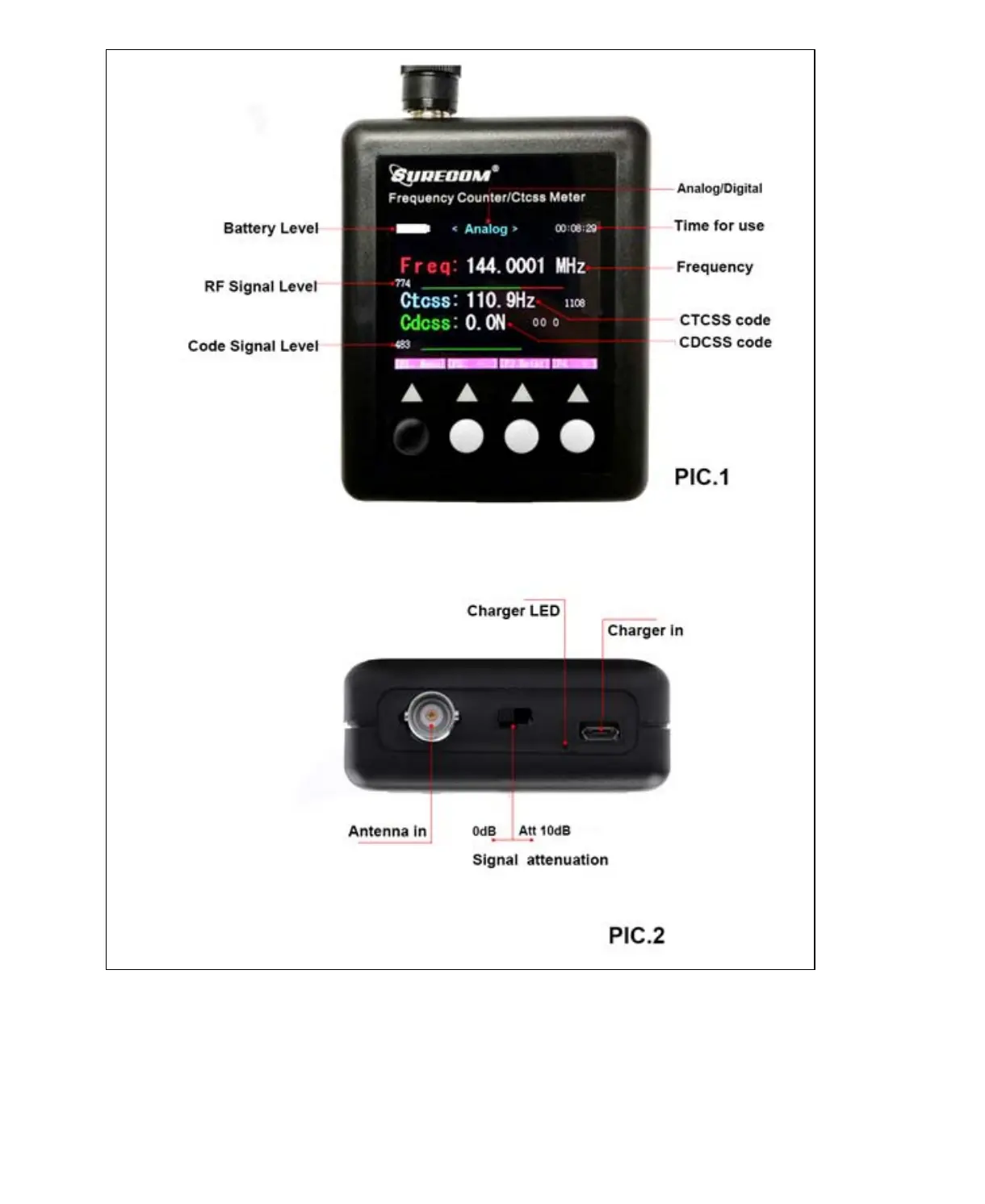
Power On/Off
Power On –Press and Hold down the [black key] by 2 second
Power Off –Press and Hold down the [black key] by 4 second of number count down to 0
Charging the battery
Plug the Power cord into adaptor , Micro USB connected SF-401, The Led indicating:
*The RED Led is light - Charging
* The Green Led is light - Full
How to check Frequency measuring. See PIC.3
pagina 3 van 1
SURECOM SF401-PLUS Portable CTCSS/DCS Decoder Frequency Counter 409sh
...
30-9-201
http://www.409shop.com/409shop_product.php?id=123940



 To Next Page