A2 AVIATOR
Introduction
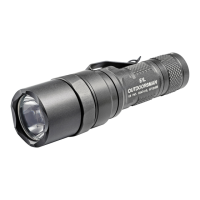
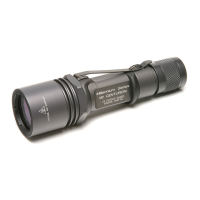
The A2 Aviator
®
is fitted with three LEDs (Light
Emitting Diodes) surrounding an incandescent
main lamp. Powered by two 3-volt lithium
batteries, the Aviator features digital current
regulation circuitry and a two-stage switch. The
current regulation circuitry matches the lamp’s
current requirements to the batteries’ output to
achieve a more consistent (even) level of light
output for the useable life of the batteries. The two-
stage switch gives the user a choice of either a low-
output LED or a high-output incandescent beam
from a single switch. The Aviator is available in
four LED colors: White (WH), Blue (BL), Green
(GN), and Red (RD).
Light Activation
Depress the tailcap pushbutton switch for
momentary activation. Depressing switch halfway
activates the low-output LEDs. Depress
pushbutton completely to activate high-output
incandescent lamp: the light will stay on as long as
the pushbutton is depressed. Note: If light fails to
function, the tailcap may be in the lock-out
position. Rotate the tailcap clockwise until the light
can be momentarily activated.
For constant light rotate the tailcap clockwise until
the LEDs activate, continue rotating to activate
high-output beam. Note: The Aviator is a high-
output lighting device and should not be left on
unattended. External surface temperature will rise
during prolonged operation; this is a normal
operating phenomenon.




 To Next Page