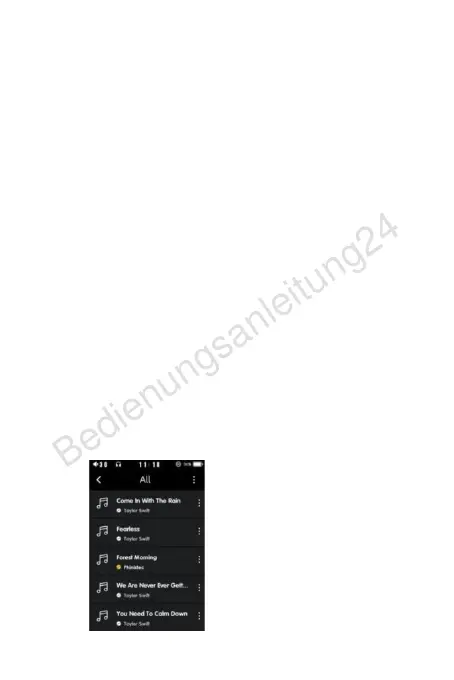
Play mode: Click the icon to play sequentially or randomly, and you
can also select it in the playback mode of the playback settings.
Favorites: Click the star of the favorite logo on the playback
interface to turn yellow, and the song will be automatically added
to the playlist.
S
o
n
g
p
l
a
y
:
I
n
a
d
d
i
t
i
o
n
t
o
p
l
a
y
i
n
g
p
a
u
s
e
a
n
d
g
o
i
n
g
u
p
a
n
d
d
o
w
n
,
y
o
u
c
a
n
a
l
s
o
s
l
i
d
e
t
h
e
p
r
o
g
r
e
s
s
b
a
r
d
u
r
i
n
g
p
l
a
y
b
a
c
k
o
r
p
r
e
s
s
t
h
e
u
p
/
d
o
w
n
b
u
t
t
o
n
t
o
f
a
s
t
f
o
r
w
a
r
d
a
n
d
r
e
w
i
n
d
;
c
l
i
c
k
t
h
e
a
l
b
u
m
p
i
c
t
u
r
e
t
o
d
i
s
p
l
a
y
t
h
e
l
y
r
i
c
s
o
f
t
h
e
s
o
n
g
,
a
n
d
t
h
e
s
o
n
g
w
i
t
h
o
u
t
l
y
r
i
c
s
won't show.
More: Click to open and you will be prompted to return to the
p
l
a
y
l
i
s
t
,
a
d
d
t
o
t
h
e
p
l
a
y
l
i
s
t
,
v
i
e
w
s
o
n
g
i
n
f
o
r
m
a
t
i
o
n
,
a
d
j
u
s
t
t
h
e
E
Q
e
q
u
a
l
i
z
e
r
,
v
i
e
w
t
h
e
l
i
s
t
o
f
a
l
b
u
m
s
a
n
d
d
e
l
e
t
e
a
n
d
e
d
i
t
s
o
n
g
s
;
P
l
a
y
l
i
s
t
T
h
i
s
l
i
s
t
m
a
i
n
l
y
s
h
o
w
s
a
l
l
s
o
n
g
s
a
n
d
f
o
l
d
e
r
s
s
t
o
r
e
d
a
f
t
e
r
s
c
a
n
n
i
n
g
.
A
l
l
D
i
s
p
l
a
y
t
h
e
l
i
s
t
o
f
a
l
l
s
o
n
g
s
s
c
a
n
n
e
d
i
n
t
o
t
h
e
m
e
m
o
r
y
c
a
r
d
b
y
t
h
e
p
l
a
y
e
r
.
C
l
i
c
k
t
h
e
s
o
n
g
n
a
m
e
i
n
t
h
e
l
i
s
t
t
o
p
l
a
y
a
n
d
p
a
u
s
e
t
h
e
s
o
n
g
;


 To Next Page