74
SD MEMORY CARD - PLAY CARD MENUS
Various Menu Screens - Load Song function has various menu screens that
allow you to view Song Lyrics and to play along with the SD Memory
Card.
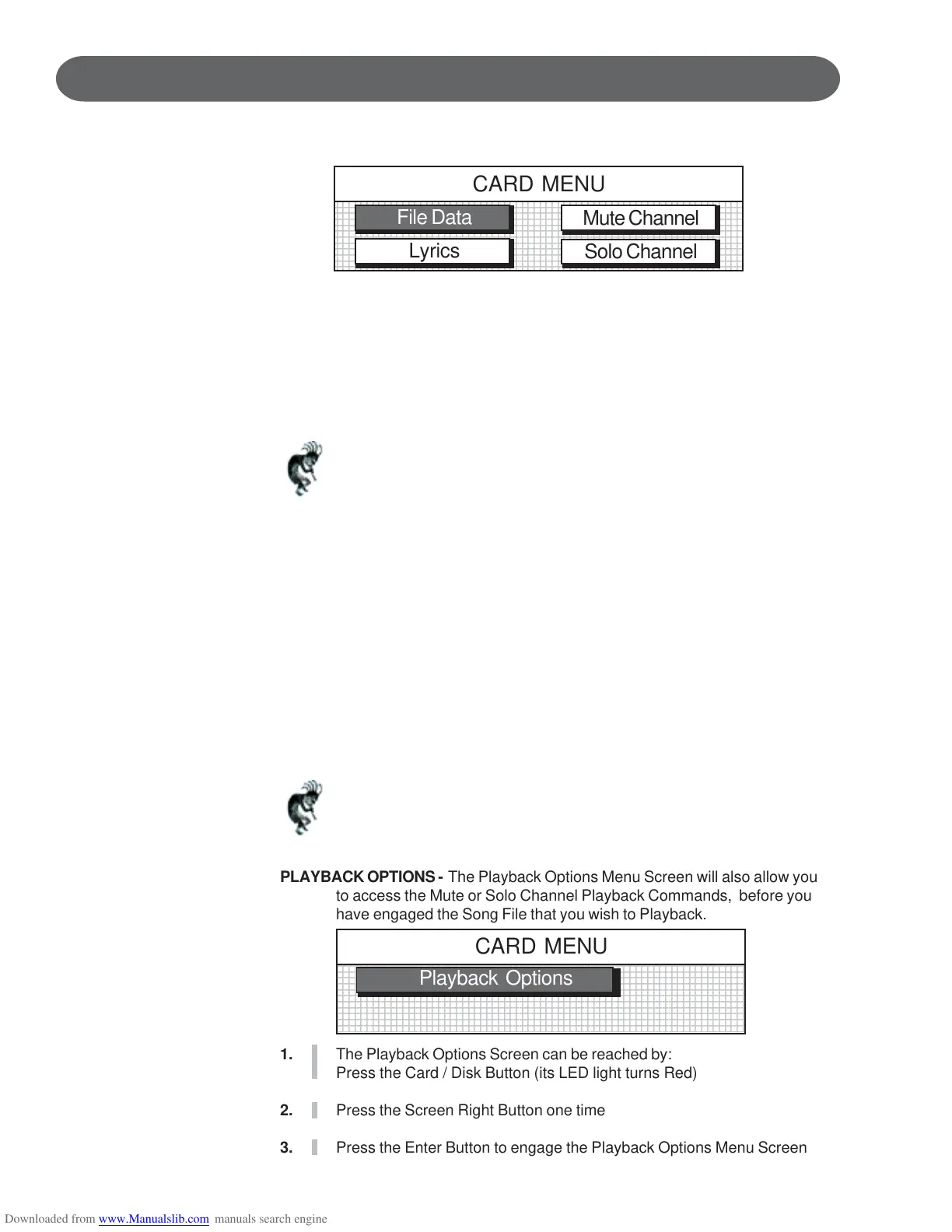
FILE DATA - The File Data Screen displays the song’s MIDI file name and what
Musical Instrument Voice for the piano has been selected.
This Instrument Voice is called the Solo Instrument because you can
solo by playing the piano keys while the MIDI song plays.
LYRICS - The Lyrics Screen displays the Lyrics of the Song that is being played,
if your MIDI File Song has Lyrics attached.
Note: The Video Out Jack will supply this Lyric Screen to your TV when
connected. See the Connector Panel section of this manual for more
information.
MUTE CHANNEL - The Mute Channel Screen allows you to select certain
individual tracks of your MIDI File Song to Mute. Therefore depending on
your Standard MIDI File Formatted Song you would be able to Mute the
Bass or Melody Line of the Song if you so desired. Mutable Channels
are Channels 1 - 4. Therefore it depends on the MIDI File that you are
playing along with as to what recorded channels are listed on Channels
1 - 4.
SOLO CHANNEL - The Solo Channel Screen allows you to select certain
individual tracks of your MIDI File Song to Solo on (play along with).
Therefore depending on your Standard MIDI File Formatted Song you
would be able to Solo on one of four Channels. Channels 1 - 4 are
available for playing along with the MIDI Song.
Note: If you select a Solo Channel, the Accompaniment Volume Slider
Control will adjust its volume control, when there is data on those
channels. If there is no data the volume control will have no effect.
1234567890123456789012345678901212345678901234567890123456789012123456
1
23456789012345678901234567890121234567890123456789012345678901212345
23456789012345678901234567890121234567890123456789012345678901212345
23456789012345678901234567890121234567890123456789012345678901212345
23456789012345678901234567890121234567890123456789012345678901212345
23456789012345678901234567890121234567890123456789012345678901212345
23456789012345678901234567890121234567890123456789012345678901212345
23456789012345678901234567890121234567890123456789012345678901212345
23456789012345678901234567890121234567890123456789012345678901212345
23456789012345678901234567890121234567890123456789012345678901212345
23456789012345678901234567890121234567890123456789012345678901212345
6
1234567890123456789012345678901212345678901234567890123456789012123456
CARD MENU
File Data
Lyrics
Mute Channel
Solo Channel
123456789012345678901234567890121234567890123456789012345678901212345
1
2345678901234567890123456789012123456789012345678901234567890121234
2345678901234567890123456789012123456789012345678901234567890121234
2345678901234567890123456789012123456789012345678901234567890121234
2345678901234567890123456789012123456789012345678901234567890121234
2345678901234567890123456789012123456789012345678901234567890121234
2345678901234567890123456789012123456789012345678901234567890121234
2345678901234567890123456789012123456789012345678901234567890121234
2345678901234567890123456789012123456789012345678901234567890121234
2345678901234567890123456789012123456789012345678901234567890121234
2345678901234567890123456789012123456789012345678901234567890121234
5
123456789012345678901234567890121234567890123456789012345678901212345
CARD MENU
Playback Options
PLAYBACK OPTIONS - The Playback Options Menu Screen will also allow you
to access the Mute or Solo Channel Playback Commands, before you
have engaged the Song File that you wish to Playback.
1. The Playback Options Screen can be reached by:
Press the Card / Disk Button (its LED light turns Red)
2. Press the Screen Right Button one time
3. Press the Enter Button to engage the Playback Options Menu Screen



 To Next Page