39
RHYTHM SECTION - SELECTING A RHYTHM
SELECTING A RHYTHM STYLE USING LCD DISPLAY PANEL CONTROLS
Selecting a Rhythm Style using only the Cursor and Value Buttons
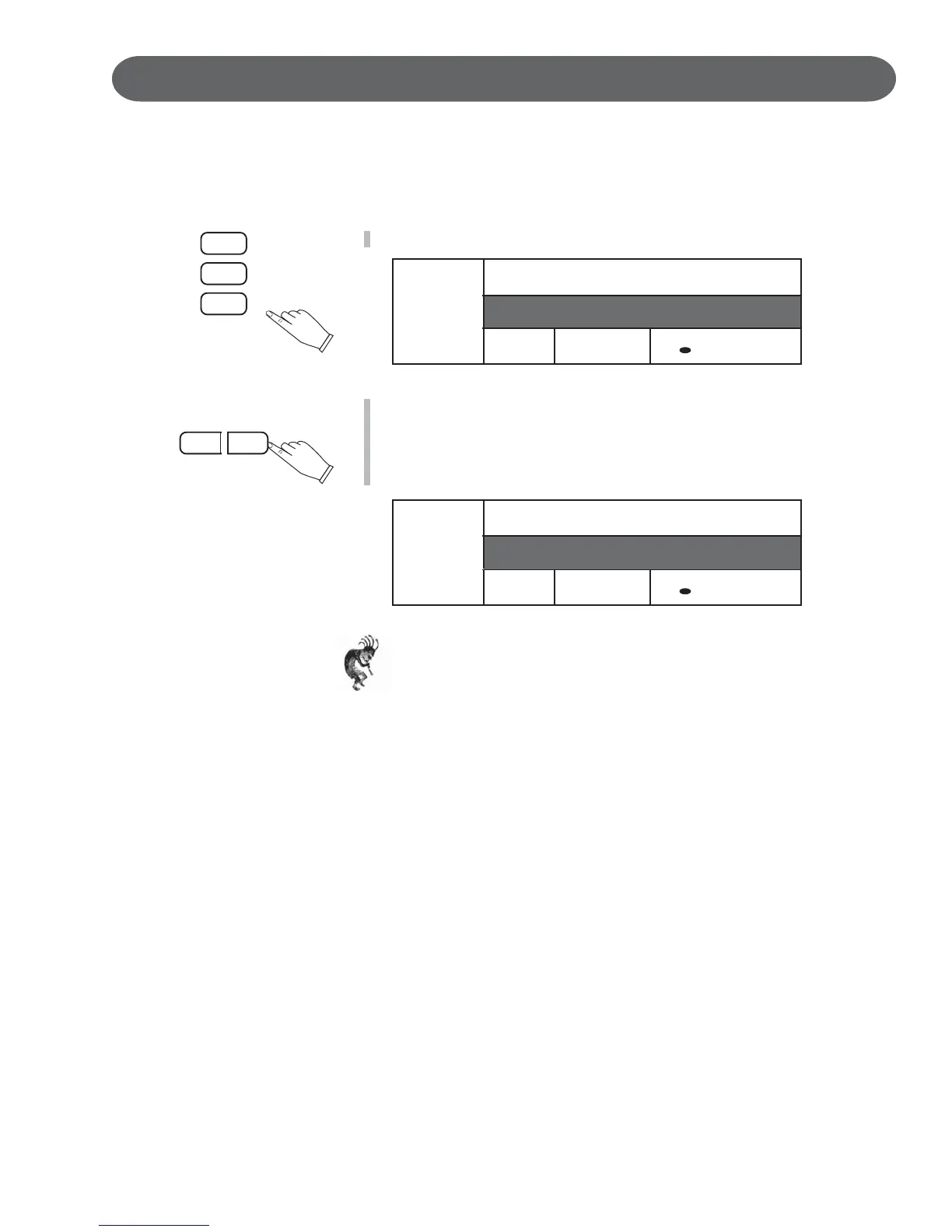
1. Highlight the Rhythm Style name area using the CURSOR buttons.
2. Press the VALUE + and - buttons or turn the Data Wheel to cycle
through the Rhythm Style numbers and names until you reach your
desired rhythm style.
For our example we pressed the Value + Button until we arrived at the
Swing Trio Rhythm Style.
Note: If you hold down the + or - Value Button the Rhythm Styles will
cycle up or down respectively until you release the Button.
STYLE
NC
1 : Big Band
A1
/ = 100
1 : Grand Piano
STYLE
NC
14 : Swing Trio
A1
/ = 100
1 : Grand Piano
CURSER
VALUE
–+





 To Next Page