EasyManua.ls Logo

Suzuki HP-9 - BASIC OPERATION: LESSON FUNCTION; Lesson Mode Details and Voice Selection; Resetting and Value Adjustments

Suzuki HP-9
38 pages
Print Icon
To Next Page IconTo Next Page
To Previous Page IconTo Previous Page
Loading...
21
As
mentioned
on
previous
pagethe
Middle
C
keysare
shown
inthe
diagram
to the
left.
TO
SELECT
DIFFERENT
INSTRUMENT
VOICES
FOR
EACH
44
NOTE
KEYBOARD
o 0 0
/,.0
0
3
;ji;,
S22
S20f~T
,
[Jo'~~:
TUNE
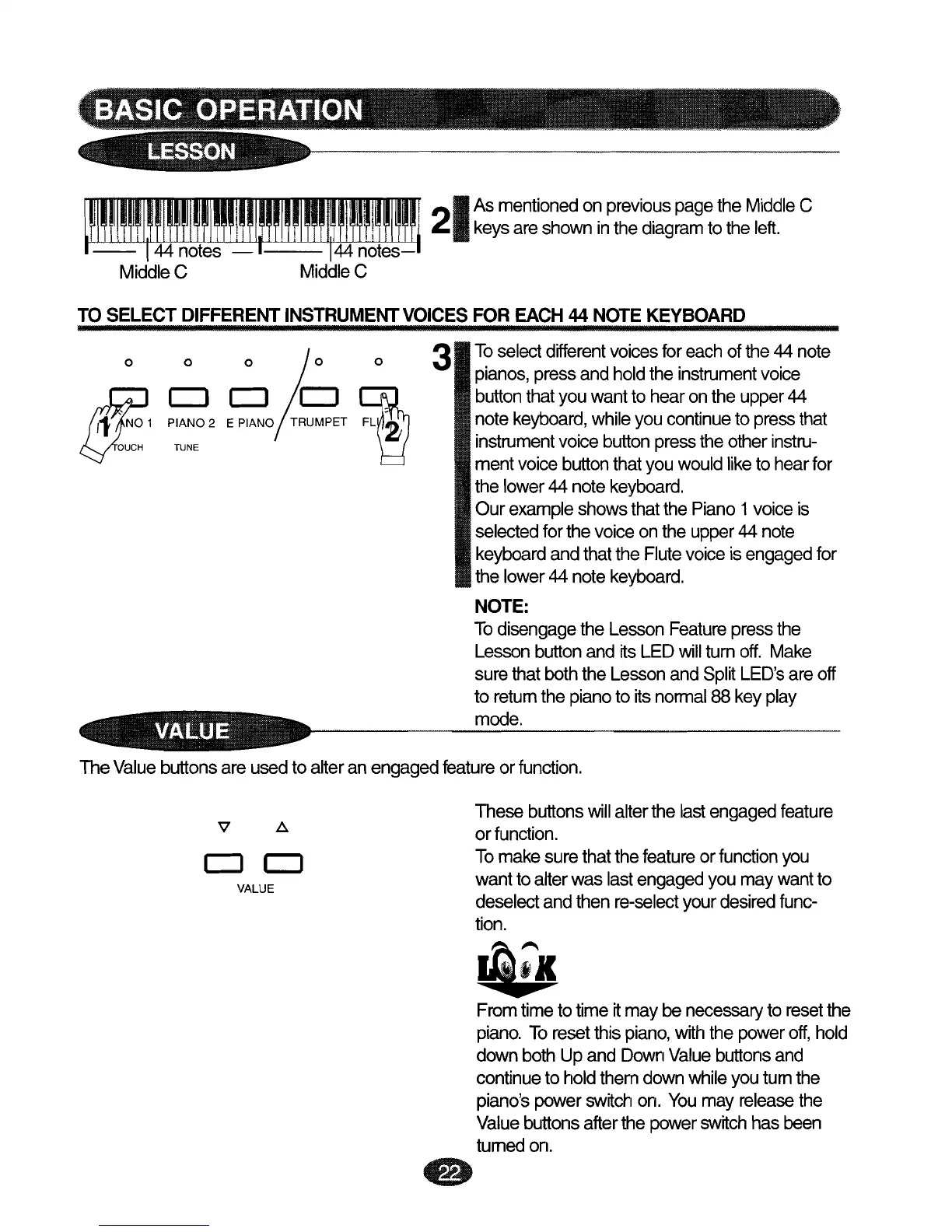
To
select
different
voices
for
each
ofthe 44 note
pianos,
pressand holdthe
instrument
voice
button
thatyouwantto hearontheupper44
note
keyboard,
while
you
continue
to
press
that
instrument
voice
button
press
theother
instru-
ment
voice
button
thatyou
would
like
to hearfor
the lower
44 note
keyboard.
Our
example
showsthatthe
Piano
1
voice
is
selected
forthevoiceonthe
upper
44
note
keyboard
andthatthe
Flute
voice
is
engaged
for
the lower
44 note
keyboard.
NOTE:
To
disengage
the
Lesson
Feature
pressthe
Lesson
button
and itsLED
will
turn
off.
Make
surethatboththe
Lesson
and
Split
LED's
areoff
to
return
the
piano
to its
normal
88 keyplay
mode.
The
Value
buttons areusedto alteran
engaged
feature
or
function.
These
buttons
will
alterthe last
engaged
feature
V .6.
or
function.
Tomakesurethatthe
feature
or
function
you
CJ
CJ
wantto alterwas last
engaged
youmaywantto
VALUE
deselect andthen
re-select
your
desired
func-
tion.
Ji:1c
Fromtimeto time
tt
maybe
necessary
to
reset
the
piano.
To
reset
this
piano,
with
the
power
off,
hold
downbothUpand
Down
Value
buttons
and
continue
to holdthemdown
while
youturnthe
piano's
power
switch
on.
You
may
release
the
Value
buttons
afterthe power
switch
has
been
turned
on.
e