EN - 15
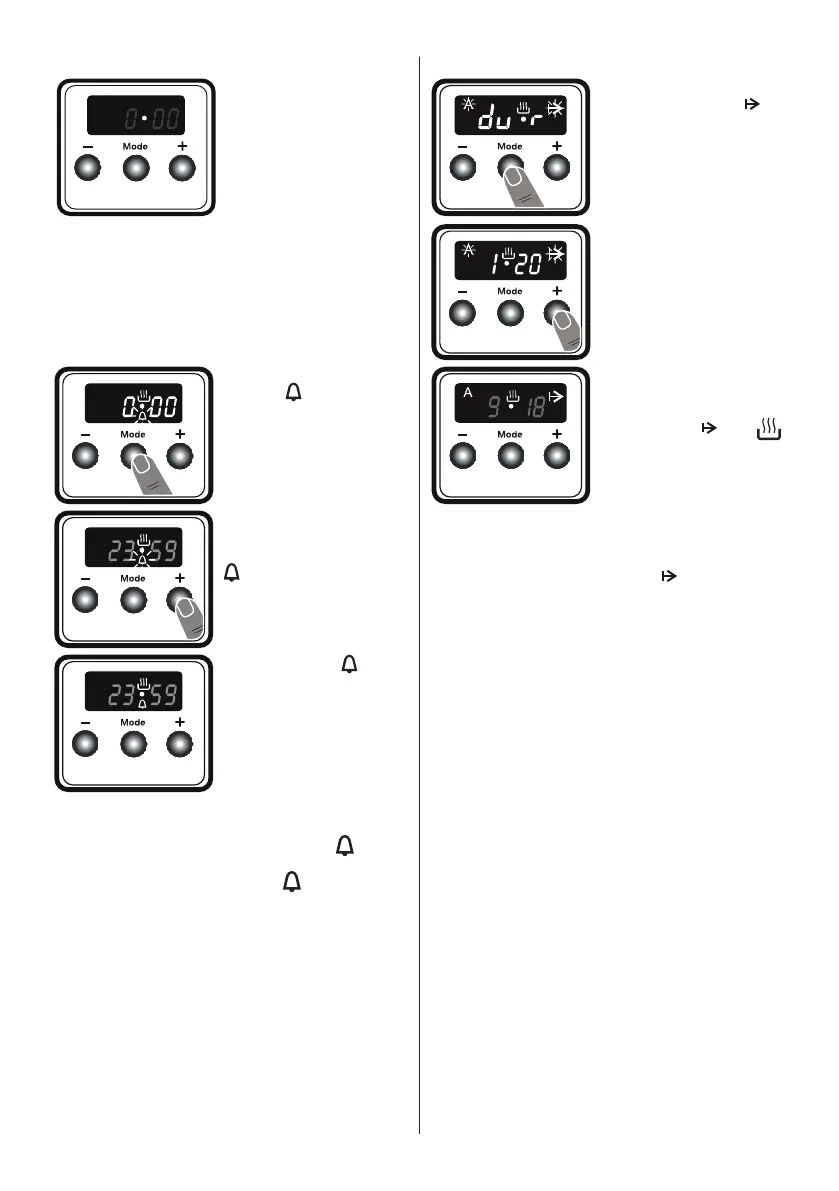
3. After a few seconds,
the dot will stop
flashing and will
remain illuminated.
Audible warning time adjustment
The audible warning time can be set to
any time between 0:00 and 23:59 hours.
The audible warning time is for warning
purposes only. The oven will not be
activated with this function.
1. Press “MODE”. The
symbol
will begin to
flash and “000” will be
displayed.
2. Select the desired
time period using the
“+” and “-” keys while
is flashing.
3. The symbol will
remain illuminated, the
time will be saved and
the warning will be set.
When the timer reaches zero, an audible
warning will sound and the symbol will
flash on the display. Press “MODE” to stop
the audible warning and the symbol will
disappear.
Semi-automatic time adjustment
(cooking period)
This function helps you to cook for a fixed
period of time. A time range between 0 and
“23:59” hours can be set. Prepare the food
for cooking and put it in the oven.
1. Select the desired cooking function and
the temperature using the control knobs.
2. Press “MODE” until
you see “dur” and
symbol on the display
screen. The symbol
“A” will flash.
3. Select the desired
cooking time period
using the “+” and “-”
keys.
4. The current time
will reappear on
the screen, and the
symbols “A”, and
will remain illuminated.
When the timer reaches zero, the oven
will switch off and an audible warning will
sound. The symbols “A” and will flash.
Turn both control knobs to the “0” position
and press “MODE” to stop the warning
sound. The symbols will disappear and the
timer will switch back to manual function.
Sound Adjustment
To adjust the volume of the audible warning
sound, while the current time of day is
displayed, press and hold the “-” button for
1-2 seconds until an audible signal sounds.
After this, each time the “-” button is
pressed, a different signal will sound. There
are three different types of signal sounds.
Select the desired sound and do not press
any other buttons. After a short time, the
selected sound will be saved.
4.4 aCCeSSorieS
The Shallow Tray
The shallow tray is best used for baking
pastries.
Put the tray into any rack and push it to the
end to make sure it is correctly placed.


 To Next Page