OPERATING YOUR UNIT
Setting the Temperature Control
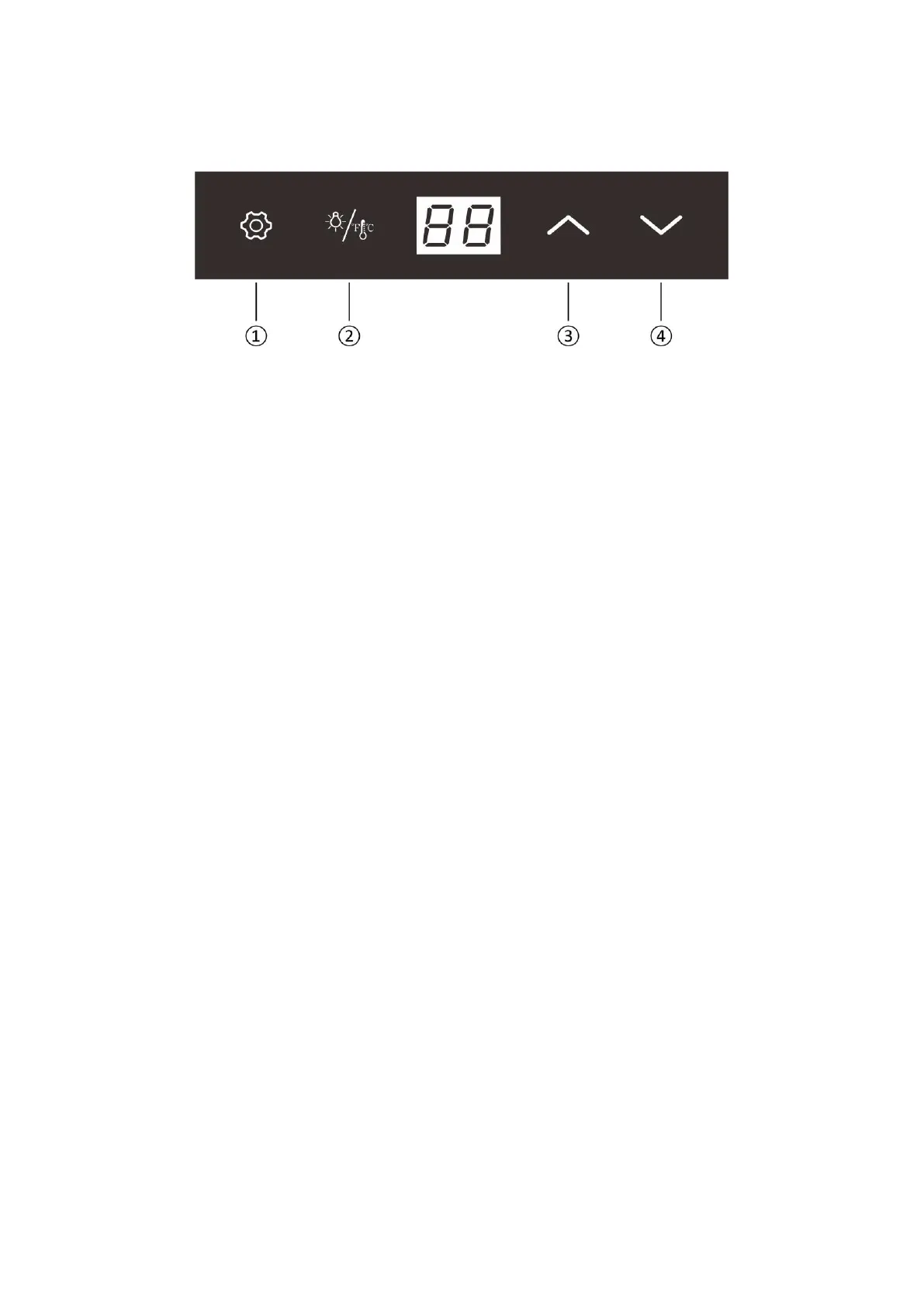
Key Function
①
Unlock key: long press for 2 seconds to unlock
②
Light/CF key: short press to turn on or off; long press to switch between Fahrenheit and Celsius
③
Add key: temperature setting
④
Minus key: temperature setting
Automatic locking function
When all the key no operation for 20 seconds, the key will be locked automatically. After locking, the plus and
minus keys cannot be operated. The unlock key and light / CF key operate normally
Auto light off function
When all the key no operation for 10 minutes, the lamp will turn off automatically
Adjustable range
Minimum value: 5°C / 41°F
Maximum value: 18°C / 64°F
Display range
Temperature display range of control panel:0~37°C / 32~99°F
Display stability
In the Celsius state: When the temperature measured by the temperature probe is within ± 1 ° C of the set
temperature, the temperature display will display the set temperature value
In the Fahrenheit state: When the temperature measured by the temperature probe is within ± 2 ° F of the set
temperature, the temperature display will display the set temperature value
Error code
EE: "EE" is displayed when the temperature probe is short-circuited or disconnected, flashes, and cooling is
stopped
LL: When the temperature measured by the temperature probe is lower than 0 degrees Celsius, "LL" is
displayed, flashing, and the cooling is stopped
HH: When the temperature measured by the temperature probe is higher than 37 degrees Celsius, "HH" is
displayed, flashing, and cooling is stopped
Forced defrosting function
When the compressor works for 12 hours, the compressor will stop working for 30 minutes
Memory function
The control board is re-energized after each power-off, the temperature setting value, Fahrenheit/Celsius
state will be the same as before the power-off, and the length of power-off time is not limited


 To Next Page
 Loading...