Need help?
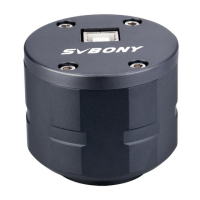
Do you have a question about the SVBONY SV305 Pro and is the answer not in the manual?
Install the native SVBONY camera driver for Windows system users.
Download and install Sharpcap imaging software for camera operation.
Configure the SV305 Pro/SV305M Pro as the primary imaging camera with telescope.
Connect the camera to Sharpcap software and confirm image display and frame rates.
 General
| Connection | USB 3.0 |
|---|---|
| Sensor Size | 1/2.8" |
| Shutter Type | Rolling Shutter |
| ADC | 12-bit |
| Back Focus Distance | 12.5mm |
| Resolution | 1920 x 1080 |
| Pixel Size | 2.9μm x 2.9μm |
| Frame Rate | 30fps@1920x1080 |
| Compatibility | Windows, Linux, Mac OS |
| Telescope Connection | 1.25" |
| Exposure Control | Manual |
| Supported Software | SharpCap |
| Sensor | Sony IMX290 |

 To Next Page