ENG
4
Wireless Stereo Headphones
with Microphone
•It is necessary to select Bluetooth device search mode on a signal source (telephone,
notebook, smartphone, etc.). «SVEN E-335B» massage will be displayed on the screen,
which is to be connected to*.
•If connection successful, there will be a short beep signal in the headphones; the search
mode indication on the headphones is over. If no devices connected, headphones will
turned o automatically in 2 minutes.
Bluetooth Technology
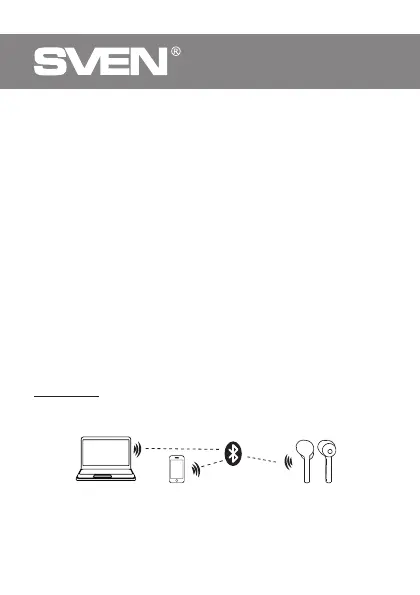
•Wireless data transfer via the Bluetooth protocol enables to connect wireless
headphones to compatible devises. Maximum radi us of action of data transfer is 10 m.
Such obstacles as walls or other electronic devices can interfere with the signal transfer.
OPERATION
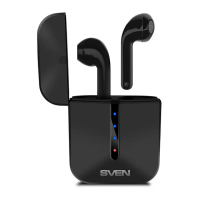
Case Charging
•Connect the charging case (jack f) to PC USB port or USB charger using USB
to USB type-C (included). During battery charging indicator a will alternately
flash white. When the case is fully charged, all 4 LEDs will light up continuously.
Each LED symbolizes approximately 25% of the charge.
Case Headset Charging
•Put the headphones to the charging case. During battery charging indicator b lights red.
When device is charged full, indicator
b is blue within 1 minute, then go out.
•The battery in the headphones and case is used as an integral part of the device,
therefore do not try to extract or replace it, because this can result in the warranty
cancellation or the device damage.
Device switching on
•Remove the headphones from the charging case and they will automatically turn on.
Make sure the headphones are charged.
Device switching off
•Put the headphones to the charging case. They will automatically turn o, or long touch
of button
c of the headphones - turn off each headphone separately.
* You might have to enter «0000» code to connect some models of devices via Bluetooth.
Fig. 2. Connection diagram
PC
Headphones
Mobile device


 To Next Page