2
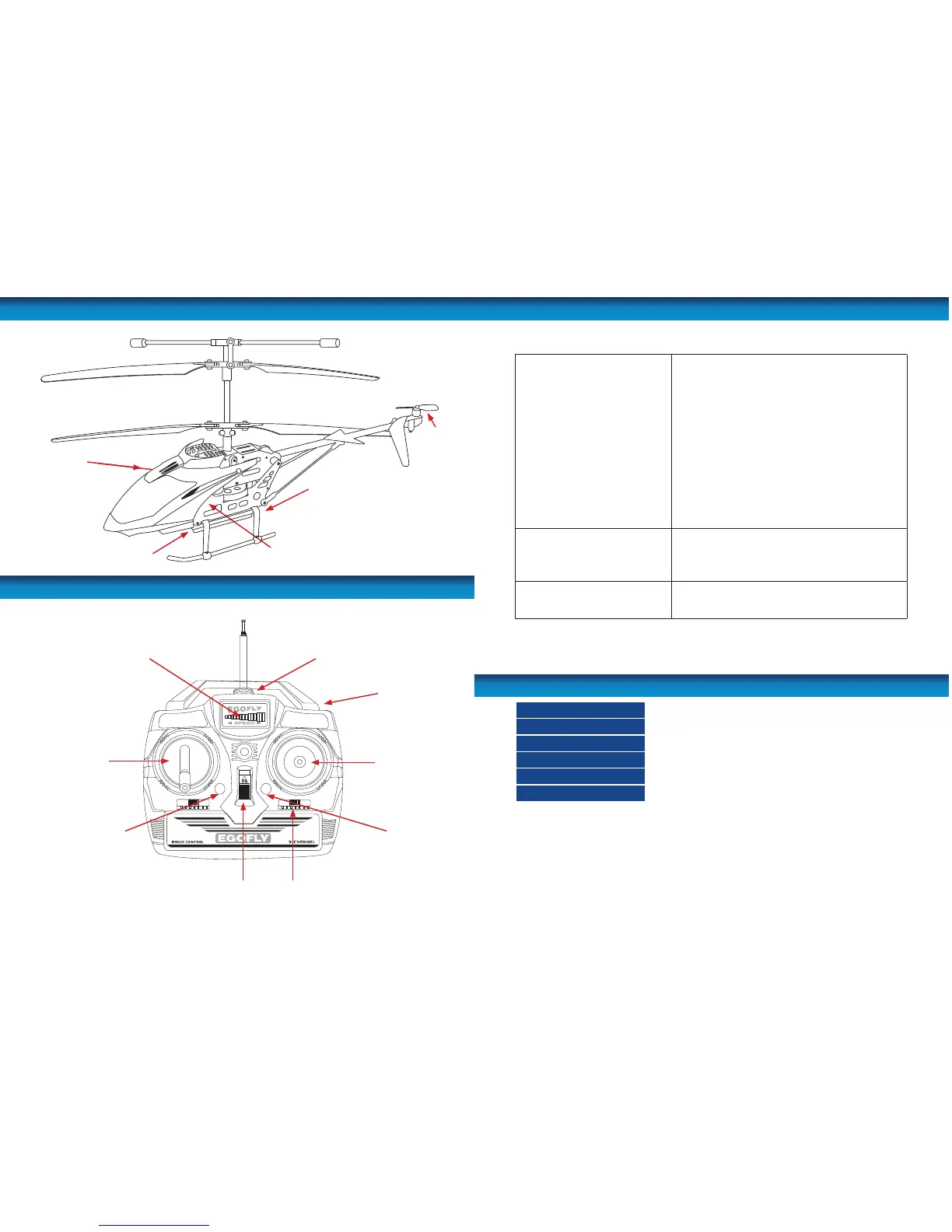
The Helicopter
The Remote Control
Upper Rotors
Lower Rotors
Charging port
Camera
Power ON/OFF
Micro-SD card slot
Flight stick
Trim control
Antenna mount
Battery indicator light
Throttle stick
Landing light ON/OFF Tail Rotor Speed Control
Video Record button
Power switch
Tail rotor
11
Troubleshooting
Cannot control the chopper
• Ensure the controller is switched ON.
• Ensure the helicopter is switched ON.
• Try pairing the remote and the helicopter again.
• Check the batteries in the remote and if needed,
replace with new batteries.
• Ensure the antenna is securely attached to the
remote.
• Ensure the helicopter is fully charged.
• Do not y the helicopter in high winds as this may
make it hard to control.
• Center the trim control and if needed, adjust the
trim again.
Helicopter will not ascend.
• The charge in the helicopter may be too low. You
will need to recharge the helicopter.
• Check that you are providing enough throttle to
lift the chopper.
Helicopter lands too fast
• You are reducing the throttle too fast. Reduce the
throttle gently to get a gradual descent to the
ground and a softer landing.
Charging time
Approx. 60-70 minutes
Flying time
Approx. 5-8 minutes
Control distance
Approx. 20-30m / 65ft - 98ft
Frequency
27MHz
Battery (helicopter)
DC 3.7V output (580MA)
Battery (remote control)
AA 1.5V x 6 (not included)
Speci cations


 To Next Page