2
EN
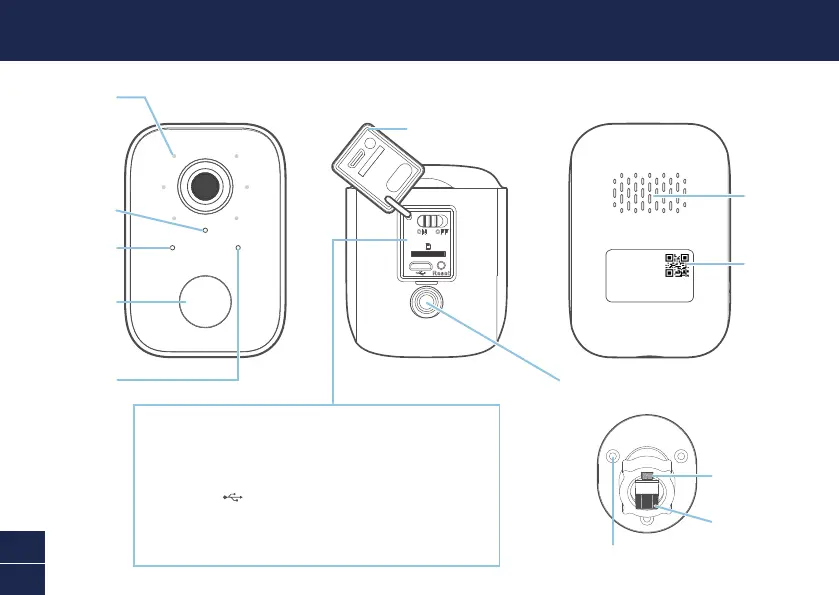
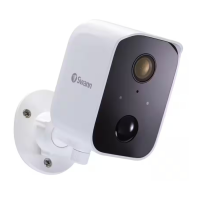
CAMERA OVERVIEW
Threaded screw hole
(attaches to the included wall-mount bracket)
Pull rubber cap gently from the bottom to access:
• ON/OFF switch
• MicroSD card slot
32GB card pre-installed, Max. 128GB card supported
• Micro USB charging port
• Reset button
— Press and hold for 5 seconds to enter pairing mode
— Press and hold for 10 seconds to factory reset the camera
Microphone
Speaker
QR code (for
device pairing)
Rubber cap
Passive infrared
motion sensor
LED indicator
Night detection
sensor
Infrared LEDs
(for night vision)
Threaded
mounting post
Bracket screw hole (x3)
Locking knob



 To Next Page