7
EN
SET UP THE FOURTIFY
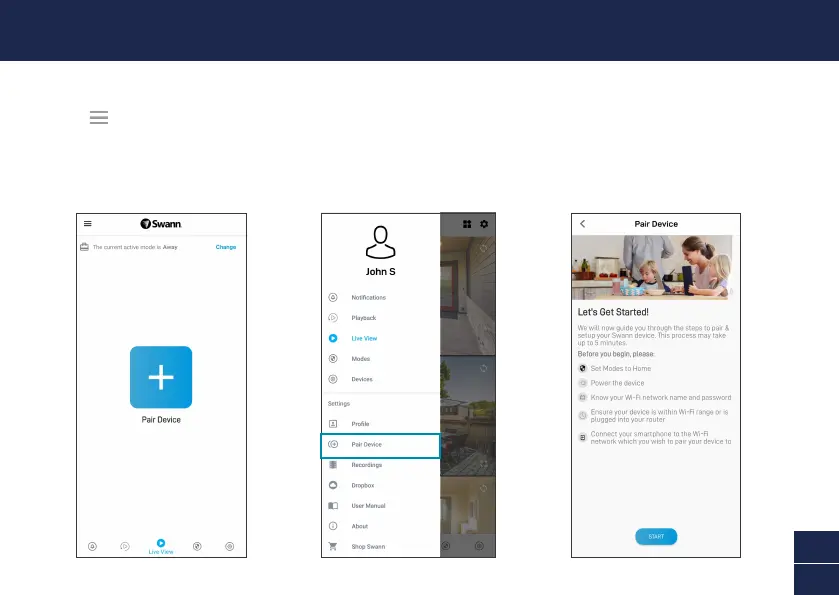
Launch the Swann Security app and sign in. Tap the Pair Device button on the screen (or tap the menu
icon in the top left and select “Pair Device”). The app will now guide you through the pairing process
to set up the Fourtify main camera with your Wi-Fi network.
Please note that the Fourtify main camera is only compatible with the 2.4GHz network. If your router is
using the 5GHz band, please ensure it is operating in mixed mode.



 To Next Page