EasyManua.ls Logo

Swann INTERCOM DB-815 - User Manual

Swann INTERCOM DB-815
12 pages
Print Icon
To Next Page IconTo Next Page
Loading...
1
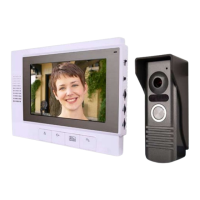
High Resolution Intercom
with 7” LCD screen
SR347-DV7-60100-231109
SW347-DV7
www.swannsecurity.com
Operating Instructions
DB-815
TM
Advanced security made easy
Question and Answer IconNeed help?

Do you have a question about the Swann INTERCOM DB-815 and is the answer not in the manual?

Summary

Before You Begin

Package Contents

Overview

General Guidelines: Read Before Attempting Installation

Key advice for safe and correct installation of the intercom system.

Layout

Indoor LCD Unit

Detailed description of the indoor intercom unit's components and features.

Outdoor Unit

Detailed description of the outdoor intercom unit's components and features.

Installation Guide

Installing the cables

Instructions for running and connecting the intercom cables safely and effectively.

Attaching the mounting brackets

Step-by-step guide for securing the indoor and outdoor unit mounting brackets.

Connecting Wiring

Completing Installation

To attach power

Steps to connect the power supply to the indoor unit for system operation.

Attaching the Units to the brackets

Instructions for mounting the indoor and outdoor units onto their respective brackets.

Using more than one indoor unit

Guidance on connecting additional indoor monitors to the intercom system.

Operating the Intercom

Volume, Chroma and Brightness Controls

How to adjust audio volume, color intensity, and image brightness on the intercom.

Troubleshooting

Technical Specifications

Helpdesk; Technical Support Details

Warranty Information

Summary

Before You Begin

Package Contents

Overview

General Guidelines: Read Before Attempting Installation

Key advice for safe and correct installation of the intercom system.

Layout

Indoor LCD Unit

Detailed description of the indoor intercom unit's components and features.

Outdoor Unit

Detailed description of the outdoor intercom unit's components and features.

Installation Guide

Installing the cables

Instructions for running and connecting the intercom cables safely and effectively.

Attaching the mounting brackets

Step-by-step guide for securing the indoor and outdoor unit mounting brackets.

Connecting Wiring

Completing Installation

To attach power

Steps to connect the power supply to the indoor unit for system operation.

Attaching the Units to the brackets

Instructions for mounting the indoor and outdoor units onto their respective brackets.

Using more than one indoor unit

Guidance on connecting additional indoor monitors to the intercom system.

Operating the Intercom

Volume, Chroma and Brightness Controls

How to adjust audio volume, color intensity, and image brightness on the intercom.

Troubleshooting

Technical Specifications

Helpdesk; Technical Support Details

Warranty Information

Swann INTERCOM DB-815 Specifications

General IconGeneral
BrandSwann
ModelINTERCOM DB-815
CategoryIntercom System
LanguageEnglish

Related product manuals