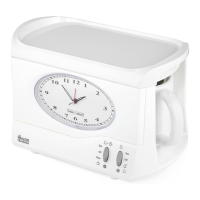
This document describes the Swan Retro Sensor Bin, model SWKA4500, a kitchen accessory designed for modern homes. The bin is part of the Swan Retro range, which emphasizes a blend of classic aesthetics with contemporary functionality.
Function Description:
The Swan Retro Sensor Bin is an automatic waste bin designed to provide a hygienic and convenient waste disposal solution for kitchens. Its primary function is to open automatically when a hand or object is detected near its sensor, eliminating the need for physical contact with the lid. This sensor-activated operation contributes to a cleaner and more sanitary kitchen environment. After the hand or object is removed from the sensor area, the lid automatically closes after a short delay. The bin is designed to accommodate standard bin liners, which are secured in place by a retaining ring.
Important Technical Specifications:
- Model: SWKA4500
- Power Source: 4 x "AA" batteries
- Sensor Type: Inductive window
- Sensor Activation Distance: Approximately 5-15 cm from the inductive window
- Lid Opening Time: Within 0.5 seconds of sensor activation
- Lid Closing Time: Approximately 5-6 seconds after the hand/object is removed from the sensor area
- Indicator Lights:
- Red light: Flashes every 4 seconds when the sensor system is working properly (standby mode) and when the lid closes.
- Yellow light: Illuminates when the lid opens.
- Battery Life:
- Approximately 3-6 months, assuming 20 openings/closings per day.
- Up to 2 years on standby only (for high-alkaline batteries).
- Warranty: 2 years from the date of original purchase.
Usage Features:
- Battery Installation: To set up the bin, open the cover of the battery case at the bottom of the lid and insert four "AA" batteries, ensuring correct polarity.
- Liner Placement: Place the bin liner in the center of the bin, fold the top edge of the bag over the rim, and then secure it with the provided retaining ring.
- Power Activation: Turn on the power switch located at the bottom of the lid. A red indicator light will illuminate for 2 seconds, then flash once every 4 seconds, signaling that the sensor system is active and ready.
- Automatic Operation: To dispose of waste, simply hold your hand or an object approximately 5-15 cm in front of the inductive window. The lid will open automatically within half a second. Keeping your hand or object within the sensor area will keep the lid open. Once your hand or object is removed, the lid will close automatically after about 5-6 seconds.
- Indicator Feedback: The indicator light provides visual cues: it flashes red every 4 seconds in standby mode, turns yellow when the lid opens, and returns to red when the lid closes.
- Placement Recommendations:
- Always place the bin on a level surface that can support its weight and contents.
- Avoid direct sunlight or hot/warm areas, as this can lead to unpleasant odors.
- Do not place the bin in a confined space or where obstacles might block the inductive window within a 2-meter distance.
- Avoid locations where the bin might be exposed to splashes from cooking.
- Battery Disposal: Spent batteries should not be discarded with household waste but must be disposed of at a recycling center.
Maintenance Features:
- Regular Cleaning: The bin should be cleaned regularly using a non-abrasive cleaner and a soft cloth. After cleaning, ensure the bin is thoroughly dried.
- Sensor Panel Care: It is crucial not to use a wet cloth near the sensor panel to prevent damage.
- Odor Control: Users are encouraged to use scented bin fresheners to maintain a pleasant odor.
- Warranty Conditions:
- The product must be returned to the retailer with proof of purchase for any warranty claims.
- It must be used in accordance with the instructions provided in this guide.
- It is intended for domestic purposes only.
- The warranty does not cover normal wear and tear, damage, misuse, or consumable parts.
- Swan Products Ltd has limited liability for incidental or consequential loss or damage.
- The guarantee is valid only in the UK and Eire.
- The warranty does not affect statutory rights.
- Model Number Recording: Users are advised to check the label underneath the product and record the model number for future reference.
The Swan Retro Sensor Bin combines practical, hands-free operation with a stylish design, making it a functional and aesthetic addition to any kitchen.

 Need help?
 General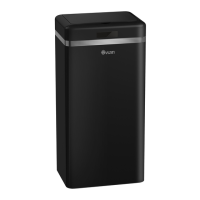

 To Next Page