EasyManua.ls Logo

Swann SH5010N - User Manual

Swann SH5010N
13 pages
Print Icon
To Next Page IconTo Next Page
Loading...
Helpline
01703 404703
v1.0
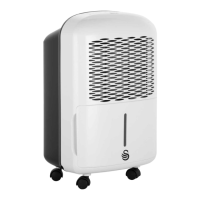
Dehumidifier
Model: SH5010N
SH5010N_front_n_back_IM.indd 1 24/06/2015 09:18
Question and Answer IconNeed help?

Do you have a question about the Swann SH5010N and is the answer not in the manual?

Summary

Important Information

General Safety Precautions

Essential safety precautions to follow when using any electrical appliance.

Safety Precautions

Safety Symbols and Guidelines

Explanation of warning symbols (WARNING, CAUTION) and general Do's and Don'ts.

Prohibited Actions

Lists critical actions to avoid to prevent injury, fire, or damage.

Required Actions

Lists essential actions to ensure safe operation and prevent hazards.

Electrical Information

Electrical Safety and Grounding

Details on proper grounding, outlets, and extension cord usage for safety.

Identification of Parts

Front and Rear Components

Identifies key external parts of the dehumidifier unit.

Control Panel Overview

Details the functions of buttons and indicator lights on the control panel.

Control Pads and Features

Operation Modes

Describes Continuous, Auto Start/Stop, Auto Defrost, and Auto-Restart functions.

Setting Humidity and Timer

Explains how to set desired humidity levels and timer functions.

Operating the Unit

Unit Positioning Guidelines

Recommendations for optimal placement and environment for operation.

Initial and Ongoing Usage

Instructions for first-time use, continuous operation, and connection.

Removing the Collected Water

Using the Bucket

Procedure for emptying the water bucket.

Continuous Draining Method

Instructions for setting up continuous drainage via a hose.

Care and Maintenance

Cleaning Grilles, Case, and Bucket

Steps for cleaning the unit's exterior and water collection bucket.

Air Filter Maintenance

Procedure for cleaning and replacing the air filter.

Long-Term Storage

Guidelines for storing the unit when not in use for extended periods.

Troubleshooting Tips

Common Problems and Solutions

Addresses issues like unit not starting, poor drying, noise, and frost.

Documentation and Warranty

Product Compliance Directives

Lists EU directives the product conforms to (EMC, LVD, RoHS).

Warranty Conditions

Details the 2-year warranty terms and conditions.

BS Plug Wiring

Instructions for connecting the mains lead wires to the plug.

Disposal of Unit

Environmental Disposal Guidelines

Information on proper recycling and disposal of electrical items.

Summary

Important Information

General Safety Precautions

Essential safety precautions to follow when using any electrical appliance.

Safety Precautions

Safety Symbols and Guidelines

Explanation of warning symbols (WARNING, CAUTION) and general Do's and Don'ts.

Prohibited Actions

Lists critical actions to avoid to prevent injury, fire, or damage.

Required Actions

Lists essential actions to ensure safe operation and prevent hazards.

Electrical Information

Electrical Safety and Grounding

Details on proper grounding, outlets, and extension cord usage for safety.

Identification of Parts

Front and Rear Components

Identifies key external parts of the dehumidifier unit.

Control Panel Overview

Details the functions of buttons and indicator lights on the control panel.

Control Pads and Features

Operation Modes

Describes Continuous, Auto Start/Stop, Auto Defrost, and Auto-Restart functions.

Setting Humidity and Timer

Explains how to set desired humidity levels and timer functions.

Operating the Unit

Unit Positioning Guidelines

Recommendations for optimal placement and environment for operation.

Initial and Ongoing Usage

Instructions for first-time use, continuous operation, and connection.

Removing the Collected Water

Using the Bucket

Procedure for emptying the water bucket.

Continuous Draining Method

Instructions for setting up continuous drainage via a hose.

Care and Maintenance

Cleaning Grilles, Case, and Bucket

Steps for cleaning the unit's exterior and water collection bucket.

Air Filter Maintenance

Procedure for cleaning and replacing the air filter.

Long-Term Storage

Guidelines for storing the unit when not in use for extended periods.

Troubleshooting Tips

Common Problems and Solutions

Addresses issues like unit not starting, poor drying, noise, and frost.

Documentation and Warranty

Product Compliance Directives

Lists EU directives the product conforms to (EMC, LVD, RoHS).

Warranty Conditions

Details the 2-year warranty terms and conditions.

BS Plug Wiring

Instructions for connecting the mains lead wires to the plug.

Disposal of Unit

Environmental Disposal Guidelines

Information on proper recycling and disposal of electrical items.

Overview

This document describes the Swan SH5010N Dehumidifier, a household appliance designed to remove moisture from the air, improving comfort and preventing moisture-related damage.

Function Description

The dehumidifier operates by drawing in humid air, passing it over cold coils where moisture condenses into water, and then releasing drier air back into the room. The collected water is stored in a removable bucket or can be continuously drained via a hose. The unit features a control panel for setting desired humidity levels, fan speed, and timer functions. It is equipped with an auto-defrost feature to prevent frost buildup on the evaporator coils and an auto-restart function that restores previous settings after a power cut. The dehumidifier is intended for indoor, residential use and is not suitable for outdoor, commercial, or industrial applications.

Important Technical Specifications

  • Model: SH5010N
  • Power Supply: 220-240V 50Hz (refer to the nameplate on the unit for specific details)
  • Refrigerant: R134A (a gas fluorinated greenhouse gas under the Kyoto Protocol with a Global Warming Potential (GWP) of 1430)
  • Operating Temperature Range: 5°C (41°F) to 35°C (95°F)
  • Humidity Setting Range: 35%RH to 85%RH in 5% increments
  • Timer Setting Range: 0.0 to 24 hours (1.5-hour increments up to 10 hours, then 1-hour increments up to 24 hours)
  • Humidity Accuracy: +/- 5%

Usage Features

  • Control Panel: Features pads for Continuous operation, Timer, UP(+)/DOWN(-) for humidity and time settings, SILENT for fan speed control (High/Low), and POWER to turn the unit on/off.
  • Indicator Lights:
    • Power On: Green light when the unit is operating.
    • Low Fan Speed: Green light when low fan speed is selected.
    • Bucket Full: Red light when the water bucket needs emptying or is not in the correct position.
    • Display: Shows set humidity level, auto start/stop time, or actual room humidity level.
    • Auto Defrost: Green light when auto defrost is active.
    • Timer On: Green light when the timer function is active.
    • Continuous Operation: Green light when continuous operation is selected.
  • Auto Shut Off: The unit automatically stops when the water bucket is full, removed, or not replaced correctly, or when the set humidity level is reached.
  • 3-Minute Delay: After stopping, the unit will not restart for 3 minutes to protect the compressor.
  • Auto-Restart: In case of a power cut, the unit will automatically restart with its previous settings once power resumes.
  • Water Collection:
    • Bucket: Water collects in a removable bucket. The unit stops when the bucket is full.
    • Continuous Draining: A 12mm water hose (not included) can be attached to the drain outlet for continuous drainage to a floor drain or suitable facility, which must be lower than the drain outlet.
  • Positioning:
    • Place on a smooth, level, sturdy surface.
    • Allow at least 20cm of air space on all sides for good air circulation.
    • Keep away from heat sources, clothes dryers, and areas where temperatures fall below 5°C (41°F).
    • Operate in an enclosed area with all doors and windows closed for maximum effectiveness.
  • Initial Use: Operate continuously for the first 24 hours.
  • Casters: Installed at four points on the bottom for easy movement. Avoid moving over carpet or with a full bucket of water to prevent tipping.

Maintenance Features

  • Cleaning the Grille and Case: Use water and a mild detergent. Avoid bleach, abrasives, or splashing water directly onto the unit. Use a vacuum attachment or brush for air intake and outlet grilles.
  • Cleaning the Bucket: Clean every few weeks with clean water and a mild detergent to prevent mold, mildew, and bacteria. Do not use a dishwasher. Ensure the bucket is securely seated after cleaning.
  • Cleaning the Air Filter: Check and clean the air filter behind the front grille at least every 30 days, or more often if necessary. Remove by pulling out the bucket, gripping the tab, and pulling downward. Clean with warm, soapy water, rinse, and air dry. Do not use a dishwasher. Do not operate the unit without the filter.
  • Long-Term Storage:
    • After turning off, wait one day before emptying the bucket.
    • Clean the main unit, bucket, and air filter.
    • Wrap and bundle the power cord.
    • Cover the unit with a plastic bag.
    • Store upright in a dry, well-ventilated place.

Safety Precautions

  • Always ensure the voltage matches your home's mains voltage.
  • Do not modify the power cord or use an unspecified cord.
  • Never immerse the unit in water or other liquids.
  • Unplug the unit before cleaning or adding/removing parts.
  • Do not operate if dropped or damaged.
  • Keep out of reach of children under 8 years old. Children aged 8 and above should be supervised when using or cleaning the appliance.
  • Do not block intake or exhaust openings.
  • Do not insert fingers or foreign objects into openings.
  • Do not place heavy objects on the power cord.
  • Do not place the unit near heat sources or where water may splash.
  • Do not drink the collected water.
  • Ensure proper grounding. Do not use extension cords or adapter plugs unless it's an approved dehumidifier extension cord.
  • Do not use an external timer or separate remote control system to switch on the appliance.

Troubleshooting Tips

The manual provides a troubleshooting guide for common issues such as the unit not starting, not drying air effectively, making loud noises, frost on coils, water on the floor, and power indicator light flashing. Solutions include checking the plug, circuit breaker, bucket position, humidity settings, air filter, and ensuring the unit is level. Error codes (AS, ES, EC) indicate sensor or refrigerant leakage issues, requiring service.

Swann SH5010N Specifications

General IconGeneral
BrandSwann
ModelSH5010N
CategoryDehumidifier
LanguageEnglish

Related product manuals